Dobot M1 User Guide 5 Installation and Commissioning
Issue V1.3.4 (2019-05-23) User Guide Copyright © Yuejiang Technology Co., Ltd
48
be enabled automatically, resulting in that IP address of Dobot M1 may be changed
after restarting the Dobot M1. You need to unselect Dynamic Host Configuration
Protocol (DHCP) on the Dobot M1 IP Address Setting page。
If the A9 firmware version is 02006000 or later version, the DHCP function will be
disabled automatically
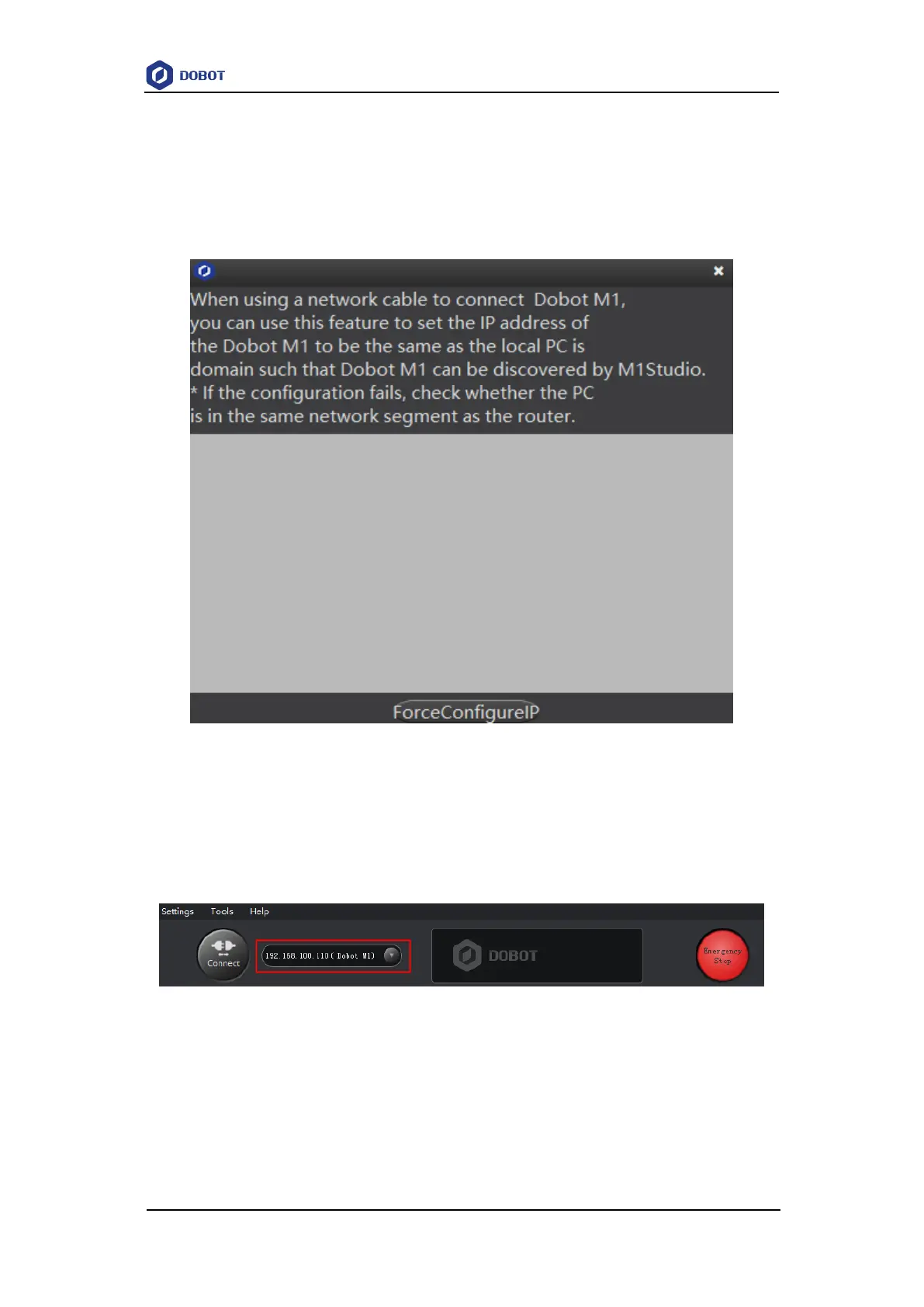
Figure 5.14 Forced configuration
After closing the forced configuration page, you can check the corresponding IP
address from the serial drop-down list on the upper left pane of the M1Studio page
and click Connect, as shown in Figure 5.15.
Figure 5.15 IP address information
If the SN number of Dobot M1 is DT211811xxx and earlier numbers, please connect them
as the flowing steps.
If the local IP address, subnet mask of the PC are 192.168.1.10, 255.255.255.0
respectively. You can run the command ipconfig /all on the CMD console window to view



 To Next Page