Dobot M1 User Guide 6 Operation
Issue V1.3.4 (2019-05-23) User Guide Copyright © Yuejiang Technology Co., Ltd
81
Figure 6.20 Complete 3D printing switching
Unplug the network cable between the Dobot M1 and PC, and connect the
Dobot M1 to the PC with the USB to DB9 adapter cable.
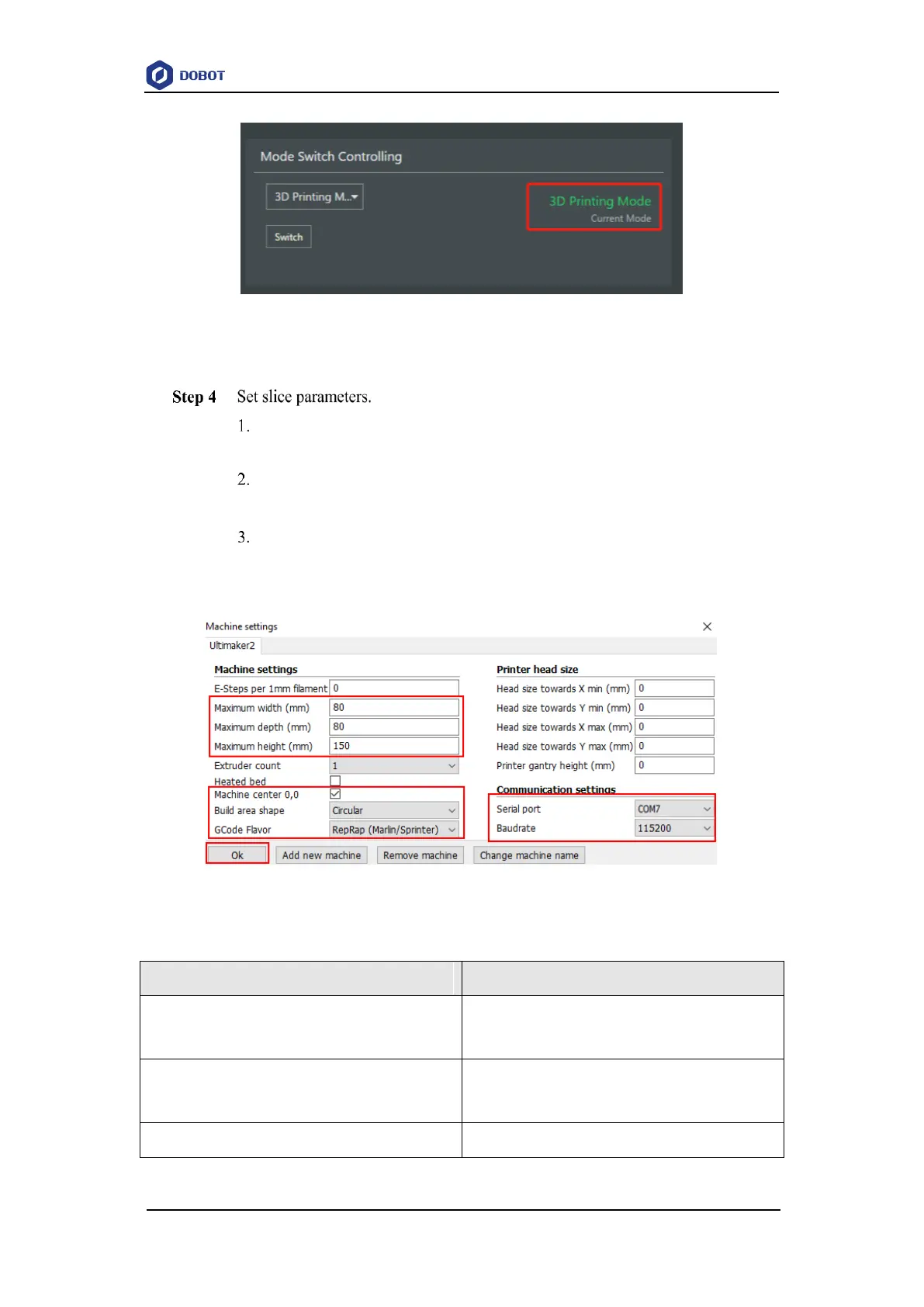
Select Machine > settings on the Cura page.
The Machine settings page is displayed.
Set the corresponding parameters on the Machine settings and click OK, as
shown in Figure 6.21. Table 6.8 lists the values of the parameters that need to
be set. The other parameters are set by default.
Figure 6.21 Parameters setting
Table 6.8 3D printing parameters description



 To Next Page