Dobot M1 User Guide 6 Operation
Issue V1.3.4 (2019-05-23) User Guide Copyright © Yuejiang Technology Co., Ltd
89
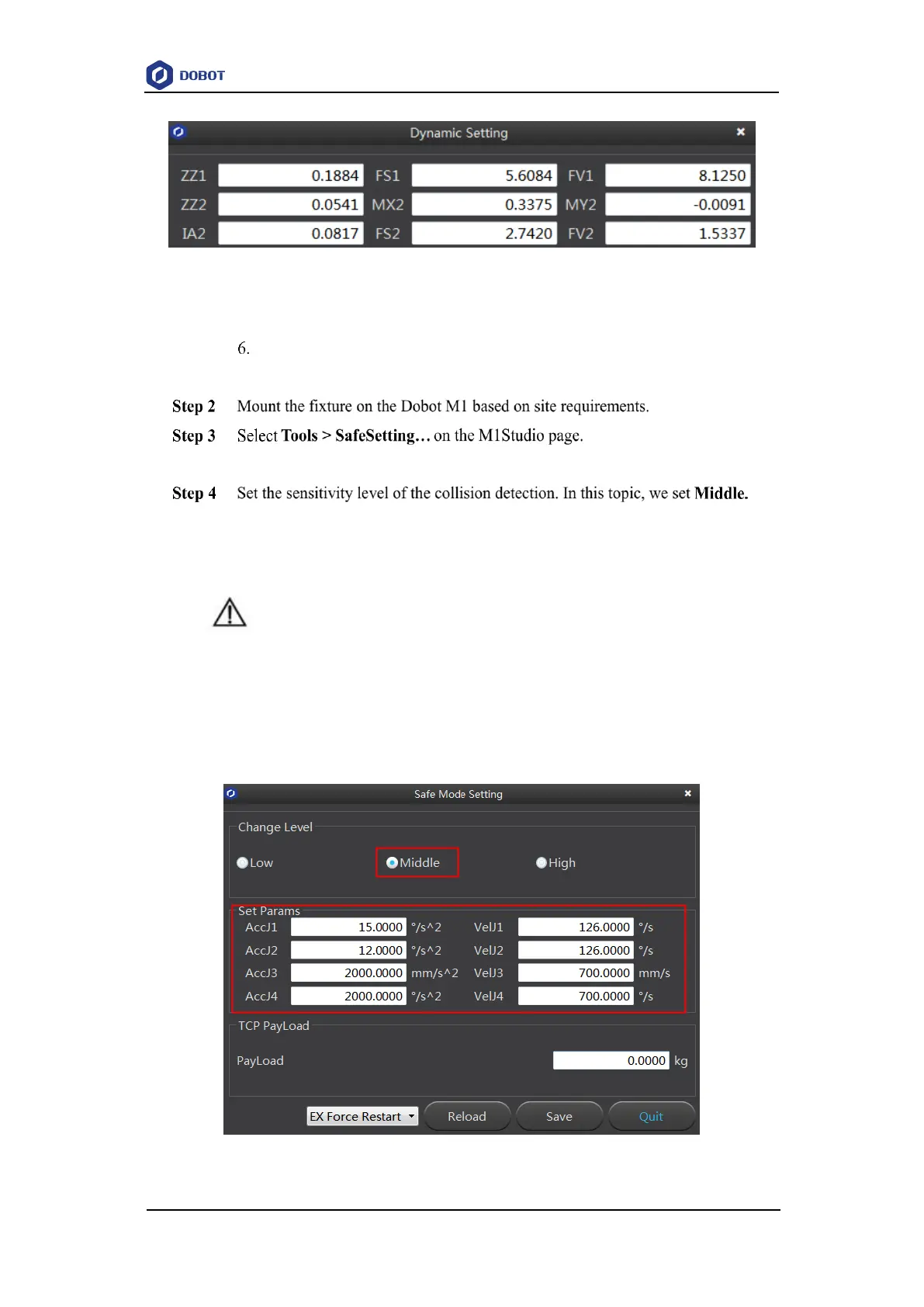
Figure 6.31 Obtain kinetic parameters
Click Save and Quit.
The kinetic parameters are saved in the main controller.
The Safe Mode Setting page is displayed.
At this point, the parameters in the Set Params section will be generated
automatically as the set sensitivity level, as shown in Figure 6.32. The details of these
parameters are listed in Table 6.9.
NOTICE
The parameters in the Set Params section are only effective for horizontal collision
detection. Please DO NOT modify these parameters. If the vertical collision detection is
required, please modify DiffJ3 to any value in the range from 40 to 50 and remain the
rest unchanged.
Figure 6.32 Set sensitivity level



 To Next Page