2017.06.19 FwdMan2.8.17.docx 11-93
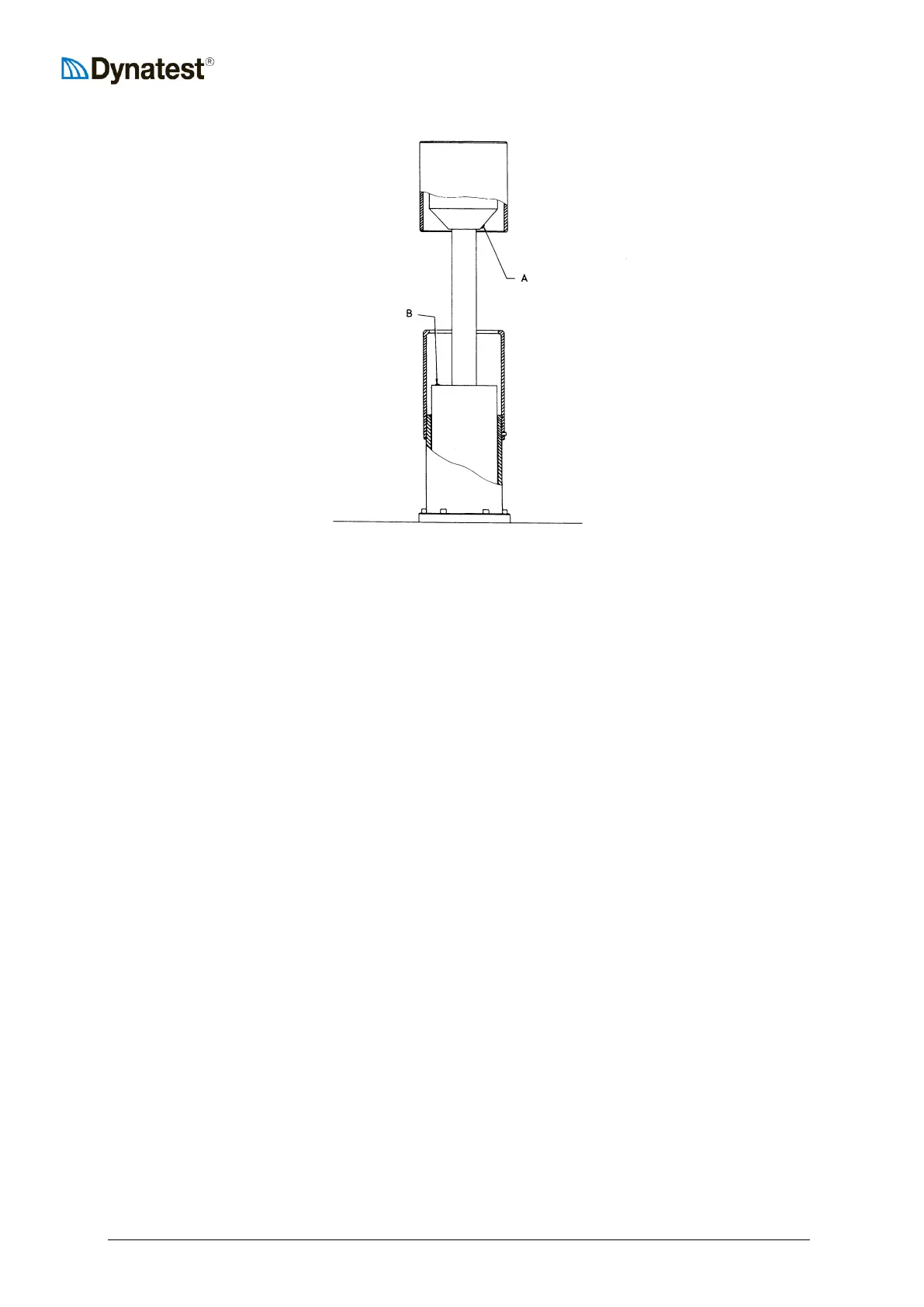
HWD Bleeding Screws Positions
13) LOOSEN (ONLY one revolution or so) the Allen set screw “A”, using the provided,
special 3 mm metric Allen wrench. DO NOT REMOVE the screw!
14) Remove the Allen wrench.
15) LOOSEN (DO NOT REMOVE!) the “B” screw and REMOVE the Allen wrench!
16) Make sure that nobody is close to the catch/weight/plate! Switch on again the MAN.KEY
switch.
17) Lower the catch to approx. mid-stroke, i.e. some 200 mm (8”) below top position.
18) Activate the DROP mode (red DROP button first in - last out) until only oil (i.e. no air)
gets out by both bleeding screws. If the catch moves to its top position during this, then
lower again the catch some 20 cm (8”) and repeat.
20) FWD ONLY: Repeat step 12).
21) Tighten the A and B screws and remove the Allen wrench.
22) Turn the MAN.KEY, lower the catch completely and raise the plate.
It may be necessary to repeat the entire bleeding procedure after e.g. one day of FWD testing.
11.3.2 Adjusting the Hyd. Pump Excess Pressure
The hyd. pump excess pressure should normally not need re-adjustment, but under very hot
conditions (OR after change to a thinner oil under cold conditions), the excess pressure may
decrease so much that pressure switch P1 will not be activated. This will normally first result in a
“Raise Plate Time-out” error, but other errors like “Lower Plate Time-out”, “Drop Time-out” or
“Lower Catch Time-out” may also occur. Any of these error situations may be removed simply


 To Next Page