2017.06.19 FwdMan2.8.17.docx 9-63
NOTE: Some of the features shown in the following may not apply to your system.
9.4 The Data Collection Screen
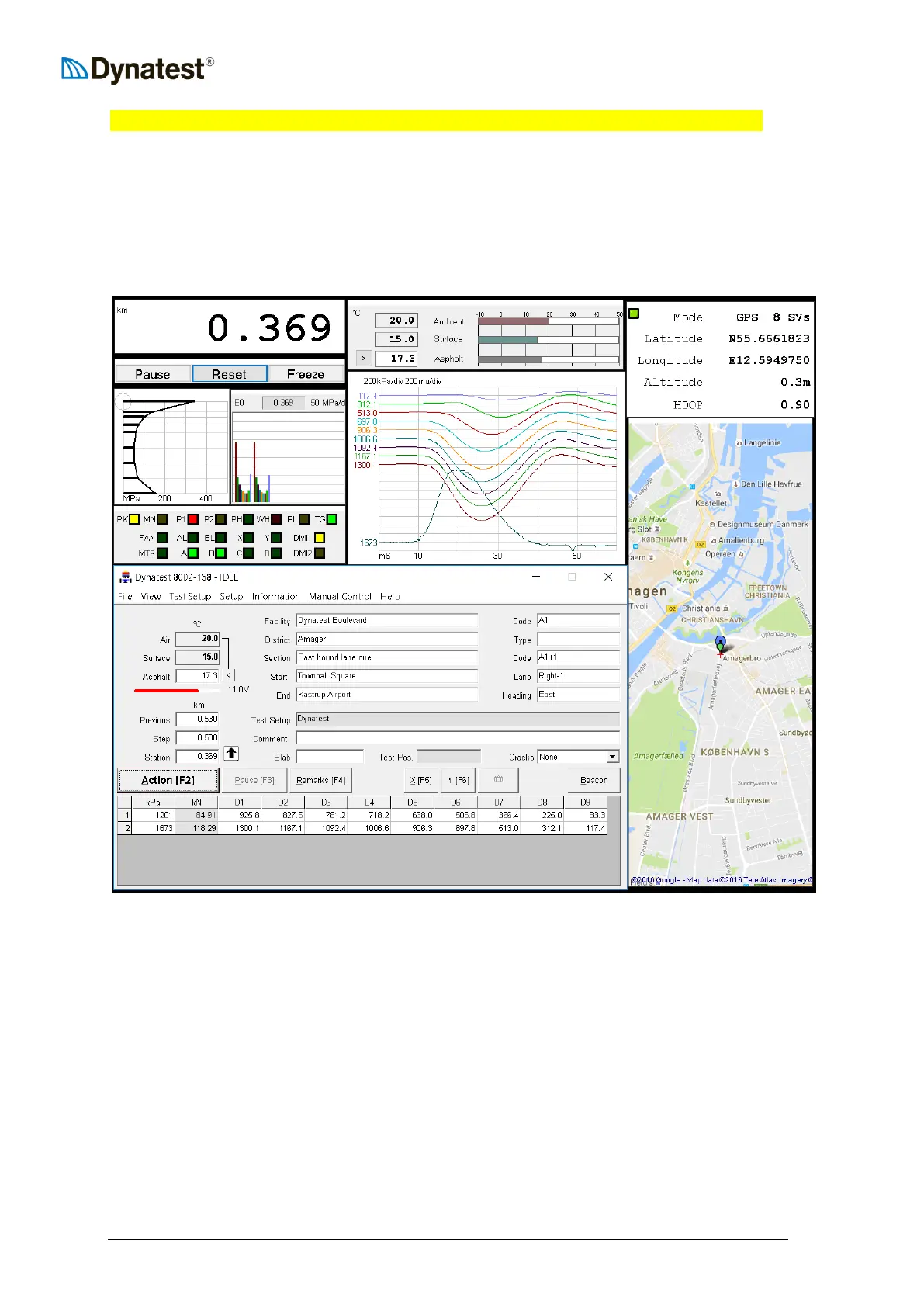
The data collection screen opens when the user clicks the “Start” button in “Dynatest Data
Collection”.
The screen consists of a Main window, sub-windows and applets. The large Main window is
the primary interface or “mission control” for operating the program, i.e. all things is
controlled from here. Each of the sub-windows and applets tend to mimic a real-life
instrument like, for instance, a GPS navigator, Distance Measuring Instrument etc. Sub-
windows and applets may be resized and moved around independently by simple drag
operations using the mouse pointer. They may even be moved to a secondary monitor.



 To Next Page