10.11 Manual Control
Occasions will arise when it will be convenient or necessary for the operator to take manual
control of the loading unit systems. For example, if a testing sequence terminates abnormally
and it is necessary for the operator to raise the plate prior to vehicle movement, he/she can do
so from within the program. This eliminates the need to exit the vehicle to operate the manual
buttons at the Compact15 front panel.
Manual control of the FWD/HWD is accomplished through the
UUMUUanual Control menu item near the top of the data collection
screen.
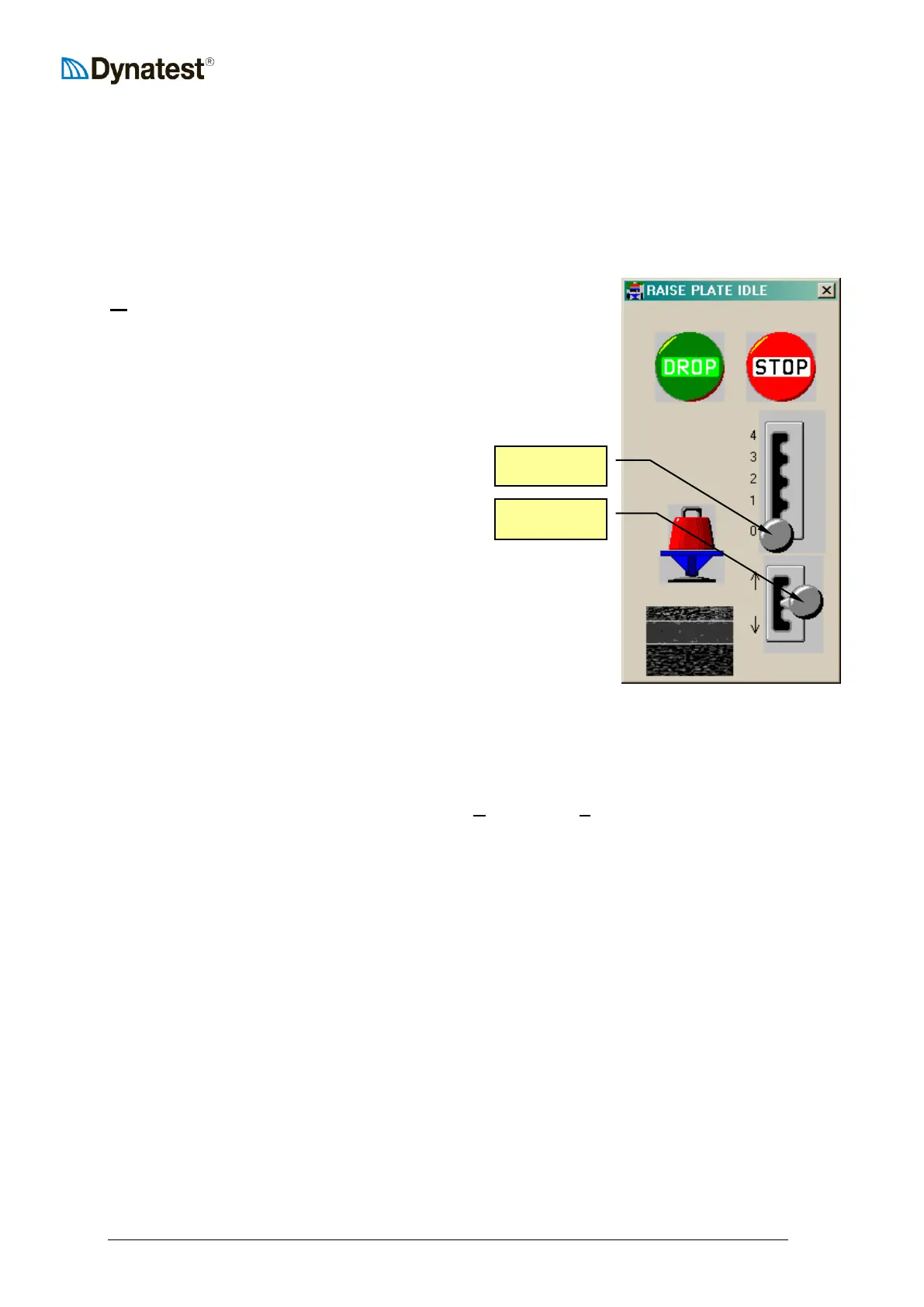
The manual control screen consists of 6 objects: a drop button, a
stop button, a raise weight lever, a lower plate lever, a graphical
schematic of the FWD/HWD subassembly, and a schematic of the
pavement structure.
The RP lever lifts the plate when it is moved
upwards and lowers the plate when moved to the
downward position. The RW lever is indexed so
that the operator can lift the weight to a specific
height.
The subassembly diagram will respond visibly to the controls so
that the operator knows what position the loading subassembly is
in.
The drop button causes the weight to fall. The stop button will
cause an immediate abort to any operation in progress (well, it
won’t stop the weight from falling).
Errors are issued if conflicting commands are given, for example, if the operator tries to lift
the weights while the plate is lifted off the pavement surface.
10.12 Exit
The operator can close the program by selecting UUEUUxit from the UUFUUile menu item. Windows can
now be shut down in the usual way.
IMPORTANT!!
Before driving away from the test site, the operator should:
1. Secure the loading unit. Transport locks and locking pins must be in position (see
section 8.4, “Just Before Leaving...”)
2. Switch OFF the Compact15 System Controller.
Switch off the computer.



 To Next Page