2017.06.19 FwdMan2.8.17.docx
14.2.4 Unibrain Troubleshooting
Camera has not been recognized by
Windows.
Is the LED on the camera on?
Check all cable connections.
Power and connection ok and still empty
Image Holder?
Drivers for laptops build-in web-
camera may also be listed
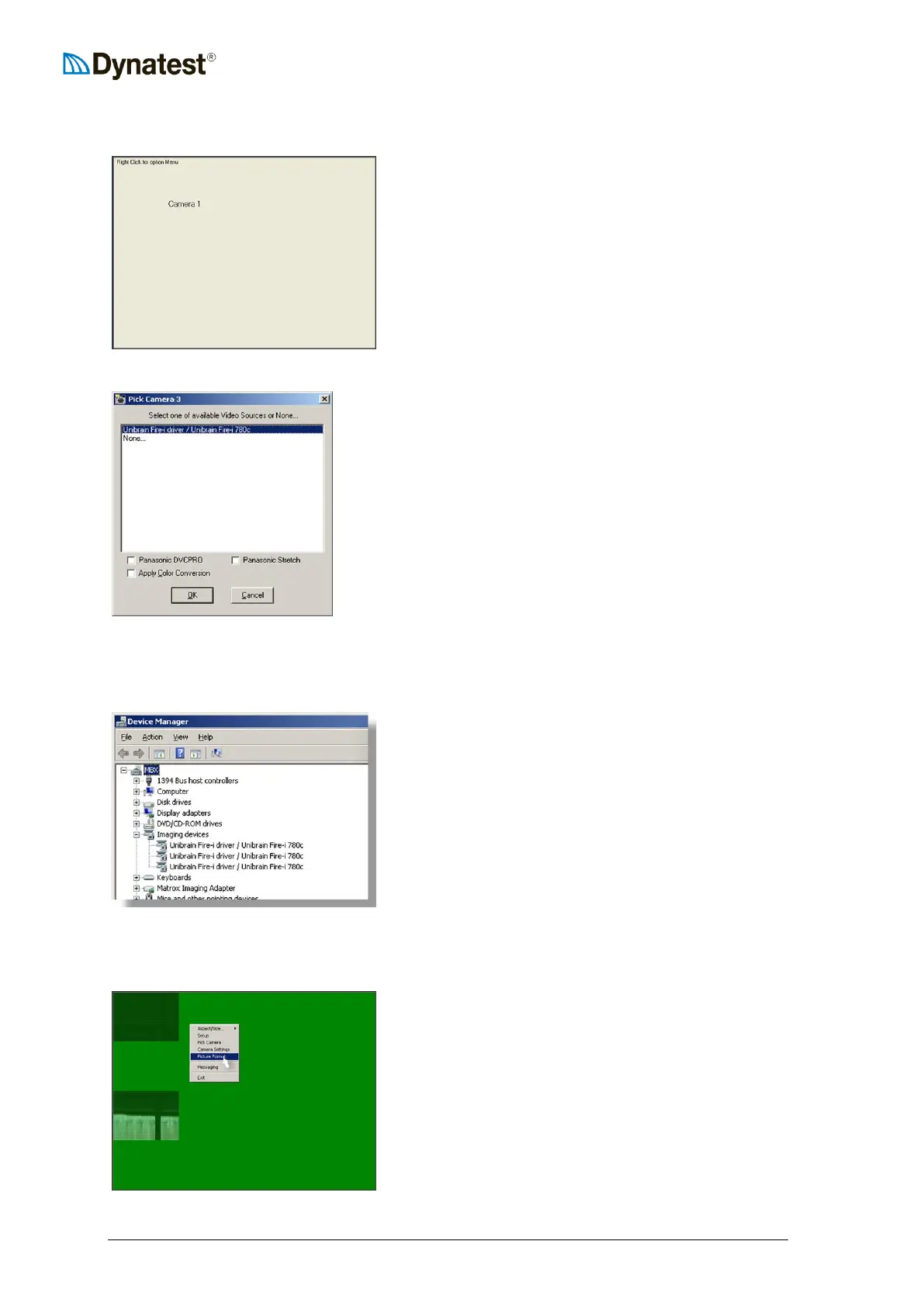
Right Click Image Holder.
In the pop-up Menu Click “Pick
Camera”.
Choose “Unibrain Fire-I driver /
Unibrain Fire-i 780c”.
Click OK.
Still no image?
Check Windows’ Device Manager ->
Imaging devices.
Under “Imaging devices” the “Unibrain
Fire-i driver…” must be listed.
If no “Imaging devices” listed, or only
the laptop’s build-in web-camera?
Check that the PC-card is in place.
Check cables for loose connections.
Reinstall drivers.
Scrambled / Distorted Image
Camera(s) working, signals received by
DDC, but image are scrambled.
Right-Click image holder to bring up the
menu.
Click “Picture Format”.



 To Next Page