2017.06.19 FwdMan2.8.17.docx 14-125
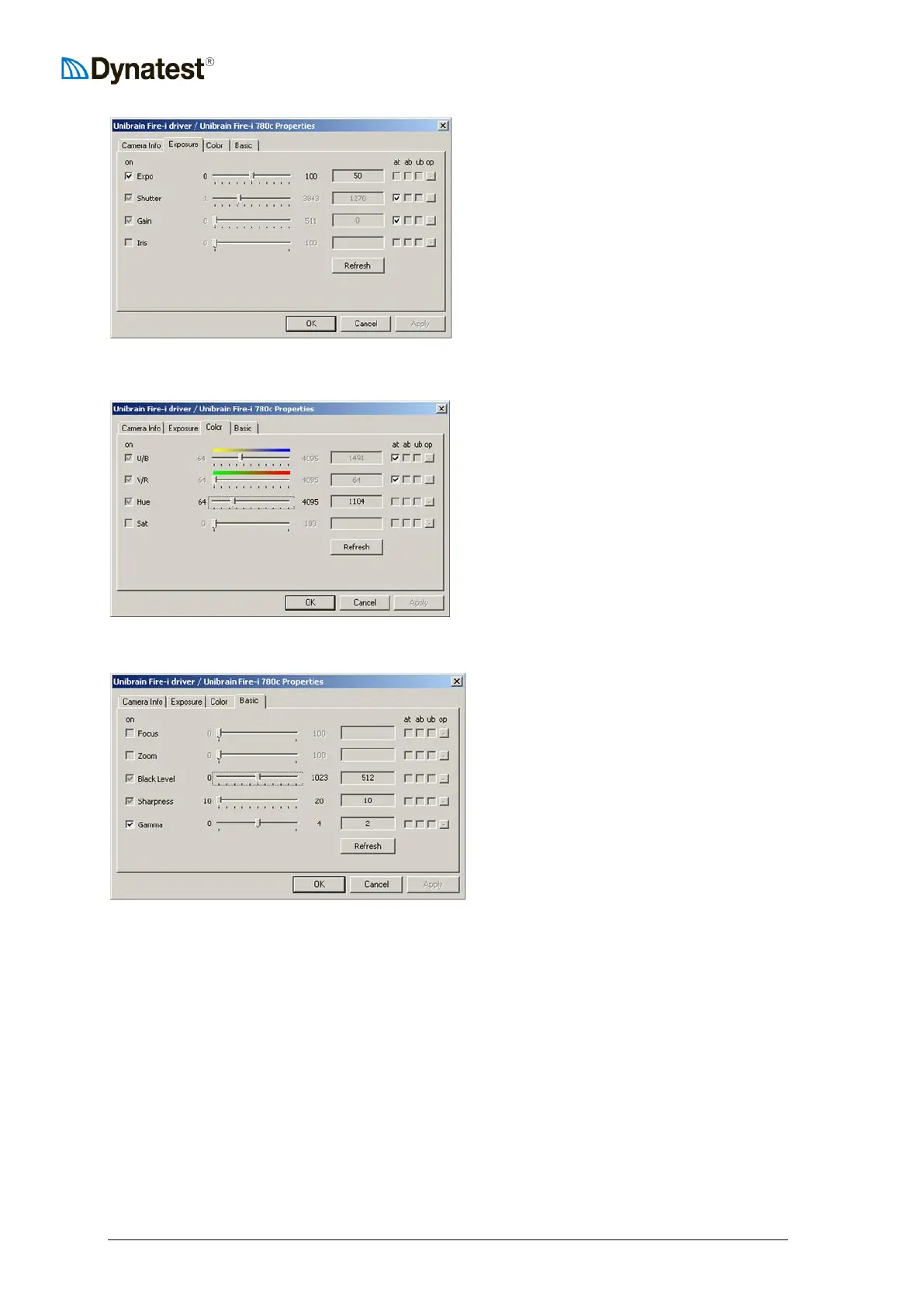
For “Shutter” as well as for “Gain”, check the
“at” box.
Expo: Regulates the total amount of light.
Can be used to regulate the overall “lightness /
darkness” of the pictures.
Shutter: and Gain: With check marks in
Shutter and Gain “at” the camera
automatically adjusts the optimum exposure
value.
Right-click on the ROW picture and select “Camera Settings” and then “Color”.
For “U/B” as well as for “V/R”, check the “at”
box
Color (White Balance):
With check marks in U/B and V/R the camera
automatically adjusts correct color balance.
U/B Ultraviolet-Blue.
V/R Visible-Red.
Hue: Can be used to adjust overall color cast
of the pictures.
Right-click on the ROW picture and select “Camera Settings” and then “Basic”.
Black Level: Adjust brightness and tonal
range by specifying the location of complete
black.
Sharpness: Sharpening enhances the
definition of edges in an image. Too high
setting will create “noise” in the picture.
Gamma ~ “Brightness”.
Corrects the ratio between maximum light
(white areas) and minimum light (black
areas) in the picture.
If too high “contrast” in your picture adjust
gamma down.
If necessary (normally a one-time adjustment), adjust the focus manually as follows:
a) Loosen the f-stop ring locking screw and set the f-stop to the minimum No. (1.4), i.e.
maximum aperture opening (maximum light)
b) Then loosen the focusing ring locking screw and adjust the focusing till you get max.
sharpness of the object 10-15m away
c) Lock the focusing ring lock screw
d) Set the f-stop No. to 4
e) Lock the f-stop ring locking screw
It is recommended that the Focus Adjustment is done with camera image displayed on the
monitor in the camera chip’s native size.
Unibrain Fire-i 780c: 1280x960 pixels.
Unibrain Fire-i 980c: “Panoramic View”, typ. 2448x1080 pixels.



 To Next Page