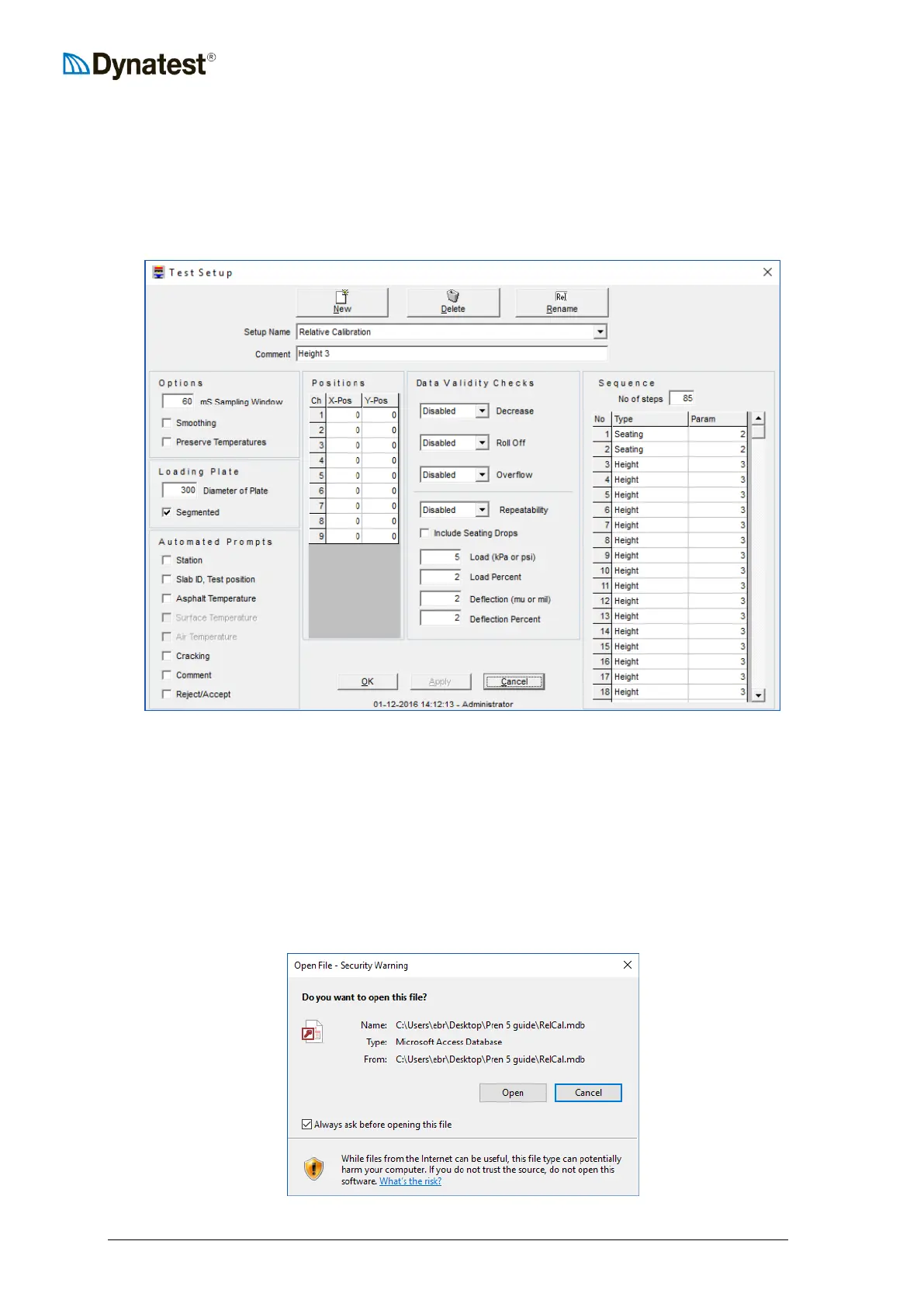
The Test-Setup for the Relative Deflector Calibration consists of 2 sets of 42 drops (2 seating
and 40 recorded) separated by a pause. Thus a total of 85 steps.
The recorded deflection must be 350µm ± 100µm. Place the Calibration Column with the
deflectors in a vertical position close to the load cell and press it firmly to the ground. Use the
manual function in DDC to determine which drop height would be suitable to generate the
requested deflection and use this Height Parameter in the Test Setup.
After preparation of Test Setup, open a new file and start the test with the calibration column
placed in the same position as when drop height was selected. Again, it’s vital that the column
is held vertical and with a firm pressure to the surface.
After 2 seating drops and 40 recorded drops the pause will appear. The pause is used to mirror
the deflectors in the calibration column. The deflectors should now be placed as described in
“2. RUN” in previous page illustration. Now run the last 42 drops and close the file.
13.1.2 Analysis
Open the .mdb test file that was generated. If a security warning pops up, click “Open”.


 To Next Page