2017.06.19 FwdMan2.8.17.docx 14-117
14.1.3 Trimble BX982, Ver. 85992-01 (Basic Version) Setup
Download WFC-BD9xx-V494.exe from this web site:
http://intech.trimble.com/support/oem_gnss/trimble_bd982
Install on a computer on the usual 192.168.1.xxx network.
Connect a Serial cross over cable to PORT4 at the BX 982
Connect an Ethernet cable to the BX 982 “Dongle”
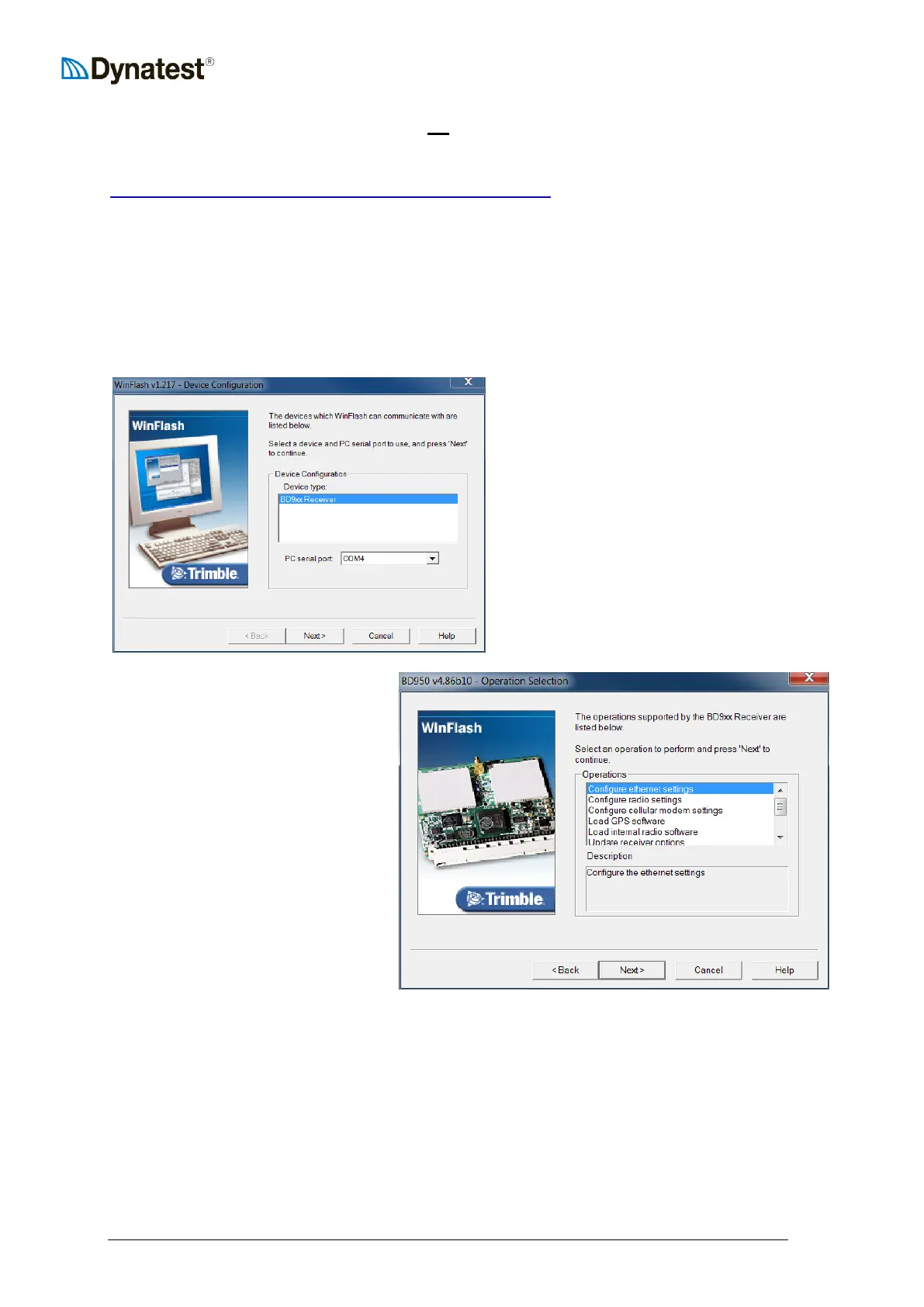
Start WinFlash and set the COM port for your computer:
Chose “Configure Ethernet settings”
Click “Next” then “Finish”
The program now tries to
communicate via COM



 To Next Page