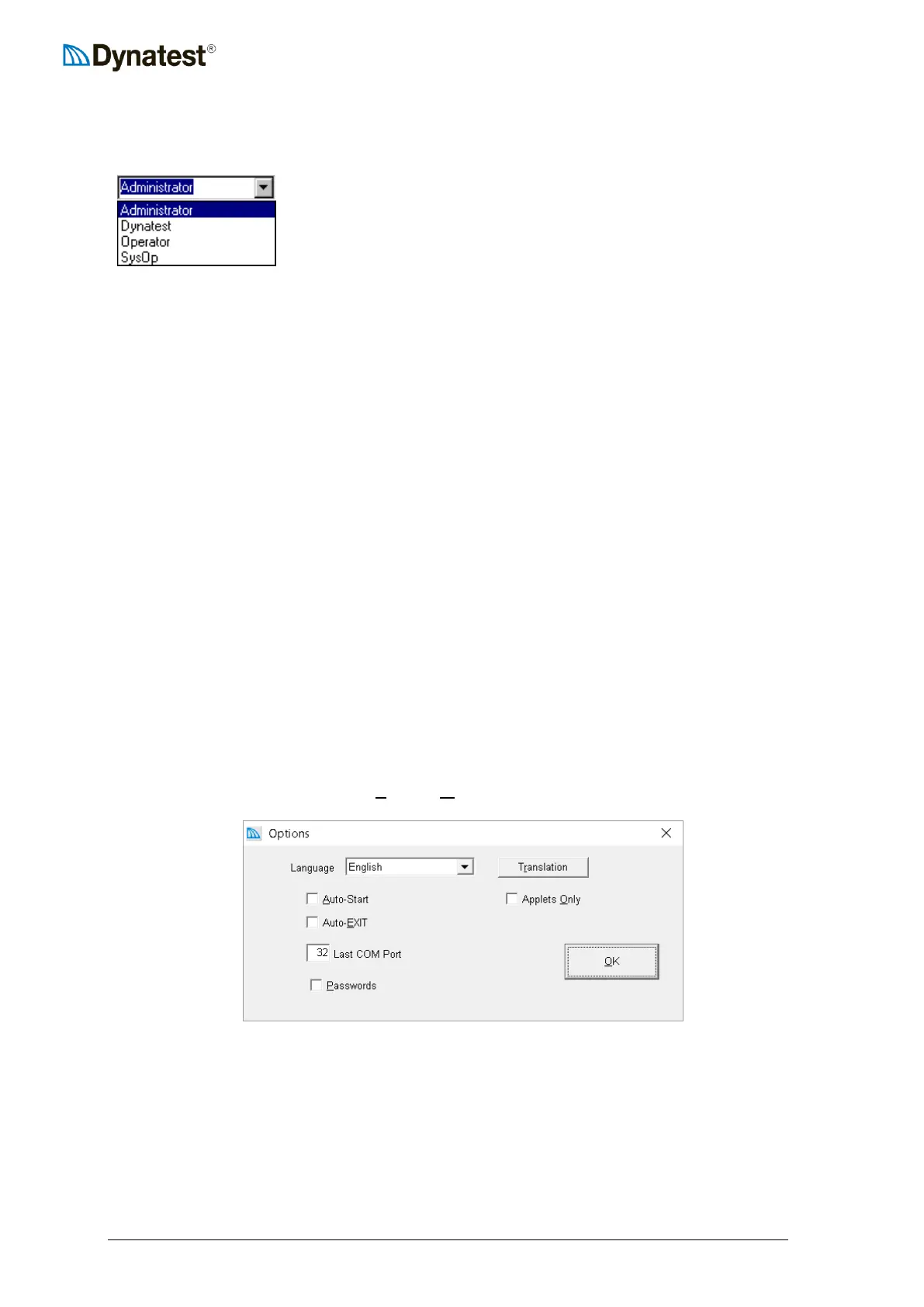
4.1.3 User
Initially there are four users each having different levels of access.
Administrator allows changes to layout and calibrations
Dynatest is for Dynatest personnel, only
Operator is for general data collection
SysOp is for the trained operator
These four accounts cannot be deleted
To create another Operator, SysOp or Administrator entry, first choose the appropriate level
from the list and then type the desired name (replacing the level). Then use e.g. TAB to leave
the control.
4.1.4 Administrator
Administrative access is required for changes to calibration and operating parameters of
critical components. It is important to note that this feature has nothing to do with the
Windows “Administrator”. Its purpose is merely to avoid accidental deletions or changes to
important operating parameters. You may optionally require a password for administrators. It
is recommended to choose Administrator for at least the first few runs.
The Administrator can resize and move windows and make changes to the following
components:
Load cell serial number and calibration data.
Deflector serial numbers and calibration data.
Air Temperature sensor serial number(s) and calibration data.
Surface Temperature sensor serial numbers and calibration factors.
If the operator needs to make changes to any of the above components, he needs only pick the
“Administrator” entry and optionally enter a password.
4.1.5 Options
Click the Properties icon or choose UUSUUetup – UUOUUptions to show the DDC options window.
Language
All programs support English. If the chosen language is not available in a programs database
then the user interface will be English.
UU



 To Next Page