2017.06.19 FwdMan2.8.17.docx 14-121
14.1.4 Upgrading a BX982 to Ver. 85992-02
To upgrade a ver. 85992-01 (which has been set up as described above) to a ver. 85992-02, do
the following:
1. Use the equipment laptop PC (or a computer with the usual 192.168.1.xxx network)
2. Connect an Ethernet cable to the BX 982 “Dongle”
3. Open a web-browser and type 192.168.1.19 in the address field
4. Press “Enter”
5. Click “Receiver Status”
6. Click “Receiver Options”
7. Enter the supplied Password / Code in the “Option Code” field
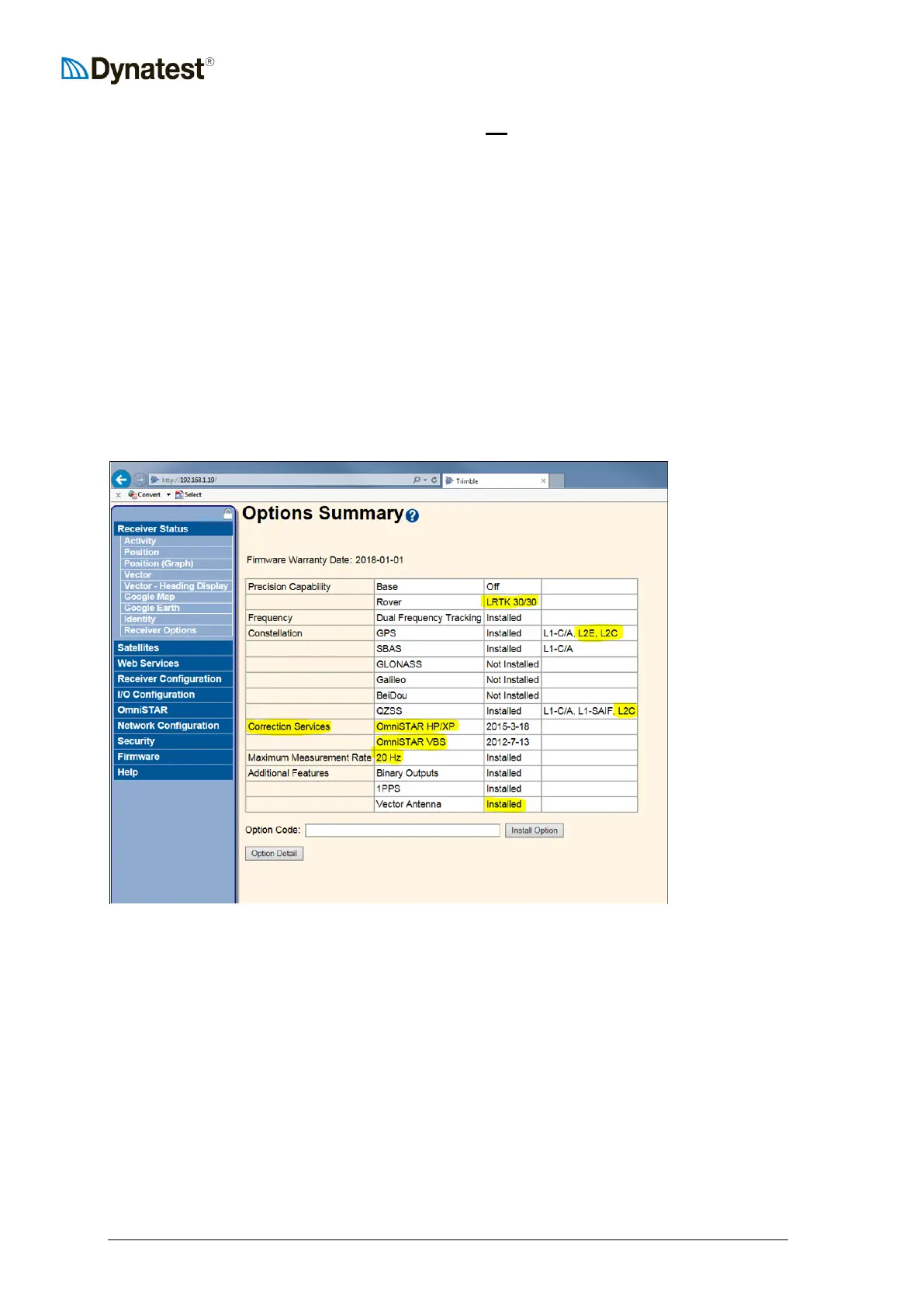
8. Press the “Install Option” button, which should result in an updated “Options
Summary” window as shown below
9. Check additions marked with yellow highlighting



 To Next Page