14.1.2 Trimble Ag262 Setup
We will setup the Ag262 through port B and later use the device through port A
Install Trimble’s AgRemote software
Connect signal cable to port B
Connect RS232 plug to computer
Apply power
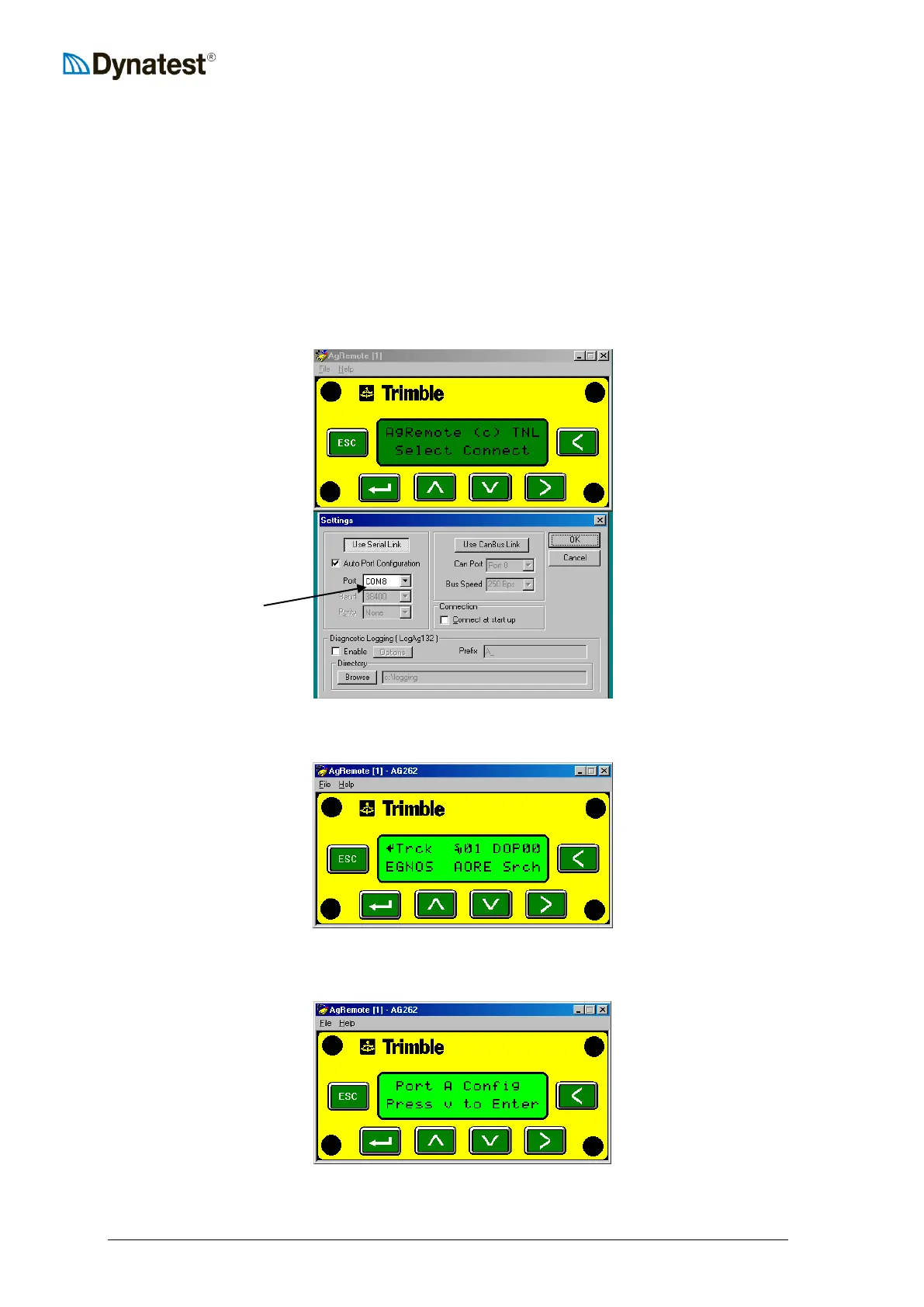
Start AgRemote and choose File – Connect, then select the right COM Port:
Connection is established if this comes up:
Click > until Configuration then V once, then > until Port A Config:


 To Next Page