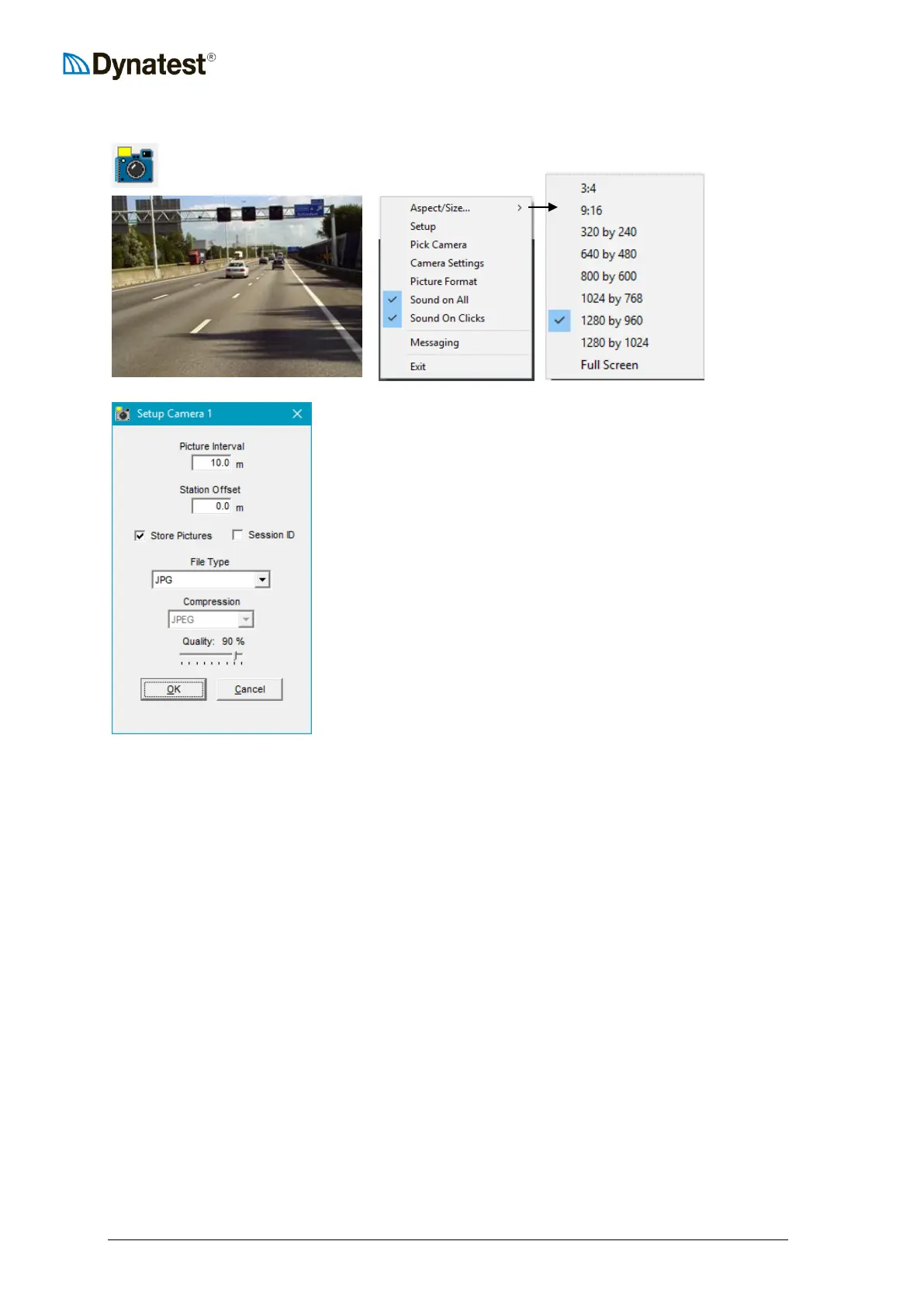
9.3.1.6 Camera
The Camera applet displays and saves images from DirectX cameras.
Setup:
Picture Interval:
This example shows 1 image stored every 10 meters.
Station Offset:
Adjustment of your distance reading. (Part of the image file
name).
Session ID:
Ad Session ID No to image file name. (For FWD and Survey
testing only).
File Type:
BMP, JPG, TIFF or PNG.
Quality:
100% is least compressed ~bigger files.
Pick Camera
Lists available DirectShow devices
Camera Settings and Picture Format
These windows are supplied by the camera manufacturer
Sound
Uncheck to shut off the shutter sound
For detailed setup of specific camera models see chapter 14.2 Camera.
Unibrain
The following items must be performed for each camera after camera power-off!
1. Right-click on the ROW picture and select “Camera Settings” and then “Exposure”
2. For “Shutter” as well as for “Gain”, check the “at” box
3. Click the “Basic” tab.
4. In the “Basic” window, adjust “Gamma” to 1 or 2 and “Sharpness” to 16 _



 To Next Page