2017.06.19 FwdMan2.8.17.docx 4-37
4.3.8 Surface Temperature Sensor
Dynatest provides an optional pavement surface temperature sensor for the FWD/HWD. If
your unit is so equipped, FwdWin will monitor the output of this sensor and automatically
record the pavement surface temperature in the data file for each test point.
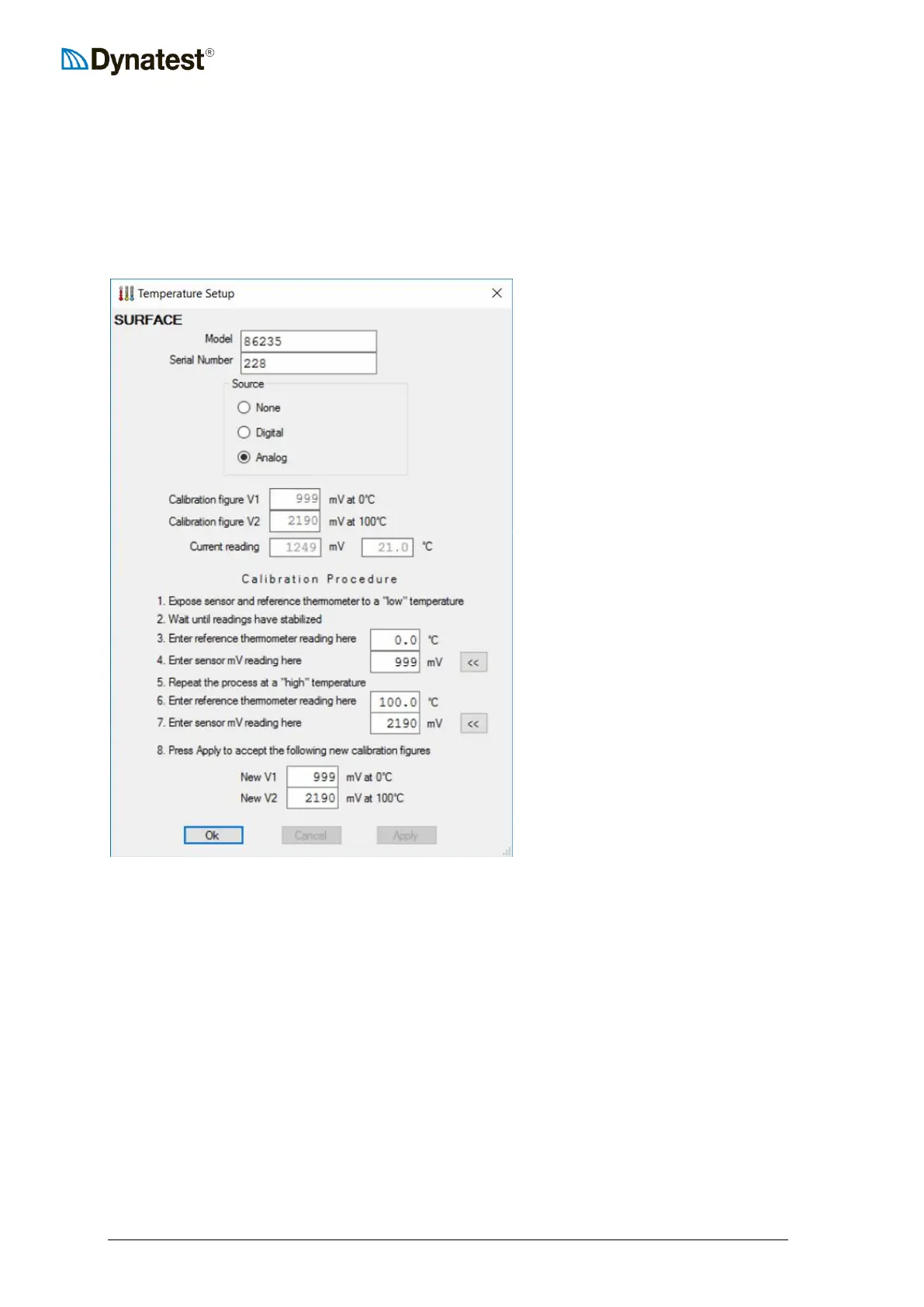
Right click the Temperature applet and chose “Surface Temperature”.
Verify that Model and Serial Number
are correct.
If your unit is not equipped with such
sensor, then you should select “None”
here. Analog is for probes connected
to the CP15.
The two fields, V1 and V2, are the
calibration figures for the temperature
sensor. Note that these values
represent the predicted voltages across
the sensor terminals (wires) under two
temperature conditions: 0 degrees C
and 100 degrees C (Note: Centigrade
units are used and displayed here
regardless of the units specified
(Metric vs. US/English) elsewhere in
the setup facility).
If a temperature sensor is connected and working properly, the current voltage and measured
temperature is displayed in the Current Reading fields. This allows the operator to quickly
assess the accuracy of the sensor and determine if a calibration is necessary. The voltage
reading is also used during the calibration process.
All fields below “Current Reading” are of interest only when a calibration is performed (see
13.3 Surface Temperature Sensor Calibration).



 To Next Page