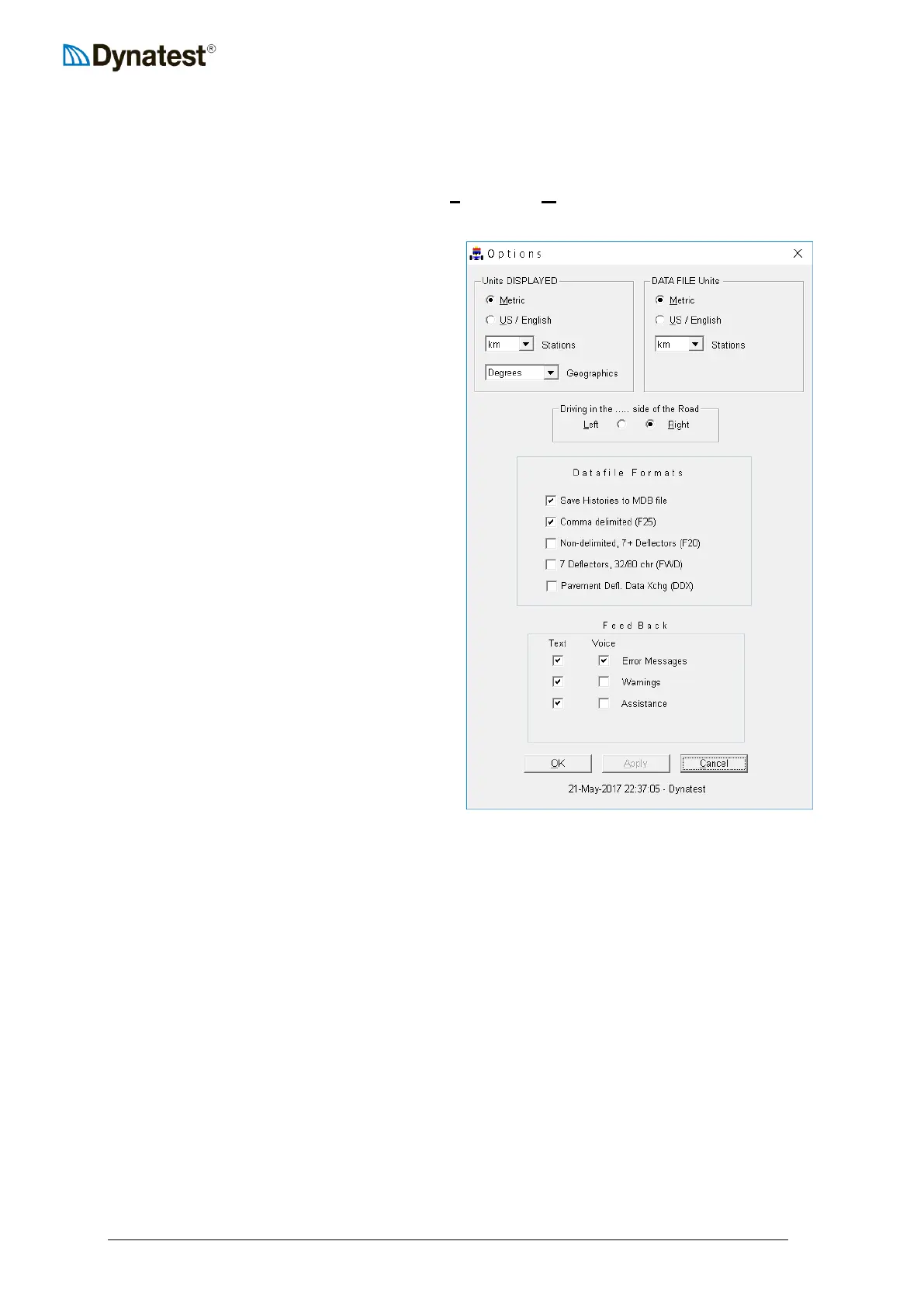
4.3.6 Program Options
This section provides guidance for setting up miscellaneous options including measurement
units, driving conventions, file formats, messaging behaviour, and screen appearance. The
operator can access these options by clicking UUSUUetup, then UUOUUptions from the main data
collection screen.
Specifying Display and Storage Units
The operator can specify the display (screen)
units in the upper left corner of the window
and the data file units in the upper right.
This means that the computer can be
configured to display test results on the
screen in the metric system while storing
data in English Standard units (and vice-
versa). Furthermore, as shown in the figure
at left, it is possible to e.g. configure the DMI
display to show distances in meters while
storing these distances to data file in units of
kilometres.
Specifying Driving Conventions
The user can also indicate which side of the
road he is driving on – left or right. This
affects lane designations as shown in the
section Lane Designations. This is done by
checking the Left or Right button in the
Driving in the…. side of the Road box.
Specifying File Formats
FwdWin always stores data in Microsoft
Access (MDB) format. You can chose to
save load and deflection histories
(recommended). The remaining formats are
all text based. The first three (F25, F20, FWD) are earlier Dynatest ASCII formats. ‘Pavement
Deflection Data Exchange’ (DDX) was developed by AASHTO in 1998.
Microsoft Access (MDB)
The Access file format is the ‘working’ format, meaning that during testing all results are
stored in this format, only. When all test points are done and you close the file, then the
optional ASCII files are generated based on the contents of the Access file (see also section
10.8 Opening a Data File)
Comma delimited (.F25)
This format is the last ASCII file formats developed by Dynatest. Those familiar with the
Dynatest Edition 25 FWD/HWD Field Program may have experience with this file format. It
is designed to accommodate up to 15 deflectors, is easy to import into spreadsheets and
databases, can handle GPS data, among other things.
Nondelimited, 7+ (.F20)
Persons involved in the SHRP LTPP data collection program use the .F20 file format. It can
accommodate up to 9 deflectors, but resembles the older .FWD file format.



 To Next Page