2017.06.19 FwdMan2.8.17.docx 14-113
14. Setup Details
14.1 GPS
14.1.1 Prefetch Maps
If you don’t have Internet connection during data collection, then you may prefetch map
imagery when the Internet is available. This can be done by connecting your laptop to an
office network and run DDC in simulation mode.
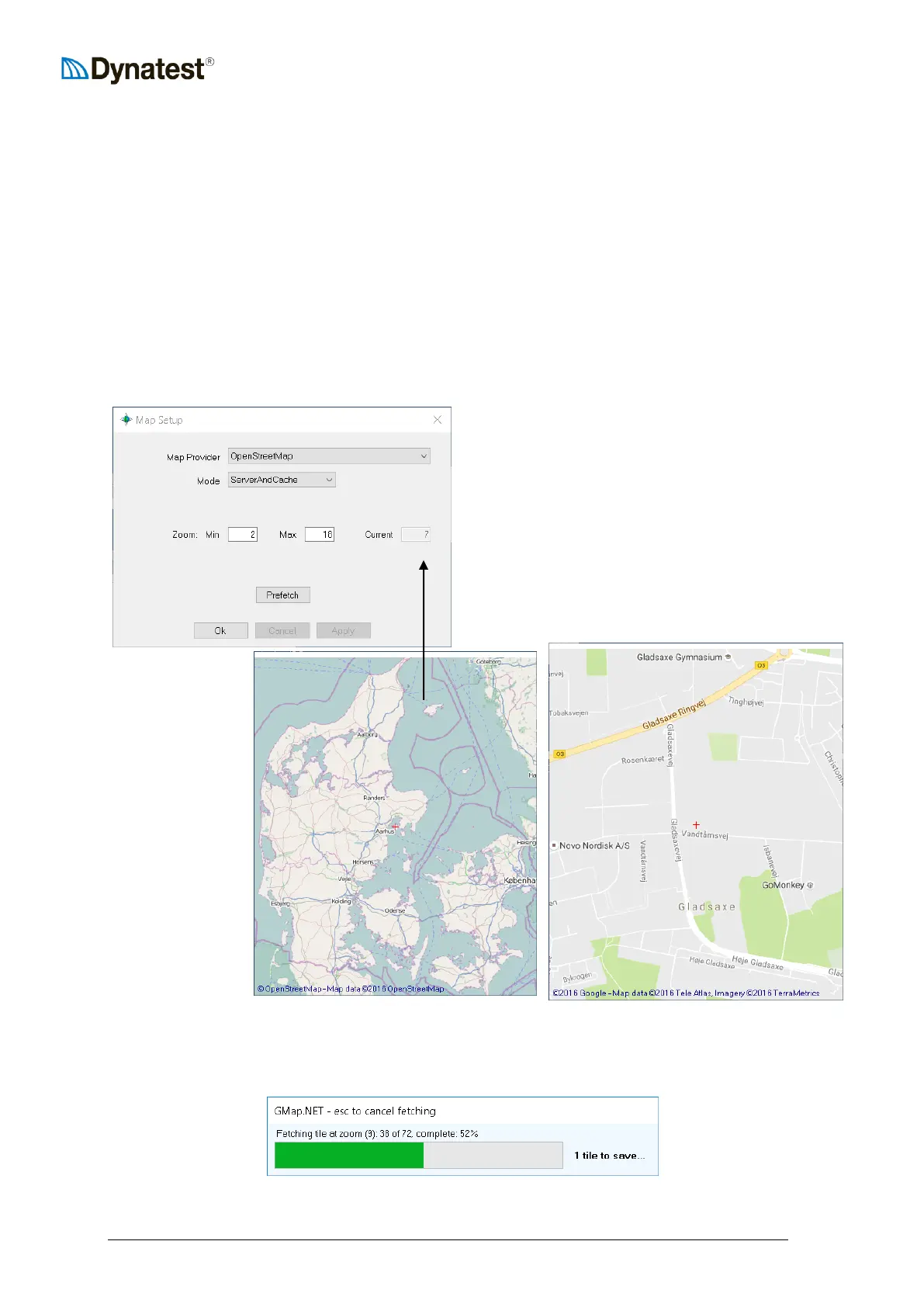
Right click the GPS applet and chose “Map Setup”
Select the desired Map Provider
ServerAndCache means that if a tile is not
found in the cache, then it is fetched from the
Internet
Embrace your area of interest (Denmark) and
get familiar with the detail of zoom levels.
This is zoom level 15 with a fair amount of
detail:
Zoom out again
to level 7 to
embrace all of
Denmark and
then set Zoom
Max to 15.
Press “Prefetch” to start the process. This may take several hours!


 To Next Page