navigate in the drop-down list simply use the up- and down-arrows. When an item in
the drop-down list is highlighted the user can select it by pressing the Enter key.
The user can navigate the menu bar using short-cuts. Each of the items in the menu
bar has an underscored letter in their name. A menu item can be selected by pressing
the underscored letter in combination with the Alt key. For instance, pressing Alt + V
would be a direct way to select the UUVUUiew menu and make it drop-down at the same
time:
Note: Short-cuts not only apply to menu bars, but can be used for ordinary control
items as well. For instance an UUOUUK button like the one shown elsewhere in this chapter
can be focused and activated (pressed) in a single keyboard operation by pressing Alt
+ O.
9.5.2 Special Keys
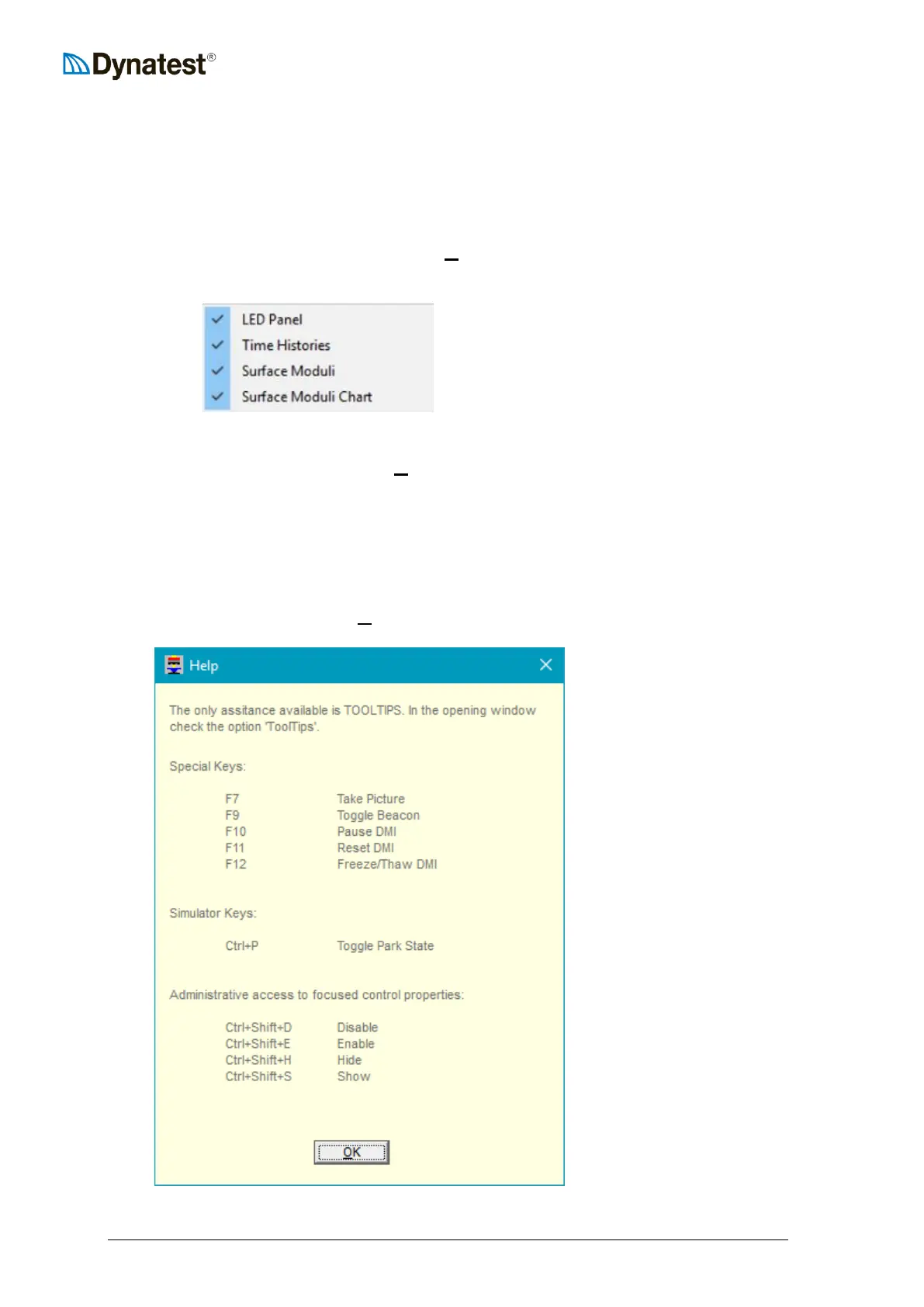
Some Function Keys and key combinations are allocated for various special purposes. Some
of the functions are available for the Administrator, only.
The Help entry in the menu item UUHUUelp displays the full list of special keys



 To Next Page