4.3.9 Distance Measuring Instrument
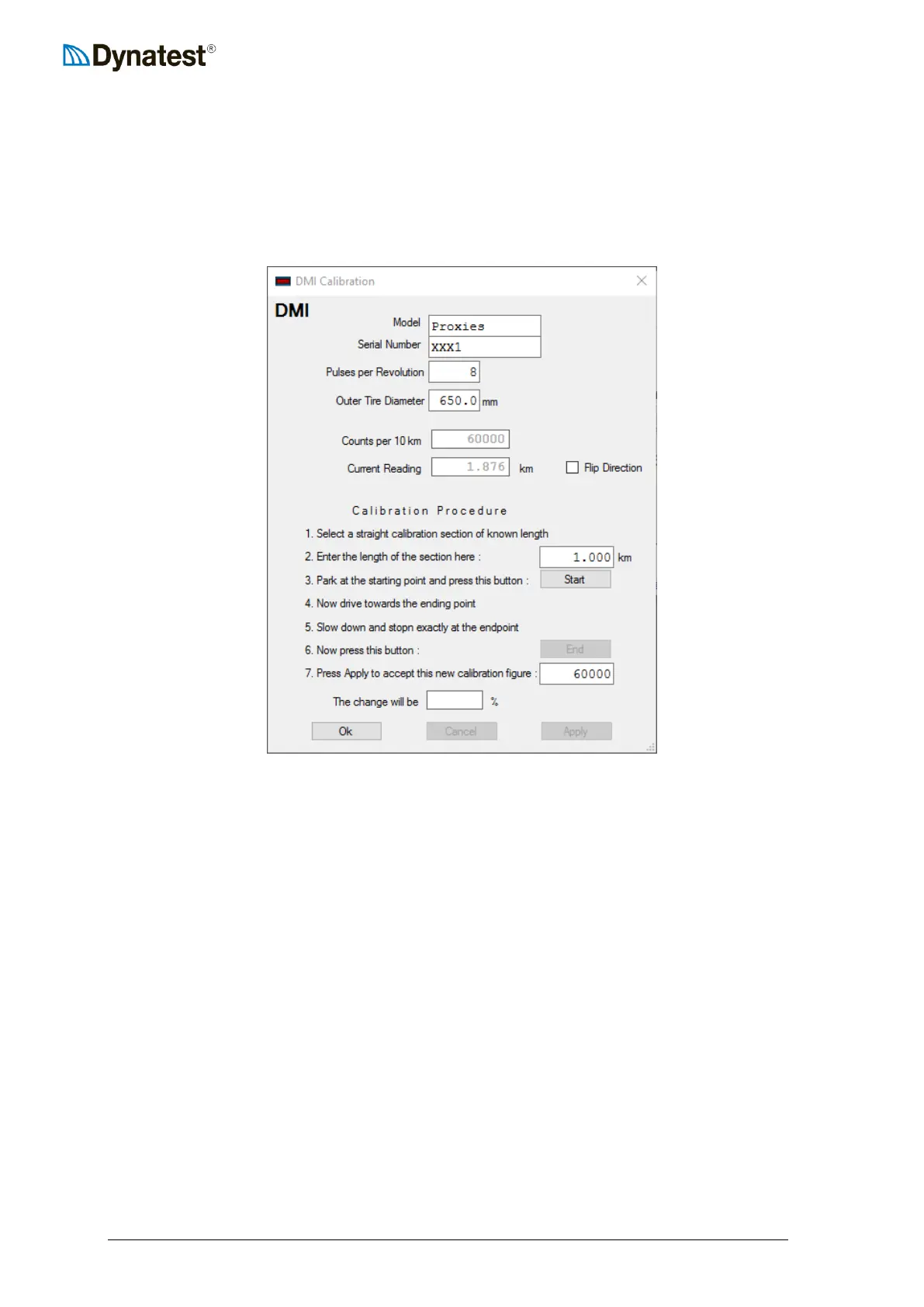
Right click the DMI applet and choose Calibration. This window shows the Model, Serial
Number, Pulses per Revolution (Advertised PPR), measured tire diameter, Calibration figure
and a Calibration Procedure.
The calibration figure for the DMI is shown in the box labelled Counts per 10 km. This
represents the expected total number of counts that would be accumulated over a distance of
10 km. The calibration figure is always displayed in units of Counts per 10 km regardless of
the distance unit selected by the operator.
The current value of the measured distance is shown in the Current reading box. The value
displayed here depends on the distance unit selected by the operator.
The Flip Direction should be toggled if the reading decreases while driving forward.
The Calibration Procedure is described in section 13.4 DMI Calibration



 To Next Page