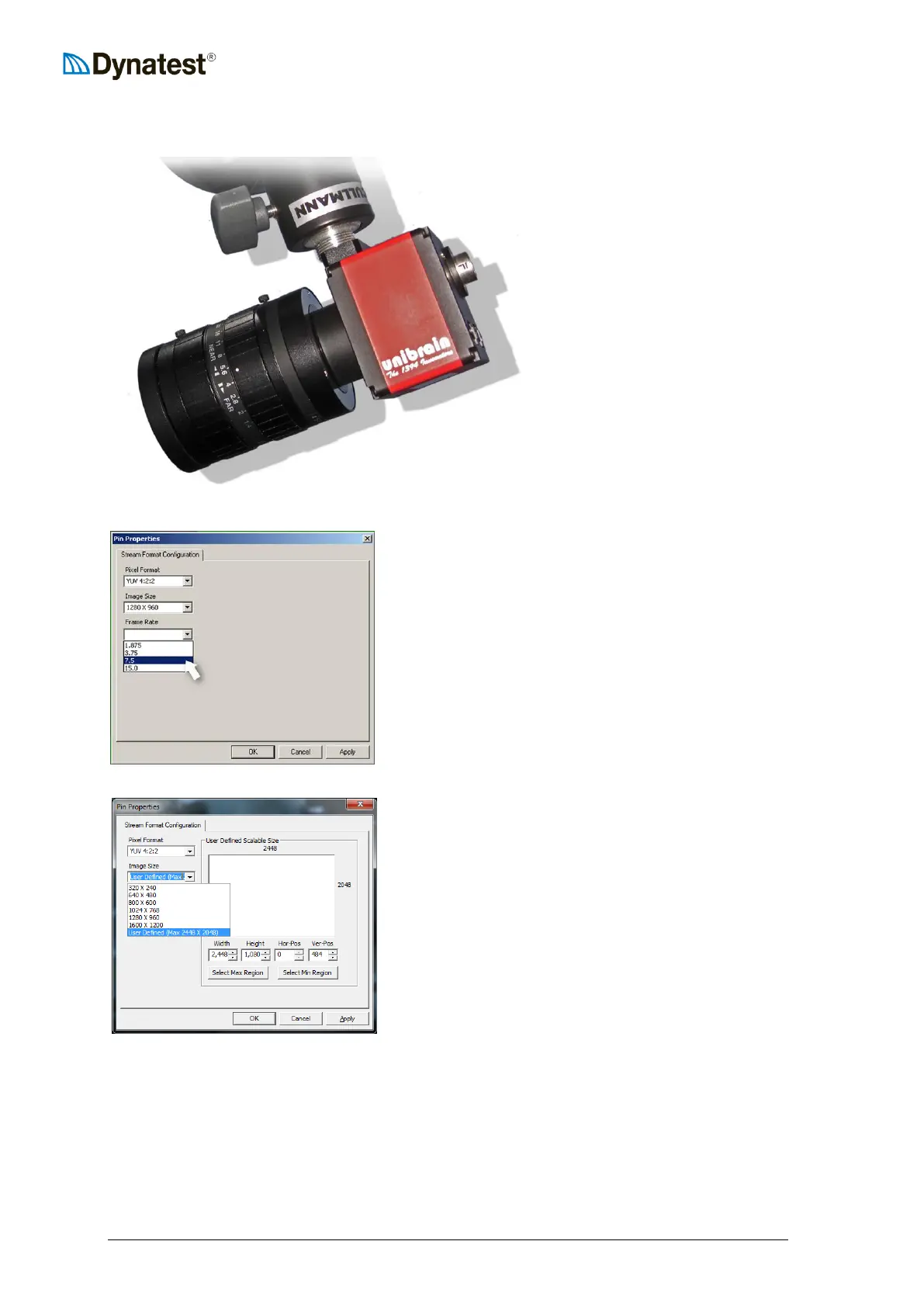
14.2.3 Unibrain Camera
Unibrain Fire-i™ 780c 1394b
SXGA, 2/3" CCD camera with a
12.5mm Fujinon C-mount
“Megapixel lens”.
Right click the Camera applet and chose “Picture
Format”
Values shall be:
Pixel Format: YUV 4:2:2
Image Size: 1280 x 960.
Fire-i 780c Frame Rate 7.5 (Frames/Sec).
Unibrain Fire-i 980c
Max resolution 2448 x 2048 pixels.
The following items are normally “one-time adjustments” only, or should be done if any
unusual problems with picture focusing or brightness occur.
Park the vehicle and make sure to have an object (preferably vertical) with some text on it (a
road sign, a paint bottle or the like) some 10-15m from the camera.
Boot the system, so that ROW pictures are shown on the monitor.
Right-click on the ROW picture and select “Aspect/Size”, then select “Full Screen”.
Right-click on the ROW picture and select “Camera Settings” and then “Exposure”



 To Next Page