2017.06.19 FwdMan2.8.17.docx 4-25
4. Program Configuration
This section provides the necessary information for configuring the field program for first
time use. Information regarding program operation is presented in Section 9 of this manual.
If the software is already configured upon delivery, this configuration information will prove
useful in the event that the present configuration is somehow lost.
This process should preferably take place with the electronics and any additional hardware
connected, powered up, and ready.
4.1 Dynatest Data Collection (DDC)
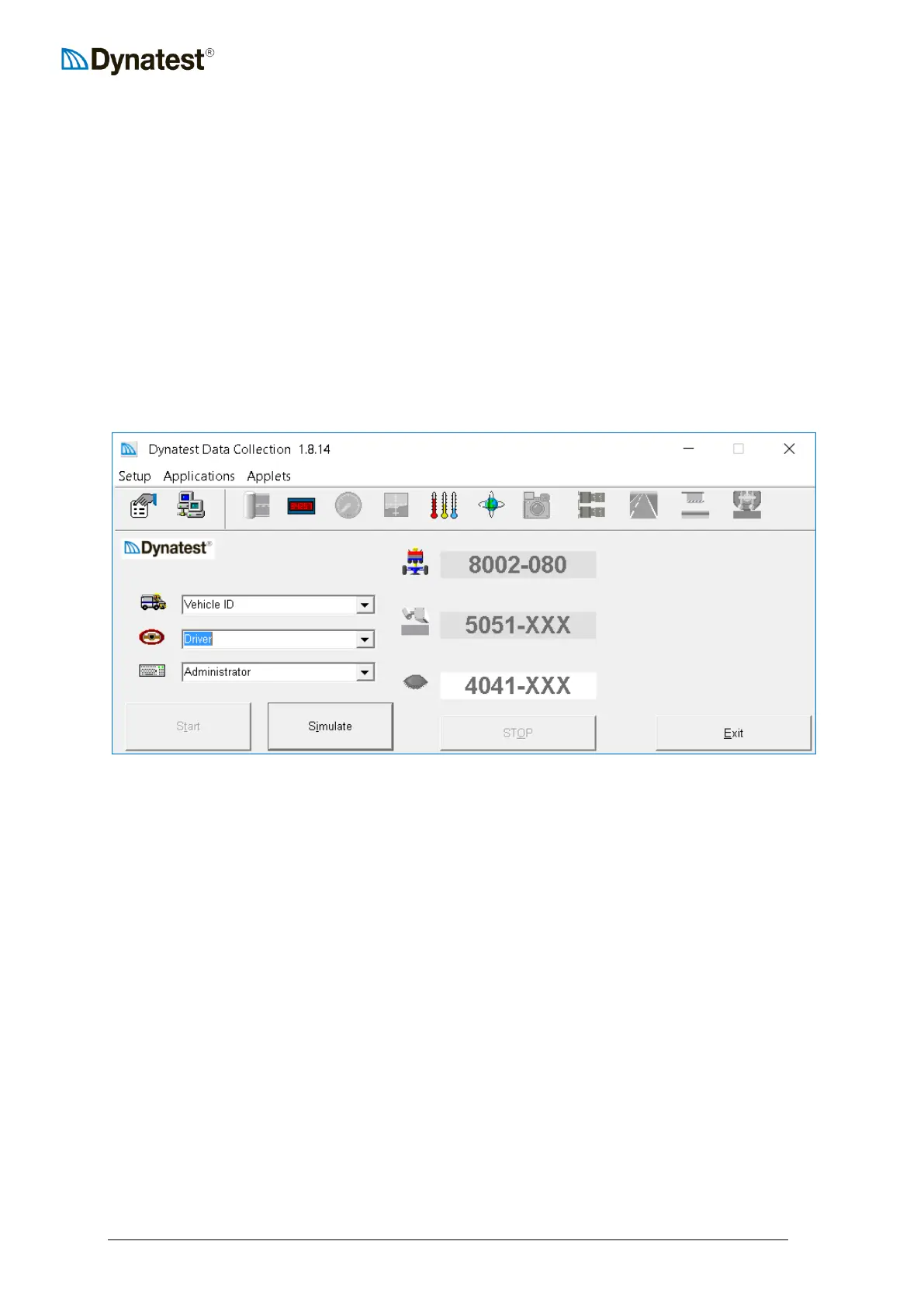
When the “Dynatest Data Collection” is first started, this screen appears:
This sample shows that you will run tests with FWD S/N 8002-080 and run the DMI,
Thermometers and GPS “Applets”.
There are various controls on this screen that affect program functionality. These controls and
their functions will be discussed in the next few sections.
The first step in setting up the program is to enter vehicle identification (e.g. license plate
number), the driver name and operator name or initials. This enables the field program to
identify the vehicle and operators in the data files. It also enables the program to place the
operator’s name in any log files. These log files are written to disk whenever changes are
made to test setups, equipment calibration factors, or component operating parameters.
4.1.1 Vehicle ID
Use this field to enter a “Vehicle Identification” (license plate number or other identification).
The program maintains a list of several Vehicle IDs if required.
4.1.2 Driver
Use this field to enter a Driver name. The program maintains a list of several Drivers if
required.



 To Next Page