2017.06.19 FwdMan2.8.17.docx 10-77
10.3 Data Files
Once the operator has configured the test setup, and made the necessary changes or additions
to the network information, it is time to test. It will now be necessary to create a file for
storage of the deflection data. Prior to opening a file, a few words about file formats are
necessary.
UUSpecifying File Formats
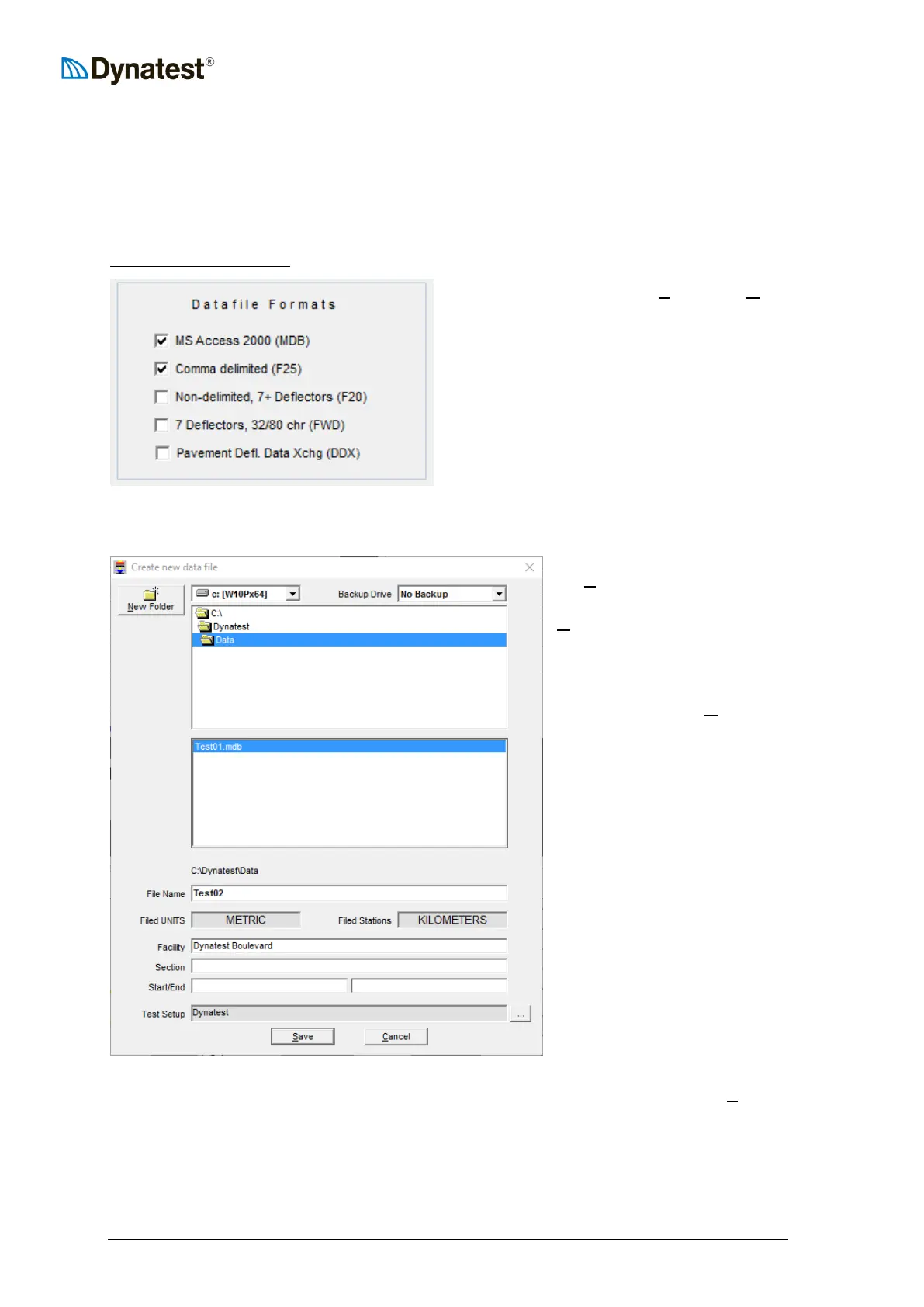
From the main menu, select UUSUUetup then UUOUUptions,
which reveals that FwdWin can store data in
several formats. The native format is Microsoft
Access 2000, which is the most versatile and
HIGHLY recommended. The remaining formats
are all text based. The first three (F25, F20,
FWD) are earlier Dynatest ASCII formats.
‘Pavement Deflection Data Exchange’ (DDX)
was developed by AASHTO in 1998.
For further information see 4.3.
Creating a Data File
A data file is created by clicking
the UUFUUile menu item from the data
collection screen, then choosing
UUNUUew. The resulting dialog box
allows the operator to navigate to
an existing subdirectory for file
storage. It also allows the
operator to create a UUNUUew Folder.
To create a new file, the operator
merely needs to type the data file
name in the File Name field, or
click an existing file to serialize
filenames pertaining to the same
facility.
This window also informs the
user which system of units will be
employed for storage of data. The
user is also given a last chance to
sort out the facility information
and choose a suitable test setup.
A button is provided for
convenient navigation to the Test
Setup window.
Once the information on the screen has been entered, the operator should click the UUSUUave
button. The program will now prepare the disk file and then return to the data collection
screen.
We are now ready to test!



 To Next Page