2017.06.19 FwdMan2.8.17.docx 10-69
10. Performing the Measurements
10.1 Test Setups
The next step in the process is to establish a test setup that meets the procedures required by
the particular project. Accessing the test setup screen can be done in several ways:
1. Click the UUTUUest Setup menu item at the top of the data collection screen.
2. Hold down the Alt key and then press the T key (Alt-T shortcut).
3. Click on the Test Setup label in the middle of the data collection screen.
4. Click in the greyed text box to the right of the Test Setup label.
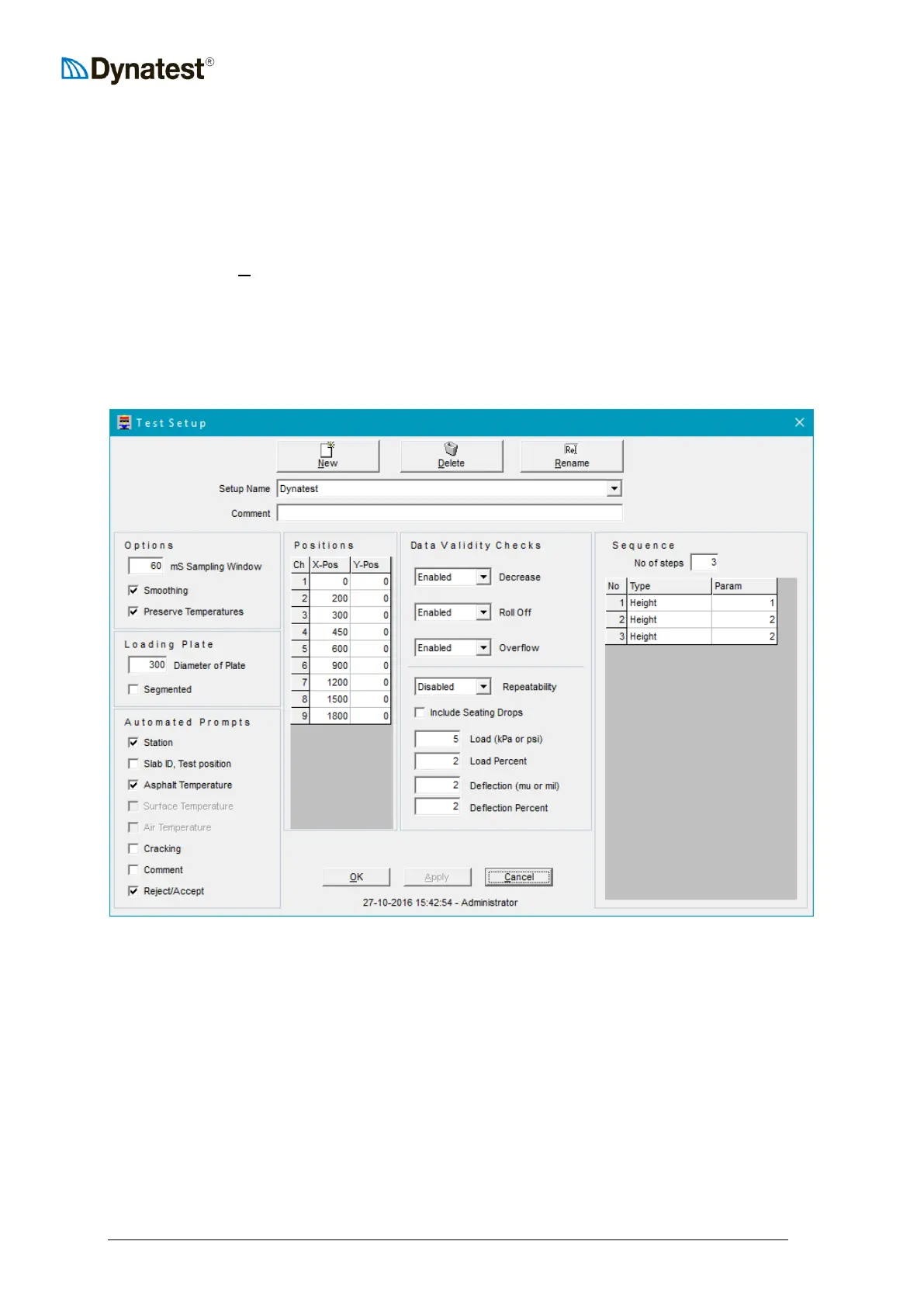
Once the Test Setup window is opened the user will be presented with the following screen.
It may be useful to the operator at this point to define what a “Test Setup” is. It is a collection
of software settings that tell FwdWin the type of loading plate, the positions of all deflectors
and what actions to take during each test cycle. For example, you might want FwdWin to
collect four drops at each test point, all from different heights. A Test Setup can be created to
do this. Moreover, you might have several different deflector spacings commonly used on
different types of jobs. You can create a Test Setup for each job type and store them for easy
retrieval next time a similar job comes up.
Note that the Test Setup screen is divided into different areas that control specific operational
aspects of the FWD/HWD. These will be discussed in detail below.



 To Next Page