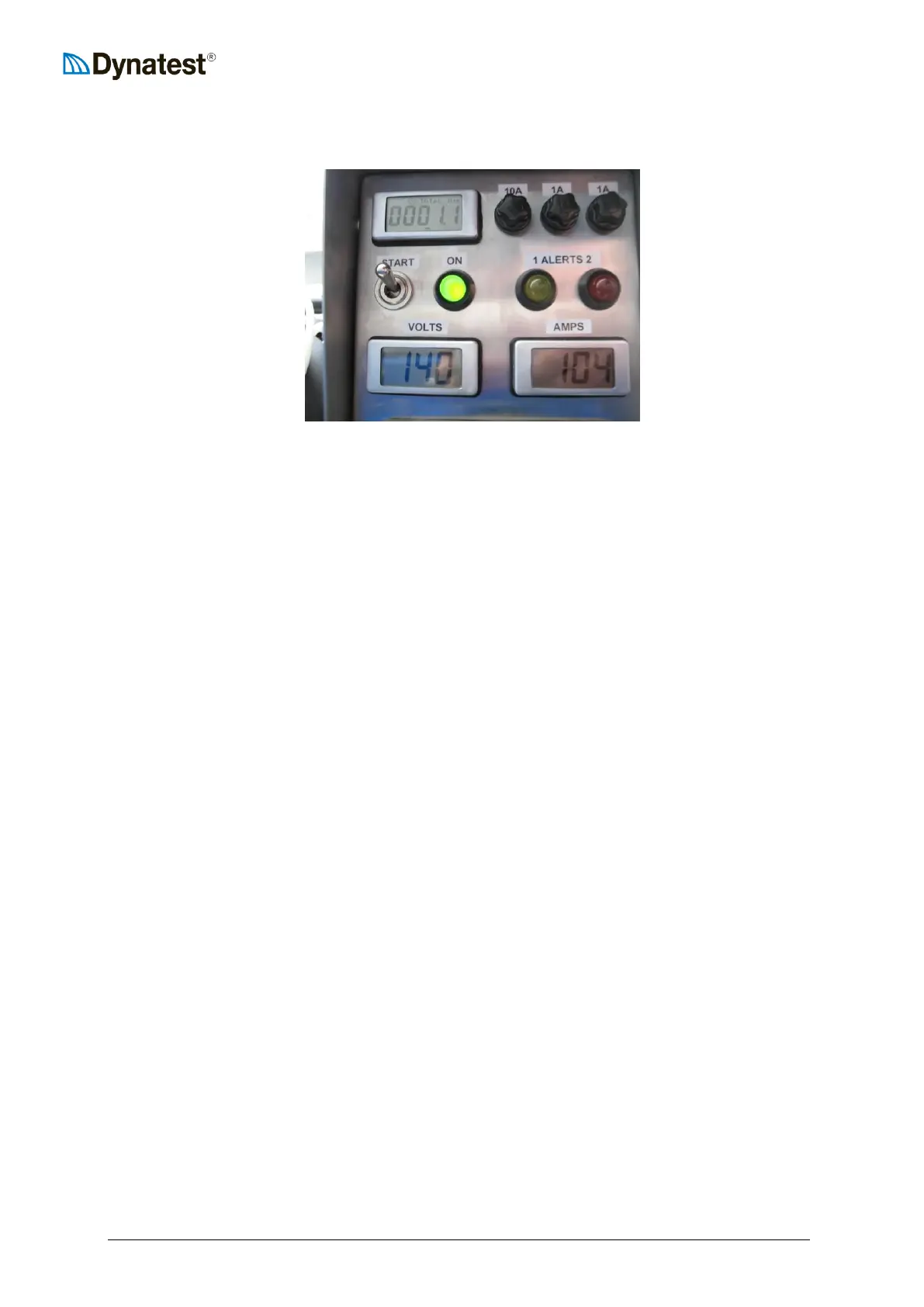
Pull rope to start.
Adjust choke during running as necessary.
Press the START
switch for a few
seconds to initiate the
charging.
Generator electronics panel.
Charging
Note that the alternator will adjust electronically for about one minute to the present condition of
the battery/batteries before charging starts.
Control Lamps
The GREEN light must light up when the charging cable has been connected and the START
switch is pressed. It should stay on while the engine is running. If it the light does turn off, re-
activate the START switch and keep it pressed for a few seconds.
The YELLOW light will be on if the alternator is not capable of supplying sufficient current and
keeping charging output voltage level of approx. 14.1 volts. Momentary lighting can be expected
during normal operation of the FWD or HWD. This does not indicate any problem with the
generator.
If the lamp stays lighted for extended periods and the output voltage drops below 12.8 Volts,
please increase the engine RPM (see picture below), which will normally solve this problem.
The RED light would turn on if:
1. The alternator body temperature exceeds some 100 deg.C.
2. The output voltage drops below 12.8 volts or exceeds 15.2 volts.
In case of 1., the output current will automatically be reduced to 50% of the normal charging
level, thus reducing the alternator temperature to a safe level after some time, causing the lamp
to turn off again and the output current to return to normal level.
In case of 2., please increase or decrease engine RPM. See picture below:



 To Next Page