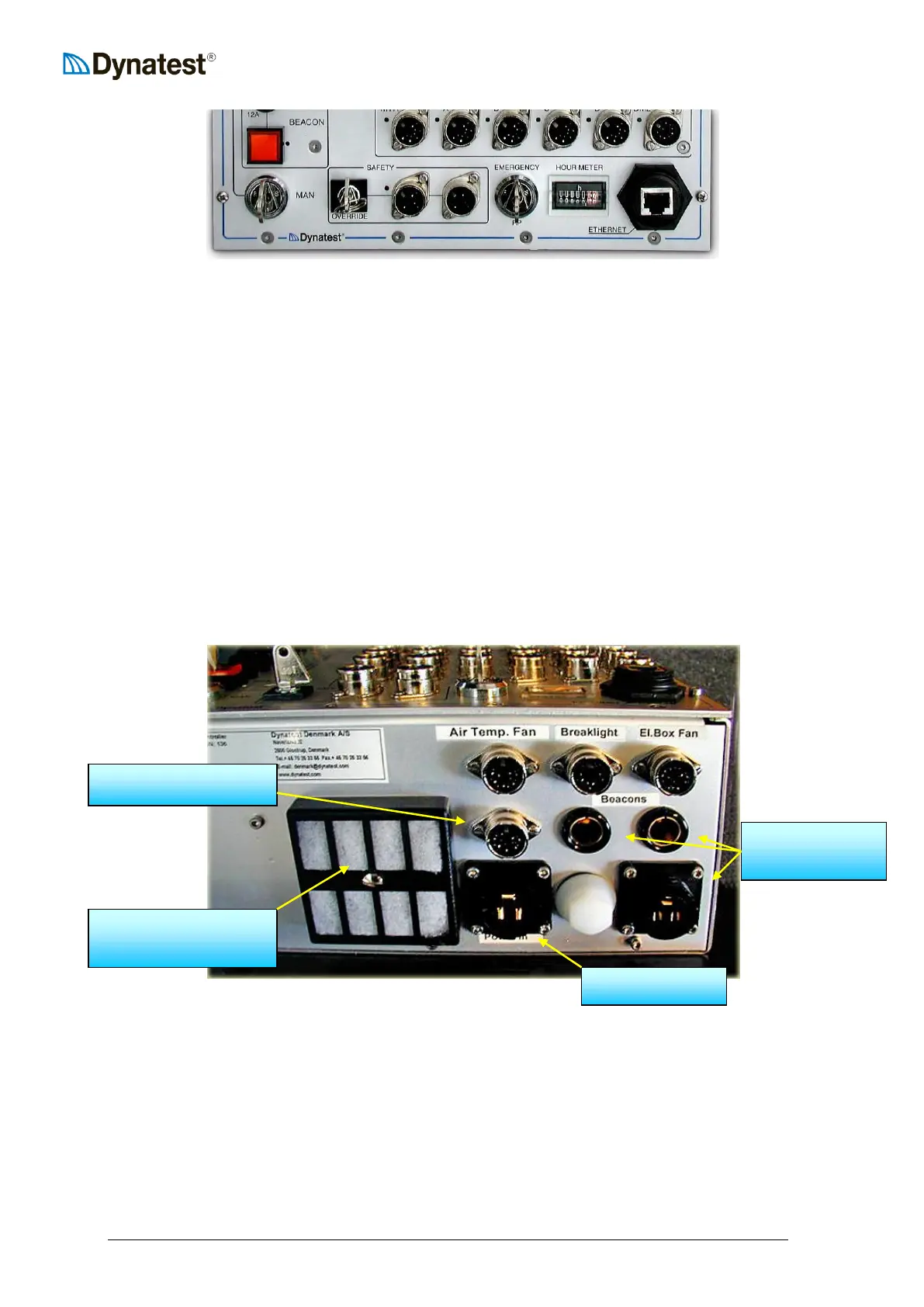
CP15 Front Panel lower part.
The “BEACON” button (and the yellow button on the Remote Control Box): Turns power
on/off to the two coaxial 12V sockets and the three pin socket positioned on the bottom panel
of the CP15. (See image “CP15 Bottom Panel” below.)
“MAN” switch: For manual operation (See above description).
“SAFETY / OVERRIDE” switch: Overrides the two safety panel switches connected to the
two DIN sockets to enable operation of the hydraulics with the safety screens removed, for
e.g. servicing purposes. – ONLY to be used by trained personnel.
“EMERGENCY” Raise Plate switch: Raises the loading plate to transport position.
Careful: Overrides the FwdWin programme and the embedded CP15 computer.
“HOURMETER”: Counts the time the hydraulics engine is powered.
“ETHERNET”: A standard CAT5 Ethernet patch cable connects the Comapct15 System
Controller to the Remote Control Box (inside the vehicle) which in turn connects with another
patch cable to an IBM compatible PC.
CP15 Bottom Panel.
“Air Temp. Fan” 12V power outlet for fan in Air Temperature device.
“Brakelight” Alternative Park Alarm input from brake light.
“El. Box Fan” 12V power outlet for (optional) fan in FWD Electronics Box.
“Beacons” Two coaxial 12V outlet plus one additional 12V outlet for beacons.



 To Next Page