Install Programs
The programs are available from ftp://ftp.dynatest.com/downloads/DDC or on hard media as
two packages named DDC Prerequisites n.n.n.exe and DDC n.n.n.exe, where n.n.n is the
version number.
If you are upgrading, please Backup existing files and folders, then uninstall the previous
DDC (Dynatest Data Collection). Your equipment information and setups are preserved.
Prior to installation, please close any running programs
Failure to close all programs may result in failure of the installation process. This is not a
serious problem, but the user will be inconvenienced by having to restart the installation
process.
If this installation requests that a Dynatest program be uninstalled, then please do so
(equipment information and setups are preserved) and then re-run the installation.
Locate the installation packages and then launch DDC Prerequisites n.n.n.exe first. This
package contains general system modules. Launch DDC n.n.n.exe next. Just use common
sense and click [Next] [OK] [Allow] etc to accept the defaults where appropriate.
The installation will result in the following folder structure:
C:\Program Files (x86)\Dynatest\Elements Control Center and various applets
C:\Program Files (x86)\Dynatest\FwdWin Falling Weights (FWD/HWD)
C:\Program Files (x86)\Dynatest\RspWin Road Surface Profilers
C:\Program Files (x86)\Dynatest\Survey Manual Survey
Additional working folders are created under C:\Dynatest.
In addition to the program installation package you may have received a file specifically for
your equipment and a License Code. The filename is composed of the equipment serial
number and the extension MDB (e.g. 8002-080.MDB). The initial execution of DDC will
copy this file to C:\Dynatest\FwdWin\MDB
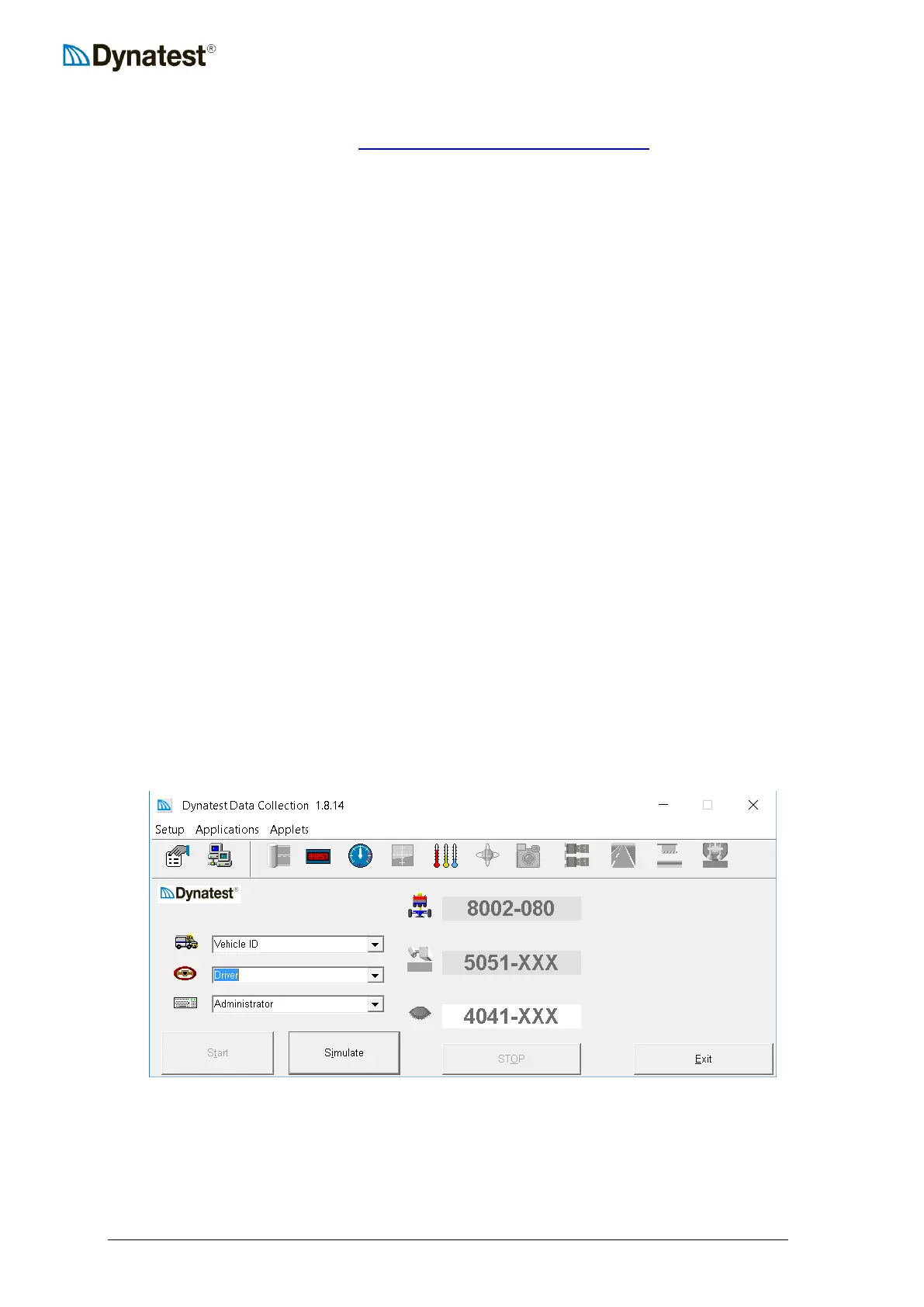
Initial execution of DDC showing that FWD 8002-080 is available:



 To Next Page