8.4 Statistics
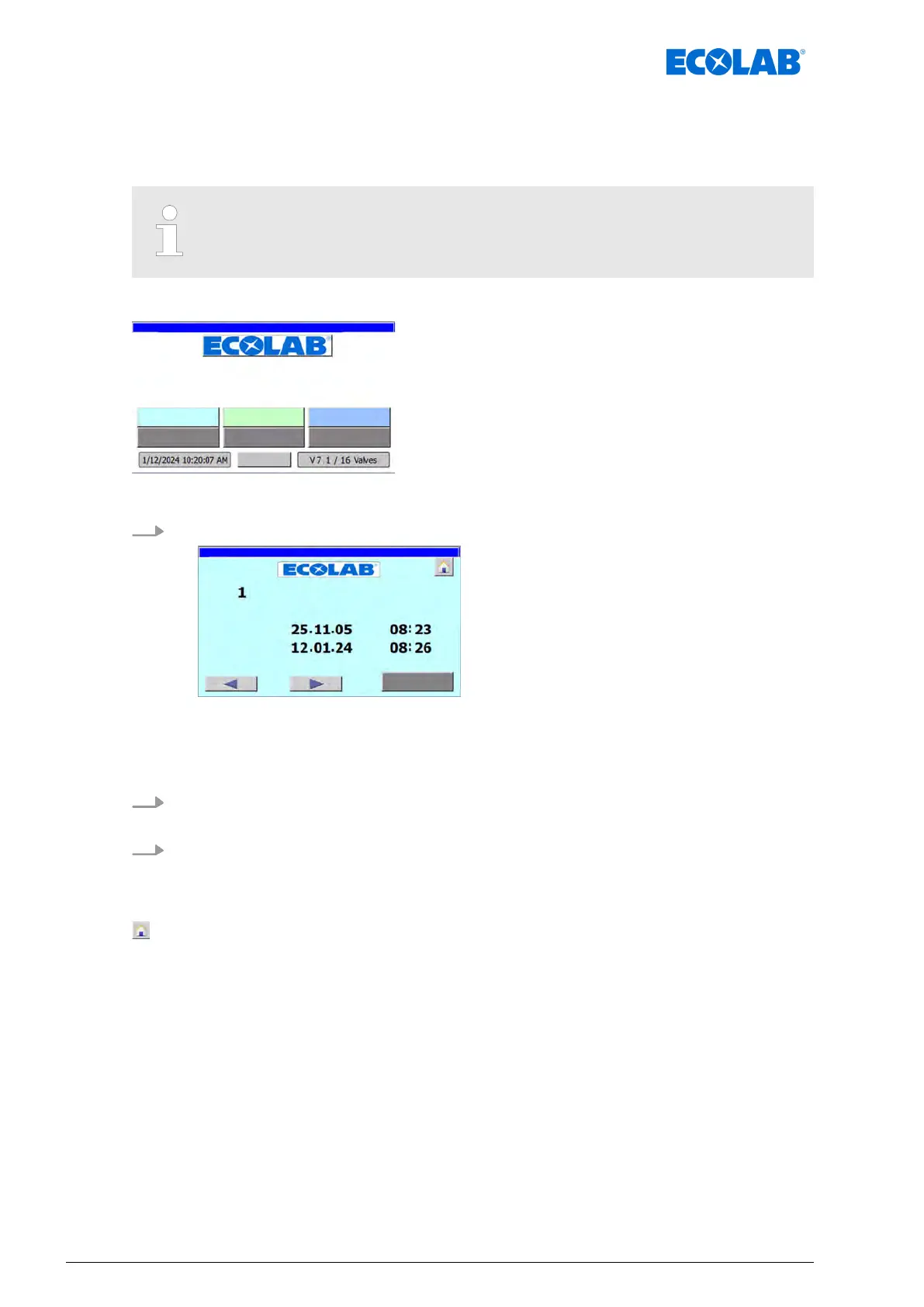
The ‘Statistic’ menu shows the date and time of the last system shutdowns (Start) and
when the power returned (
End :).
The times of the last 20 system shutdowns can be displayed.
Starting point: ‘home screen
’
"DryExx Advanced-ETH"
ECOLAB Engineering
GmbH
releases via "Ethernet" selected,
Fig. 29: Home screen
1. [Stat. ON/OFF
] Press .
. - last
system break of
f :
ð
Screen ‘Statistic’ opens and shows the data of the last system shutdown:
n ‘Start’ = Time of system shutdown
n ‘End :’ = Time that power returned
2.
Press the [
t
] (previous) button.
ð
The previous system shutdown is displayed
3.
Press the [
u
] (next) button.
ð
The next system shutdown is displayed.
The following information and settings can be viewed/edited:
- Back to ‘Home screen
’
Ä
Chapter 8.1 ‘Home screen’ on page 52
[Return] - Back to ‘Home screen’
Ä
Chapter 8.1 ‘Home screen’ on page 52
Software description
72Ver. 08-04.2024



 To Next Page