8.6.1.1 Set the consumption management
The consumption monitoring function can be activated on the ‘Parameter control
consumption’ screen and you can specify which deviations result in a message being
issued.
The [contr.cons.] button, which you can press to go to the ‘Parameter control
consumption’ screen, is visible only when the [control dosing amount] button is
enabled.
Starting point: Screen ‘operation mode
’
Fig. 34: operation mode
1. [contr
.cons.] Press .
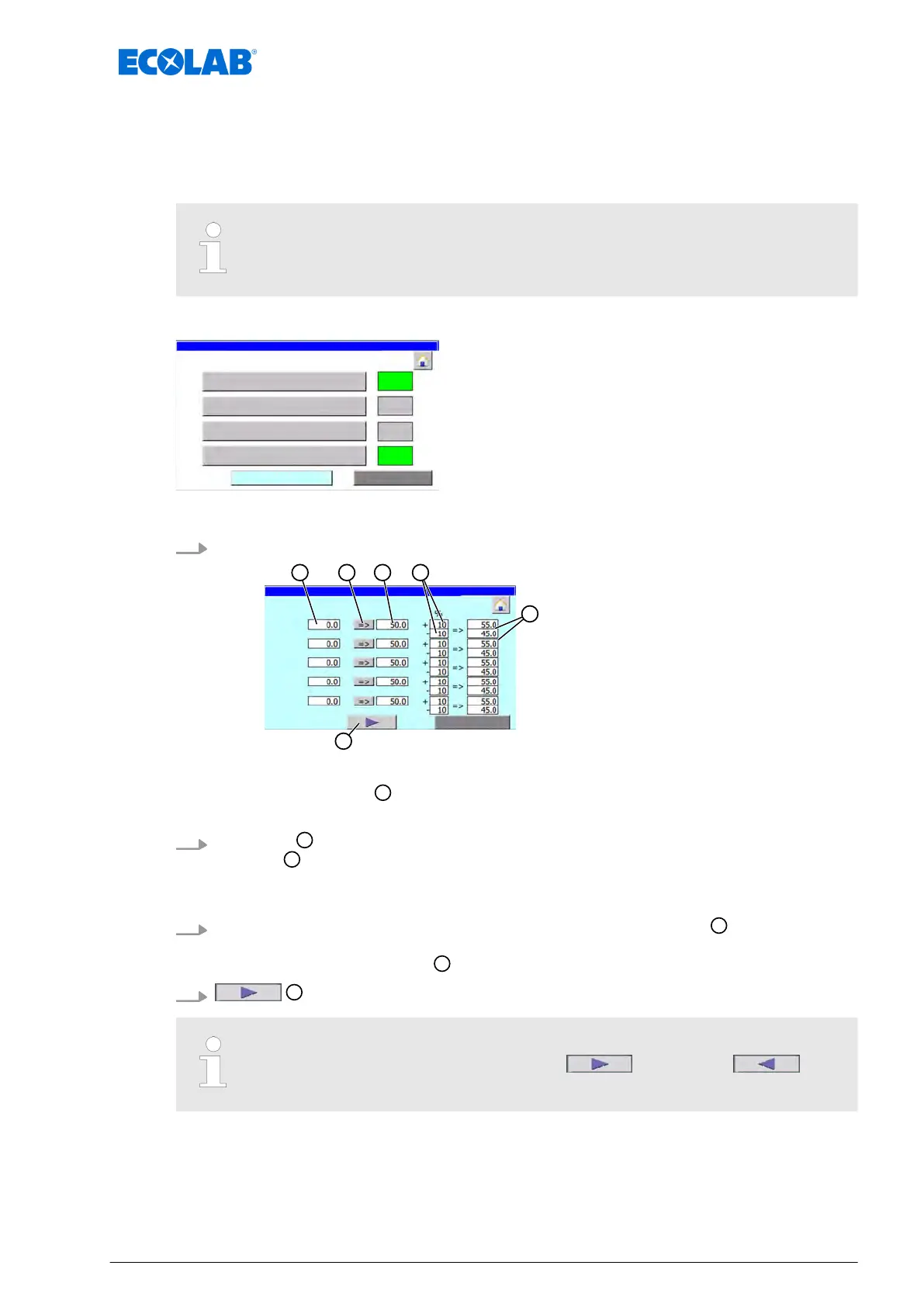
Parameter control consumption
Accept the current dosage rate as the setpoint
Metering value (set quantity)
Deviation of dosage rate [%]
Trigger value for error message
Other lubrication circuits
ð
‘Parameter control consumption’ appears.
ð
The field ‘actual’
shows the current amount of lubricant metered in millilitres
during a valve time for each lubrication circuit.
2.
[=>] press
to accept the currently metered quantity as the setpoint in the field
‘default
’
.
or
Press the field ‘
default’ and enter the setpoint manually.
3.
Enter the permissible deviation of the dosage rate in the field ‘%’
.
ð
The threshold value for the upper and lower deviation from the setpoint is
calculated and displayed
.
4.
Press to display or adjust additional lubrication circuits.
Pressing the button displays a second button on the subsequent screens.
These buttons can be used to display the (next) or the
(previous) screen with the corresponding valves.
Software description
77 Ver. 08-04.2024



 To Next Page