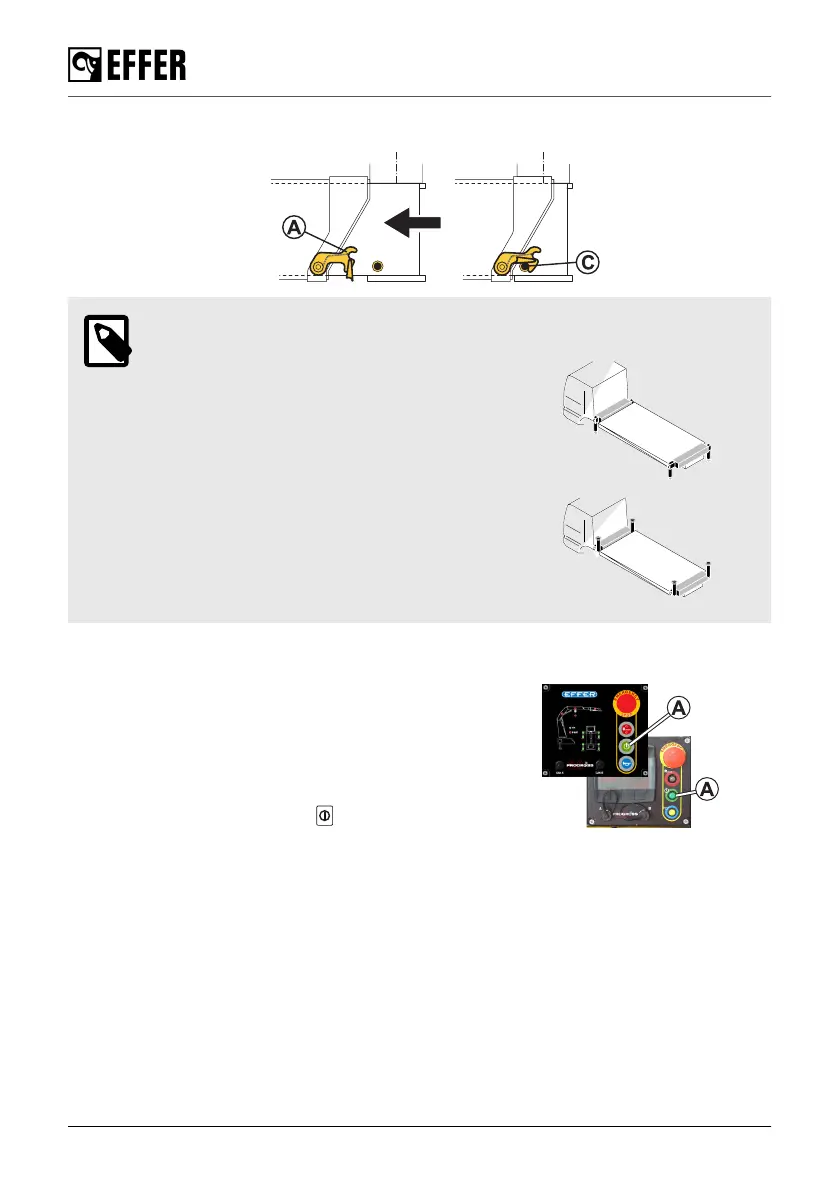
3. Verify that the mechanical stops are locking the system correctly (pin (C) locked by the catcher
(A)). (If fitted)
NOTE
Common storage position with non-tiltable
stabiliser legs.
Common storage position with hydraulically
tiltable stabiliser legs.
7.3. Switching off the control system
1. Push the emergency stop button on the controller to
switch it off.
2. Disengage the PTO.
The control system switches off automatically when
the PTO is disengaged.
If this feature is not activated:
• Push the ON/OFF button
on the User Interface
(A) to switch off the control system.
Ending crane operation
130 EFFER 265-315-395-525 Progress 2.0 CE



 To Next Page