4.12.2. Displays
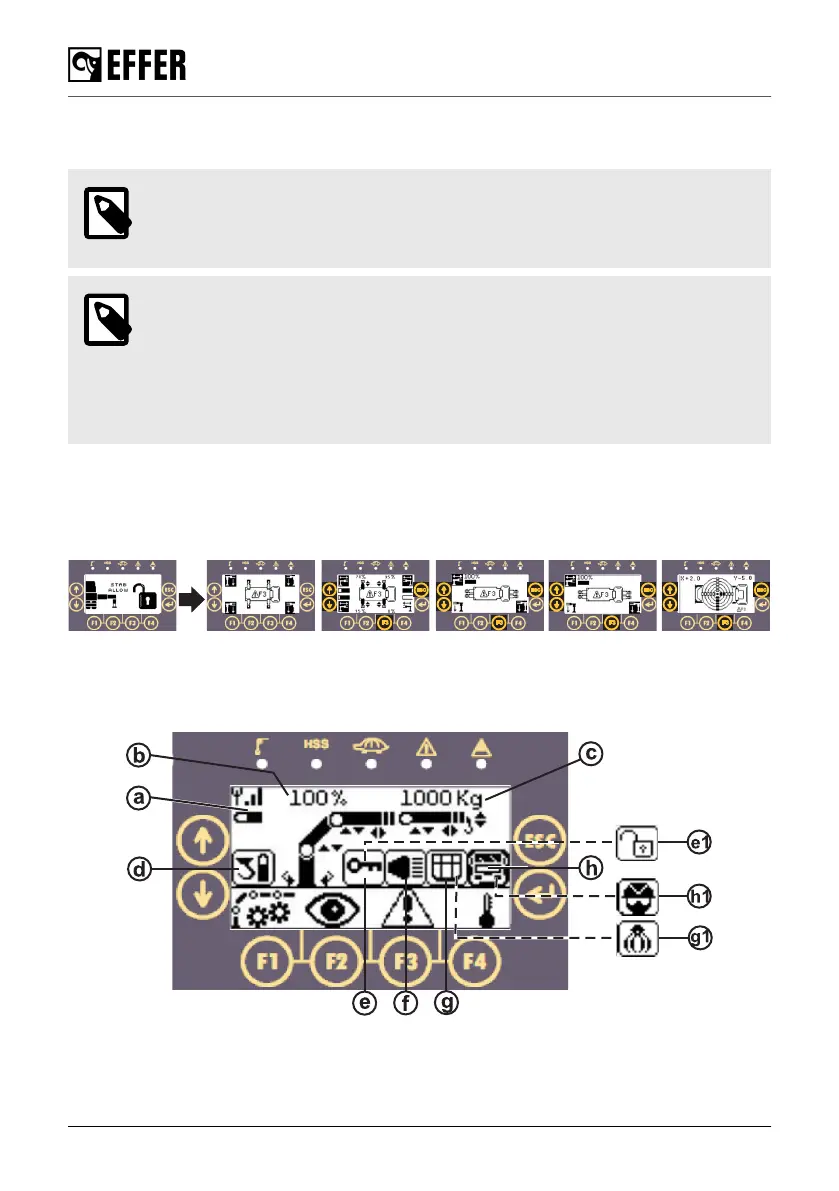
The display shows information about the operation of the crane, options selected, and errors.
NOTE
You might have different images on your screen depending on the configuration of
your crane.
NOTE
• Use the selector or the arrow buttons on the controller to select the desired icon
and to navigate between the different displays (that you access after selecting
an icon).
• Use the ENTER button to confirm the selection.
• Use the ESC button to exit the selection.
Stabiliser displays
When you lift up and turn the selector (8) to STAB, the ‘STAB ALLOW’ or ‘STAB RECOVERY
ALLOW’ display is shown. After a few seconds, the display changes into the stabiliser status
displays according to the crane configuration.
Crane displays
When you lift up and turn the selector (8) to CRANE mode on the controller, the main display is
shown. It shows the crane configuration and the movements permitted with the respective arrows.
The control system
68 EFFER 265-315-395-525 Progress 2.0 CE



 To Next Page