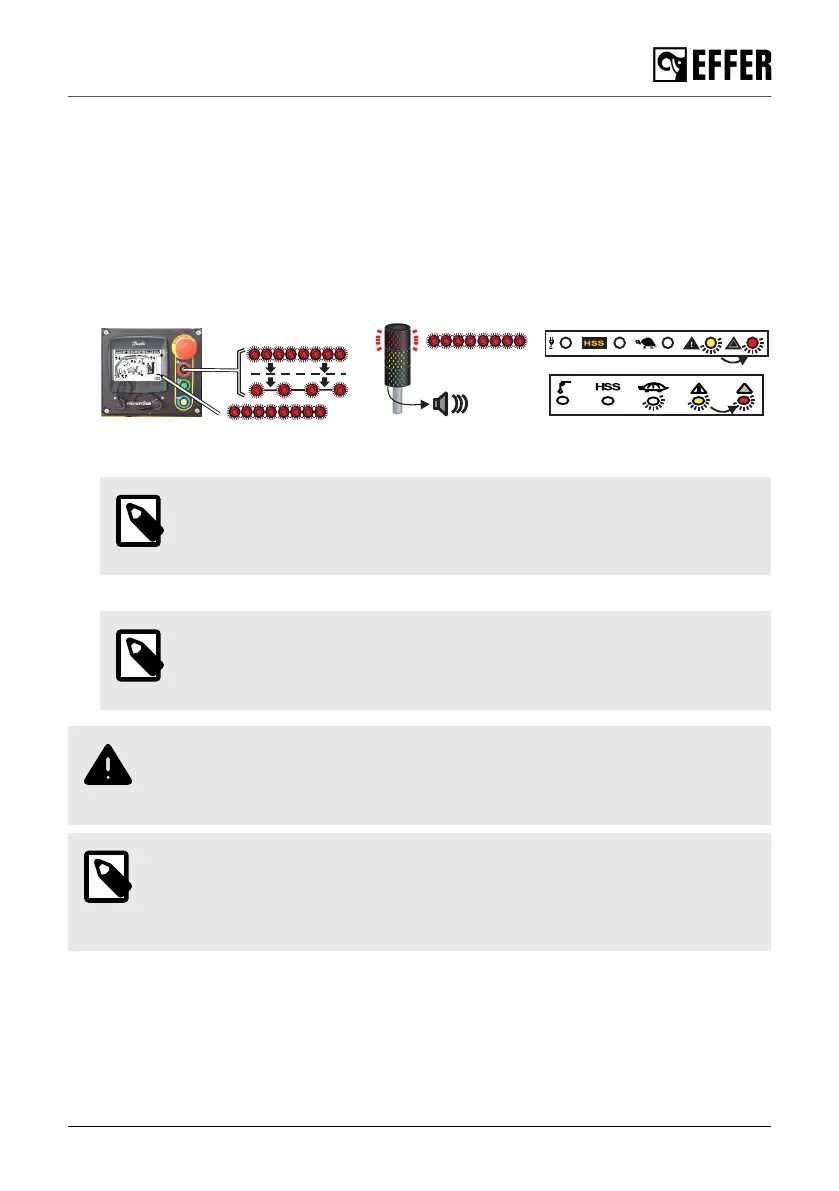
6.2.2. Release the overload protection
If all functions have been blocked due to an overload situation, it is possible to temporarily release
it and operate an appropriate crane function to correct the overload situation.
Proceed as follows:
1. Push the RESET button on the controller. The LED on the RESET button turns off, the LED on
the controller becomes yellow, and the overload release is active in 10-second intervals.
2. Operate the crane using smooth and gentle movements to get the crane out of a locked
position. During this time, you can operate only one function at a time and never the boom
extension out.
3. After a 10-second interval, the red lamp and the RESET button LED blink for 30 seconds (the
waiting time).
NOTE
When operating the boom system/JIB over 70º, the waiting time is reduced to
five seconds.
After this time, it is possible to operate another movement following the same procedure.
NOTE
The procedure described above can be repeated up to five times. After that,
only the operation to retract the boom extensions is available.
WARNING
Only use the overload release to get the crane out of a locked position. Never use
the overload release to overload the crane deliberately!
NOTE
In case of a crane breakdown, the use of the overload release will be part of the
investigation. If the use of overload release is too excessive, it might affect the
warranty.
During operation
EFFER 265-315-395-525 Progress 2.0 CE 115



 To Next Page