6.2. Overload protection (Load limiter device)
6.2.1. Crane overload protection
Progress not only prevents overloading of the crane stopping specific crane movements when the
maximum operating performance is reached, but it also controls the speed of the crane/hook tip.
This way, if more movements are carried out at the same time, the crane tip/hook speed does
not exceed the safety values that would cause control problems during operation (MAX SPEED
LIMITATION feature).
NOTE
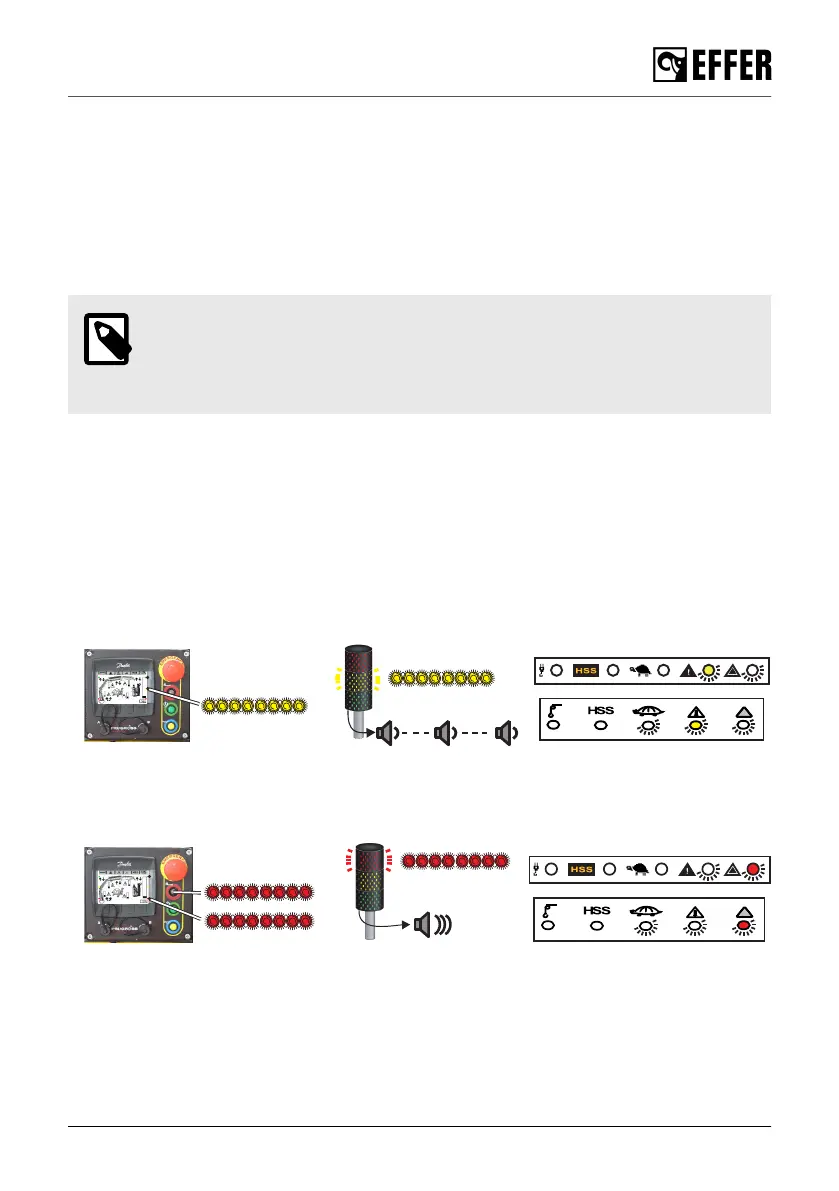
For more information about the visual warning on the User interface with LEDs,
refer to the content: "Section 4.7.1: Indicator LEDs on the User Interface (page
50)".
Thus, this is what can happen while you operate the crane:
• The crane automatically slows down some movements even if no load is on the hook.
This occurs automatically when:
a. The crane reaches special configurations, for example when it approaches the crane boom
max verticality or when the cylinder is reaching its end of stroke.
b. You activate several simultaneous movements with the controller. As the available oil is
proportionally distributed in the valve so that all movements receive enough oil (refer to the
FLOW SHARING feature), the speed of the first active movements is reduced.
• A movement in one direction is blocked when the crane reaches the max allowed geometric
configuration.
• Slewing movements stopped.
When operating the crane, Progress stops the slewing movements if the crane is about to go into
an area where the vehicle stability is low.
Retract the boom extensions to be able to continue with the slewing operation.
During operation
EFFER 265-315-395-525 Progress 2.0 CE 113



 To Next Page