5.3.2. Operate the boom system
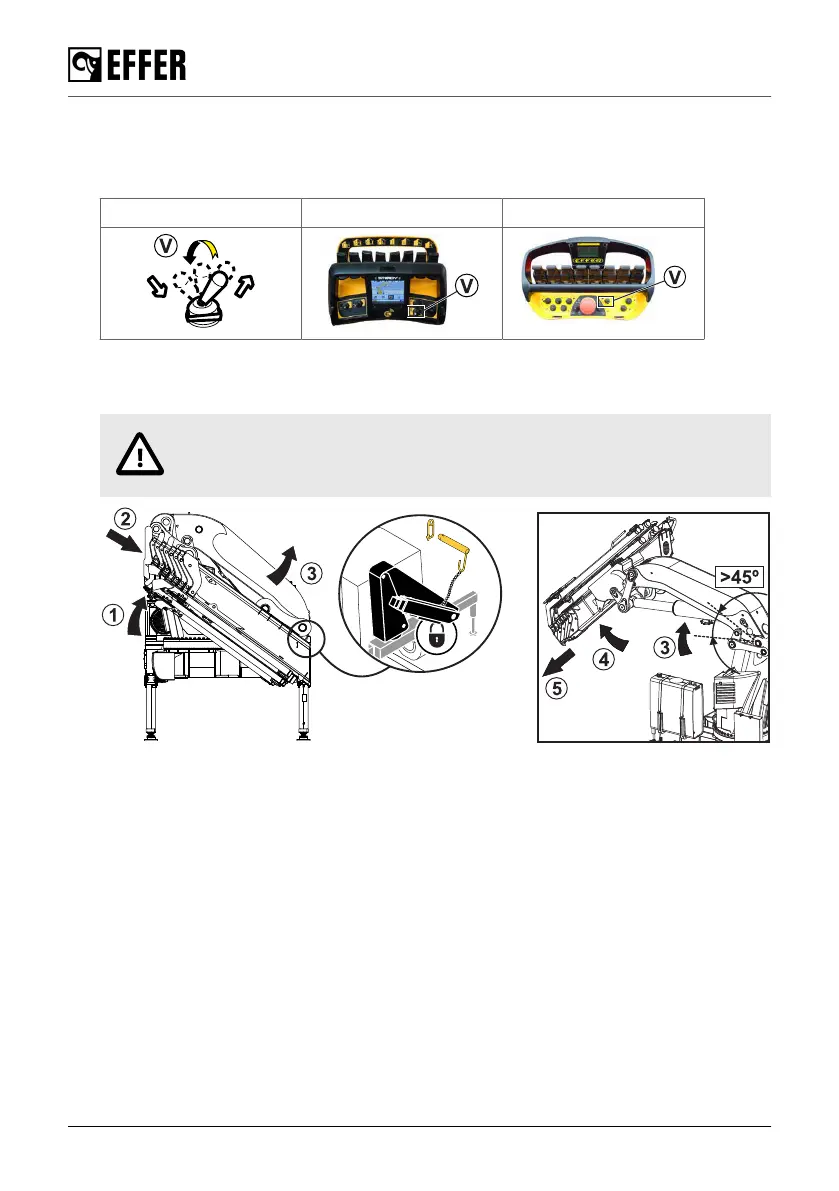
1. Remove the safety pin that locks the 1st boom (if installed).
2. Activate the controller by lifting up and moving the selector (V) to 'CRANE' mode.
Selector (V) STEADY SCANRECO
3. Operate the 2nd boom against the 1st boom (1) to raise it from its rest position on the column.
4. Retract the extensions (2).
CAUTION
Do these operations slowly to prevent damage to the crane.
5. Raise the 1st boom (3) of about 45°.
6. Raise the 2nd boom (4) until you have enough space to safely open the JIB (if installed).
7. Slew the crane to the working position.
8. If needed, extend the crane boom extensions (5).
Starting crane operation
96 EFFER 265-315-395-525 Progress 2.0 CE



 To Next Page