111
CHAPTER 2: Instructor / Operator’s Station (IOS)
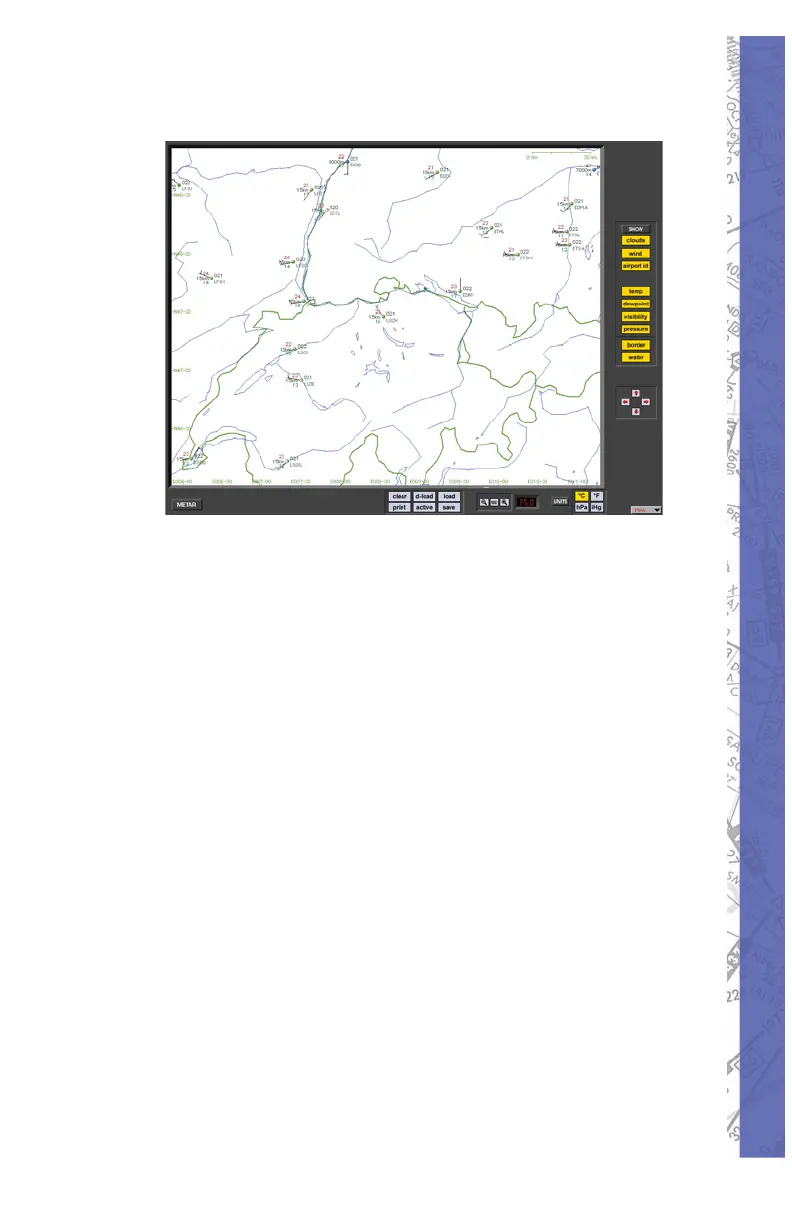
METAR PAGE
METAR Page
“HELP Tips” are available anytime by pressing ALT-H. Move
the help cursor (?) over any on-screen item that you would
like more information about. When the help cursor reveals its
document icon help is avail able for that item. Simply click on
the item to display re lat ed help tips.
ACTIVE METAR
Active METAR means that you can download real-
time weather conditions from METAR reporting stations
for use in ELITE. When METAR weather is “en gaged”
(activated) the weather dynamically changes when fl ying
between METAR reporting stations and over the time span
covered by the METAR reports. Sky conditions, visibility,
wind speed, wind direction and turbulence are accurately
integrated into the simulation from these reports.
METAR weather conditions represent the actual
weath er derived from the local airport stations.
Al though ELITE calculates precise cloud
coverage, ELITE can not represent a specifi c cloud type
such as Cumulus or Nimbostratus. If the downloaded
METAR readout of a visibility is ‘9999’, ELITE will set a


 To Next Page