ELITE OPERATOR’S MANUAL
302
The # 1 NAV radio allows for DME hold by selecting
the desired VOR frequency and then selecting the HLD
function on that radio head. When the DME toggle located
below the HSI is placed in the NAV 1 position the DME
readout on the HSI will indicate this distance value even
though the NAV 1 active frequency may change. Be sure
that the HSI is in DIST mode to read distance.
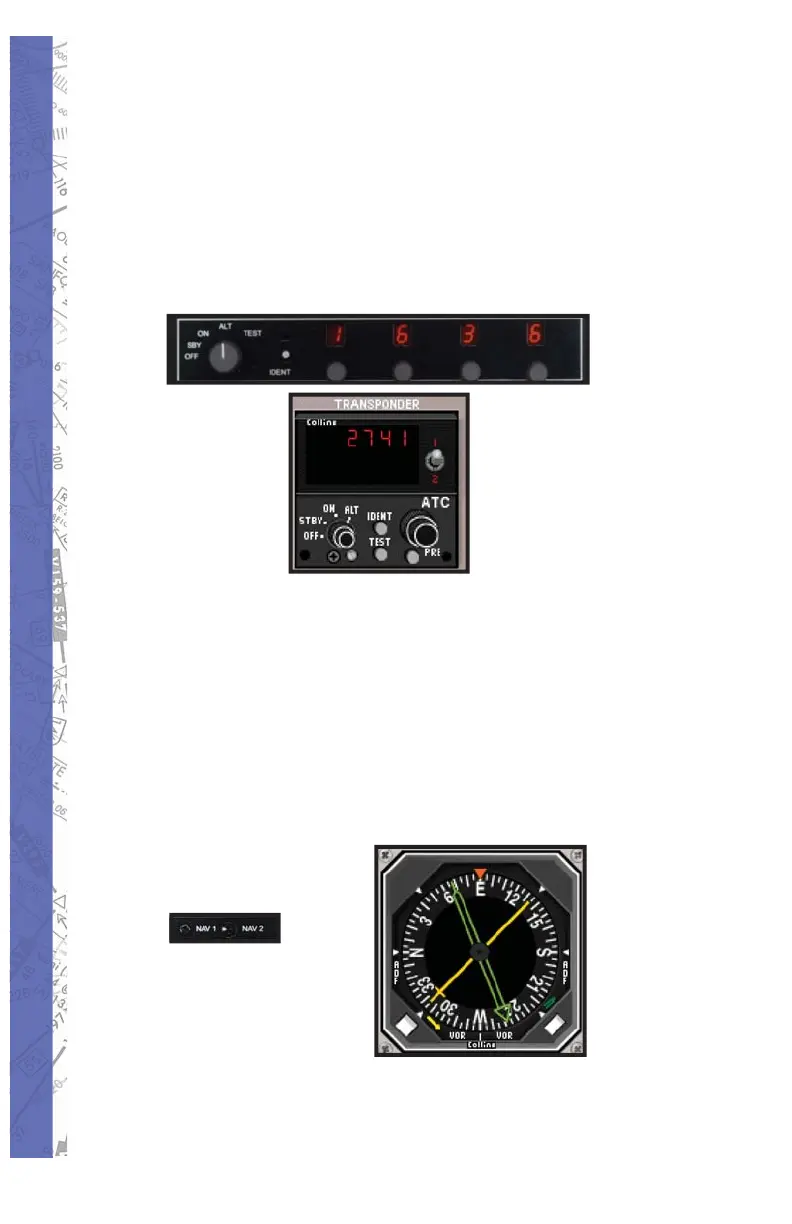
The transponder may be programmed to hold a pre-
selected squawk frequency as well. Simply depress the
PRE button for two seconds and then dial in the desired
squawk code with either the mouse or by using the four
control knobs on the AP-3000. When done press the PRE
button again. This will save the desired code and may be
retrieved at any time simply by pushing the PRE button.
NAV1/ NAV2 Toggle:
The NAV1 NAV2 toggle allows the user to switch the
yellow needle of the RMI between VOR and ADF. The



 To Next Page