PI-135 OPERATOR’S MANUAL
60
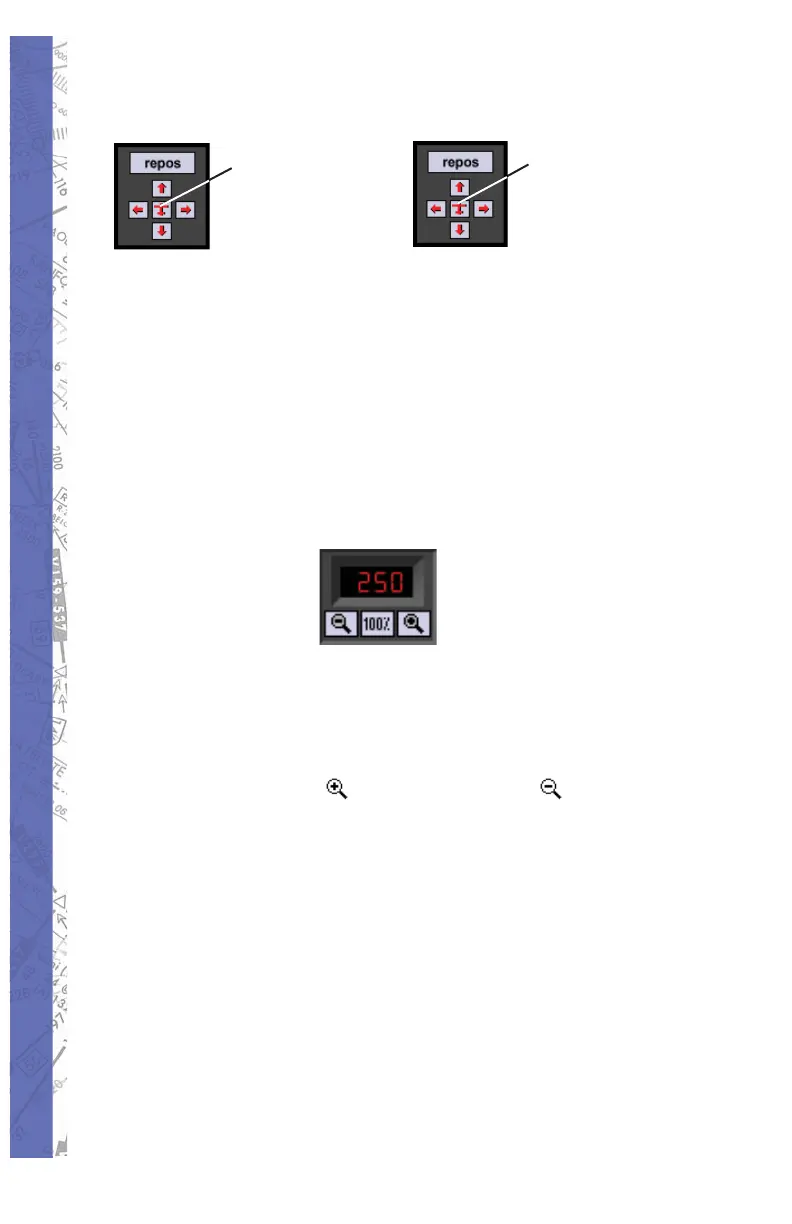
Centering:
Click to
locate
aircraft
CTRL - click
to bring
aircraft to
MAP center
Conversely, it is possible to move the air craft to where you
have scrolled. Hold down the CTRL (control) key on the
keyboard and click the red air craft sym bol or just use the
key combination (CTRL-C) by itself. The air craft will be
brought to the center of the present map view. Following
aircraft repositioning, Heading, Al ti tude, and Airspeed can
all be ad just ed as de scribed in page 220.
MAP ZOOM LEVELS
Displays current ZOOM level controlled by I (in), O (out),
and N (normal) keys respectively or “mag ni fy ing glass”
buttons. When you fi rst en ter the MAP page, the dis play
will be in normal zoom lev el, de fi ned as the 100% view.
Click on the ZOOM IN ( ) or ZOOM OUT ( ) buttons to
in crease or decrease the zoom level. The zoom percentage
is indicated on the display relative to the 100% view level.
Custom ZOOM
You may zoom directly to an area of your choice (cus tom
ZOOM) by trac ing a rectangle around the pe rim e ter of the
area to be ZOOMed. Hold the ALT key then click-and-drag
to create an out line around the desired area. Re lease the
mouse but ton for the new ZOOMed view.



 To Next Page