185
CHAPTER 5: AIRCRAFT
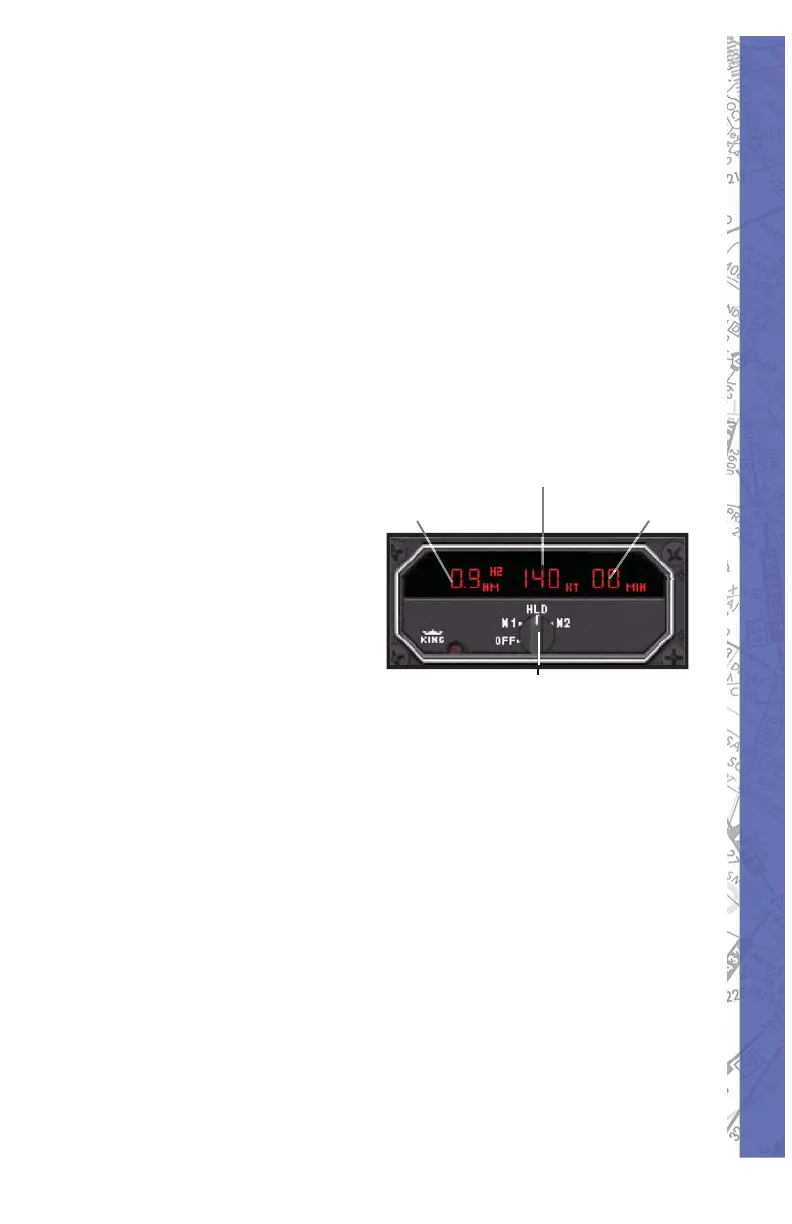
GS/T Mode:
Distance, Ground Speed and TTS are displayed.
Activating the Ground Speed (GS) button results in
displaying the Ground Speed relative to the DME station
(in knots) instead of the DME frequency. In addition,
the Time-to-Station ( TTS) is displayed. Rotating the
frequency selector will have no effect on the display,
because the DME is in “Frequency Hold.” This mode
prevents accidental rechanneling of the DME when the
frequency is not displayed.
RMT Mode:
Distance, Ground
Speed and TTS of
remote frequency are
displayed.
By activating the
R1 or R2 button,
the corresponding
frequency is
automatically taken
from the NAV1 or the NAV2 receiver. Search time is about
one second. When no ground station can be locked,
“dashes” will be displayed. Distance, Ground Speed and
TTS are only available if the station remotely tuned is DME
equipped.
Dis tance to
Station
Ground Speed
Nav Selection and Hold (Click
and drag knob left or right)
Time to Station



 To Next Page