PI-135 OPERATOR’S MANUAL
72
loaded this fi le in a while it will be easily identifi ed as the
ILS approach into Orlando Executive’s runway 7 (with low
ceilings). This is much better than “My fi rst ILS.”
HEADING PANEL
Click in
window for
reciprocal
heading
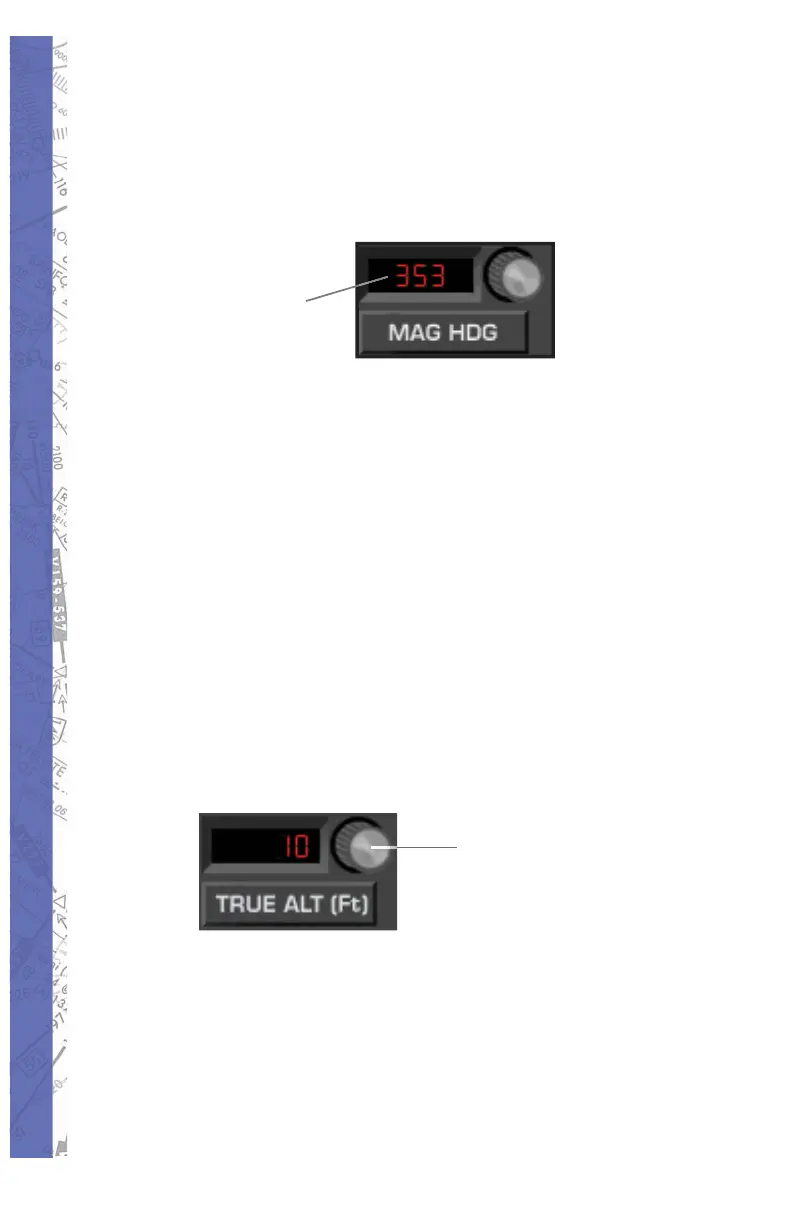
Aircraft Heading can easily be changed with the MAG
HDG pan el. Mag net ic head ing in de grees is dis played in
the win dow next to the head ing ad just knob. To change it,
click and drag on the head ing adjust knob until the de sired
val ue is in di cat ed. Notice the red air craft sym bol on the
MAP page turns as heading is changed to re fl ect the ac tu al
indicated value. Click in the Heading window to in stant ly
get the reciprocal of the displayed value.
ALTITUDE PANEL
Aircraft Altitude can easily be changed with the TRUE ALT
panel. Altitude in feet (MSL) is displayed in the window
next to the altitude adjust knob. To change al ti tude in 10
foot in cre ments, click-and-drag on the al ti tude adjust knob
until the desired val ue is indicated.
Single-click
for 500 foot
increments
To change altitude in 500 foot increments, fi rst single-click
on the altitude adjust knob. The knob will push in. Click
and drag on the altitude adjust knob for chang es in 500
foot increments. The knob will re set in 5 seconds if there is
no ac tiv i ty, or you can click on it a second time to reset it.
Upon reset, the knob will pull out to its normal position and
re vert back to 10 foot increment adjustment.



 To Next Page