PI-135 OPERATOR’S MANUAL
28
On the Map screen, selecting the following 4.
options will Freeze the instrument screen:
Dump, Path, Route, Replay, Load, ?, and
Show.
To adjust the aircraft loading or fuel settings 5.
on the Control Screen the program must be
in Freeze mode.
GENERAL SETTINGS
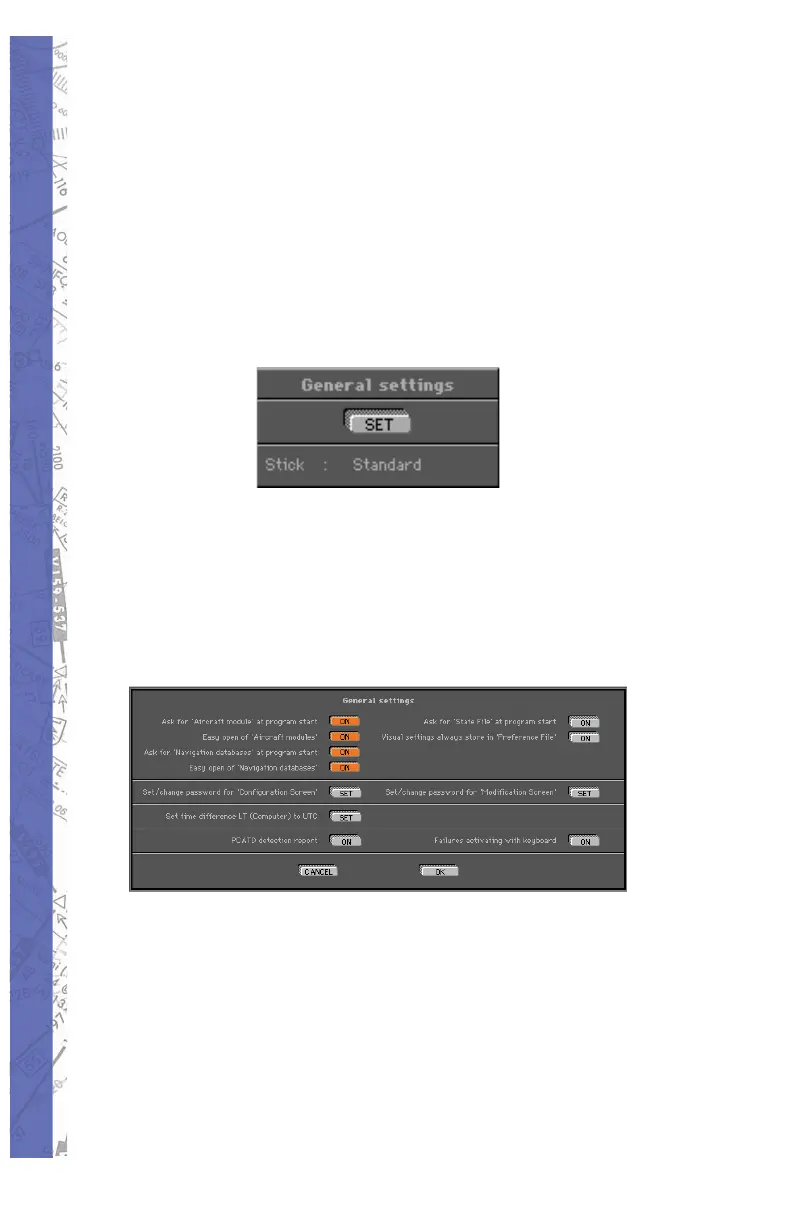
Under General Settings, click ing the SET button opens a
di a log box that lets you cus tom ize features in the startup
sequence, set/change pass words, set LT/UTC offset,
toggle ATD detection report, and activate fail ure control
from the keyboard. These settings are re tained un til
changed or reset.
AIRCRAFT MODULE
When “Ask for Aircraft Mod ule at program start” but ton
is ON (orange), ELITE will ask you (on every startup) to
select an aircraft module. “Easy open of air craft modules”
allows you to choose an aircraft by view ing thumbnails
(small pictorial representations) of each aircraft cockpit.
This is the de fault and recommended setting. The same is
true for NAV databases.



 To Next Page