175
CHAPTER 4: OPERATIONAL CONCEPTS
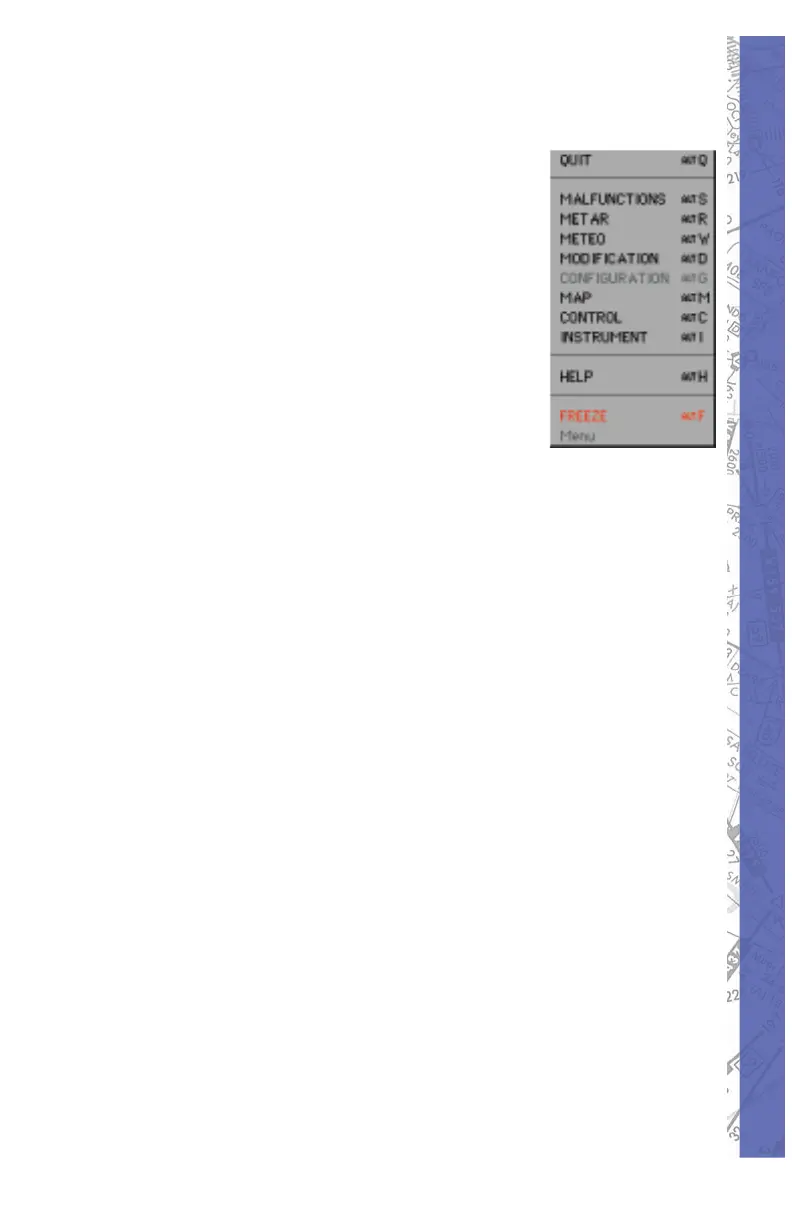
USING THE MENU INTERFACE
The menu selection box is located at
the lower right side of the monitor. Click
on the main menu but ton once and the
menu box will remain on screen until a
page is selected or you click the mouse
outside of the menu box. When the
instrument panel is lowered, the main
menu tab will disappear. To access the
menu selection box when the instrument
panel is lowered, right mouse click at
any location on the aircraft instrument
panel. The menu selection box will disappear when a page
is selected or a mouse click is made outside of the menu
box.


 To Next Page