25
CHAPTER 1: Assembly and Startup
(instrument confi guration) are specifi c to the aircraft
selected to be fl own.
You get to the CONFIGURATION PAGE by right mouse
clicking on the instructor’s monitor when ELITE is
running. This brings up the ELITE Main Menu. Click on
CONFIGURATION PAGE or use the keyboard shortcut
“alt G”.
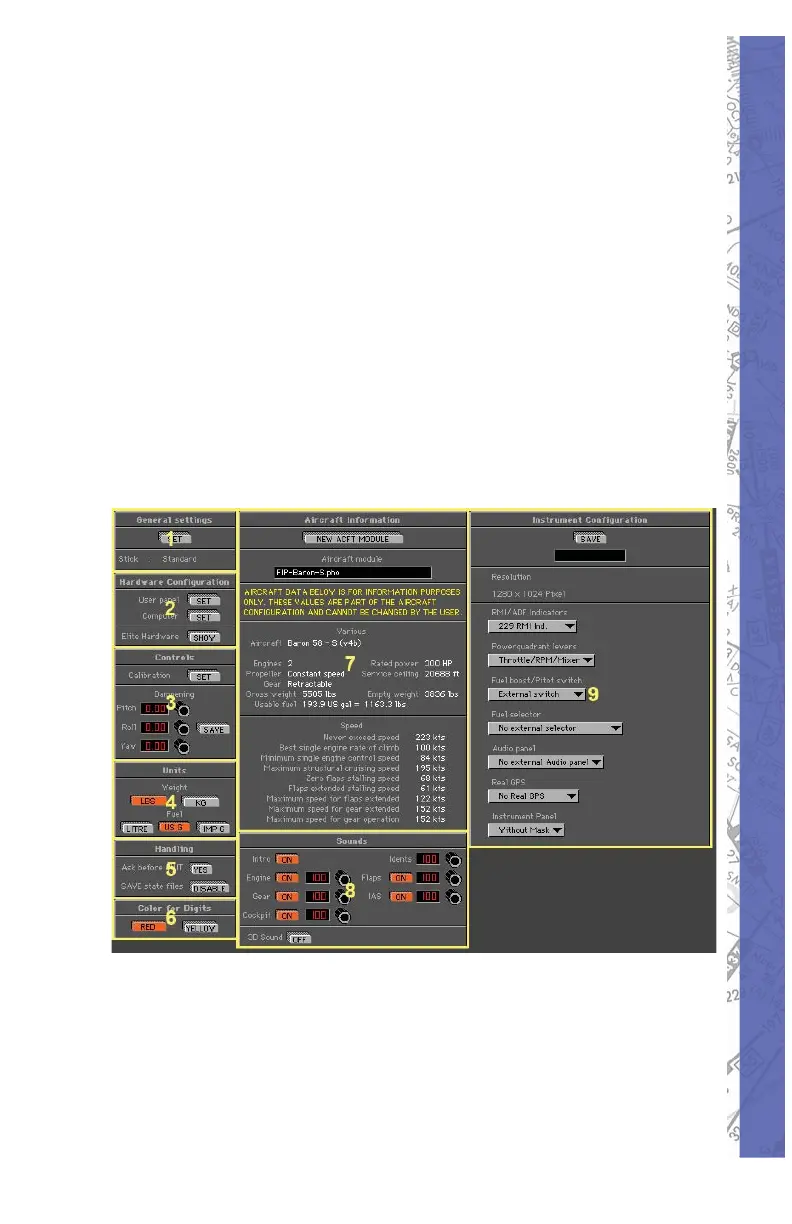
The Confi guration Page consists of nine sections: General
Settings (1), Hardware Confi guration (2), Controls (3), Units
(4), Handling (5), Color for Digits (6), Aircraft Information (7),
Sounds (8) and Instrument (9). This section will cover the
basics to get the PI-135 up and running. Other information
from this screen will be covered in Chapter Two.



 To Next Page