PI-135 OPERATOR’S MANUAL
54
cur rent ly load ed NAV databases will be list ed al pha bet i cal ly
by ICAO airport lo ca tion iden ti fi er (LOCID).
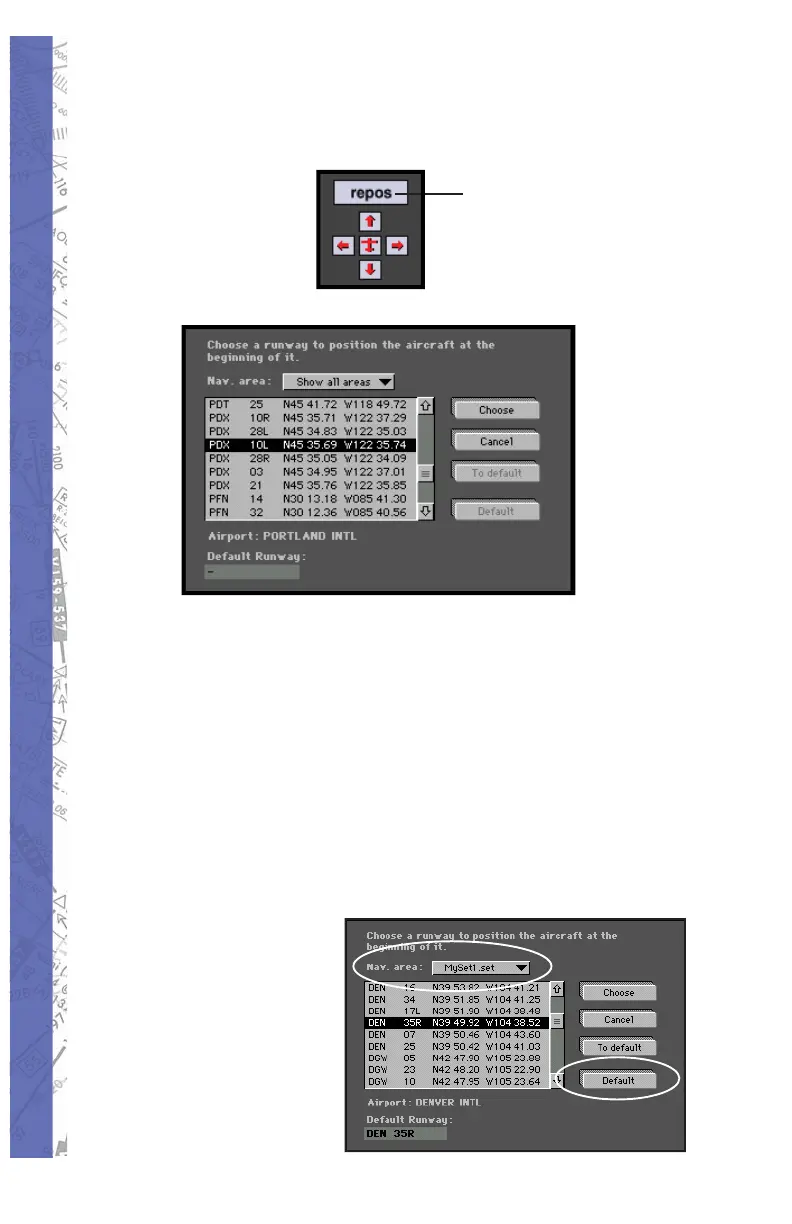
Click
to
reposition
aircraft
Choose:
If necessary, scroll until the desired airport iden ti fi er is
visible. Select an airport and runway by click ing its iden ti fi er/
runway combination. Notice that the air port/run way lat.
lon. is now highlighted and the air port’s name is in di cat ed
just below the scrollable view ing area. The ex am ple above
shows Portland In ter na tion al (PDX) run way 10L selected.
Click on CHOOSE to position the air craft at the threshold
of the se lect ed run way.
Cancel repositioning by
clicking on CANCEL.
You will return to the
previous dis play.



 To Next Page