PI-135 OPERATOR’S MANUAL
62
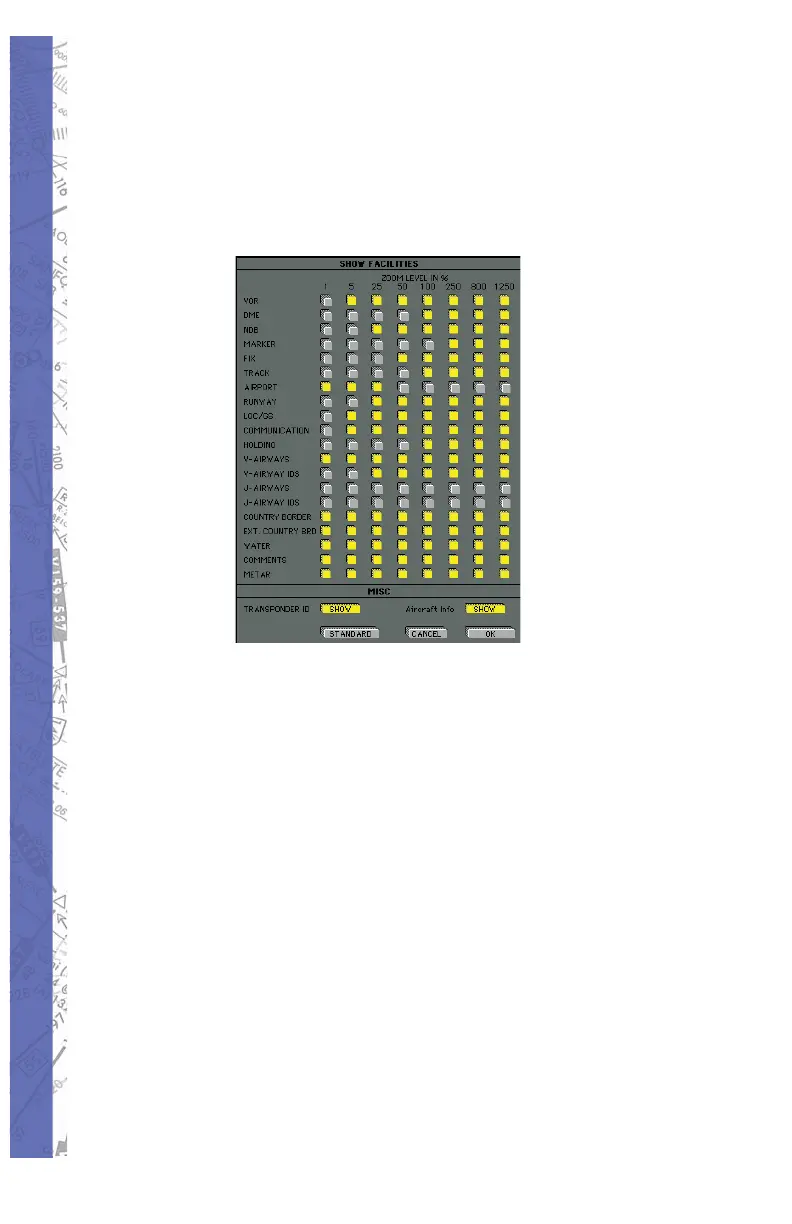
upon ZOOM lev el. At high ZOOM levels for ex am ple,
mark ers are visible and runways labeled with their
mag net ic direction. At lower ZOOM levels, cer tain map
el e ments (fa cil i ties) are not dis played to pre vent clutter
and main tain map readability.
NOTE: You may determine which MAP elements (fa cil i ties)
are displayed for corresponding ZOOM lev els.
Click on the appropriate buttons to activate or deactivate
the information to be shown in each ZOOM lev el. Yellow
buttons indicate an active button.
Click OK and your selections will take •
ef fect.
Click CANCEL to return to the Map with no •
chang es.
Click STANDARD for a preset of active •
fa cil i ties.



 To Next Page