24 Using the Printer
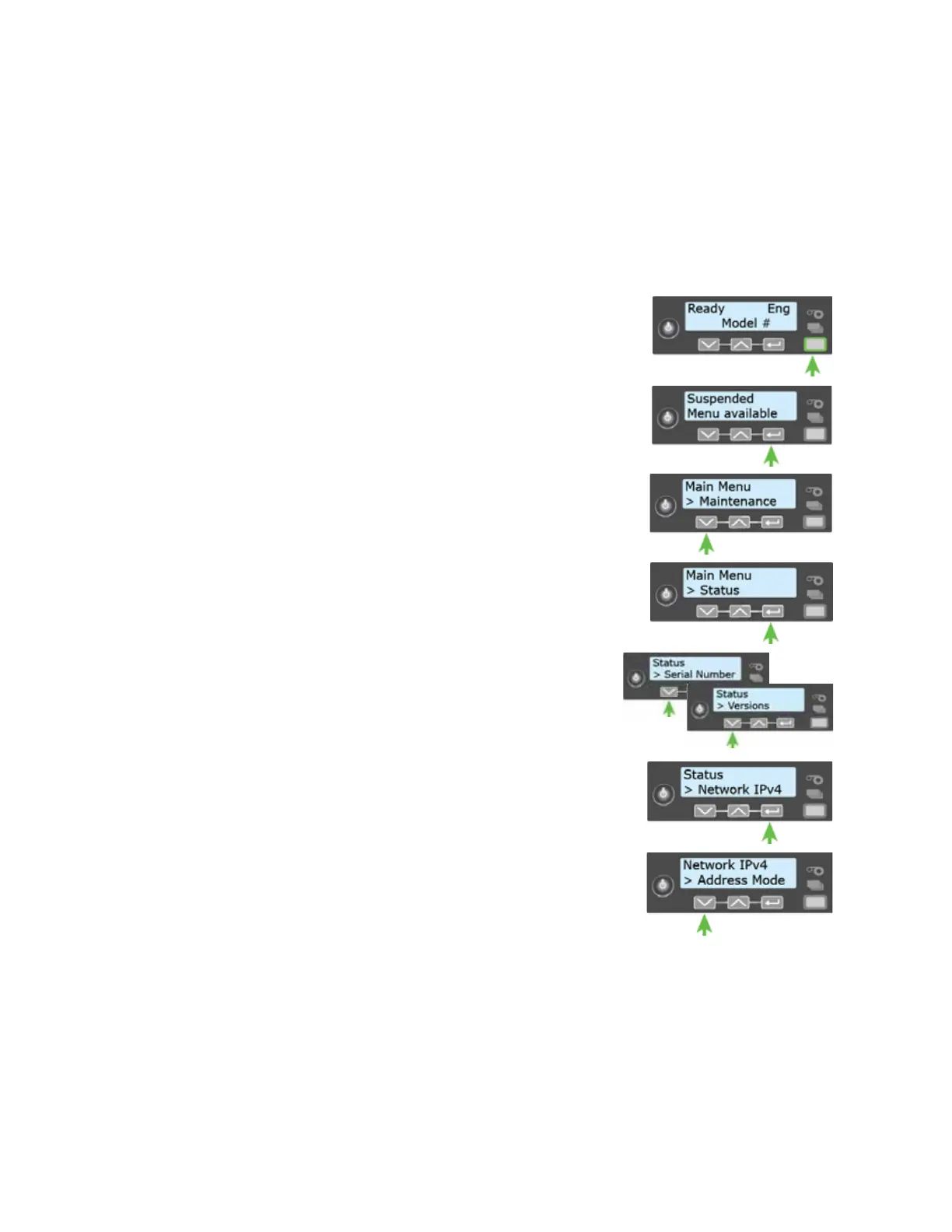
Do the following to display an IP address using the Status menu. You also can display the subnet
mask, gateway address, and MAC address, if necessary.
Begin with the printer power connected, and the printer connected to the network.
1. Press the P
OWER button to power on the printer, if necessary.
2. Access the Status menu in the LCD menu:
a. Press the U
SER button to suspend the printer.
b. Press E
NTER to enter the menu system.
c. Press the down arrow to display Status on line 2.
d. Press E
NTER to enter the Status menu.
e. Press the down arrow until Network IPv4 displays on
line 2.
f. Press E
NTER to display the Network IPv4 menu.
3. Press the down arrow until IP Address displays on line 2.



 To Next Page