34 Using the Printer
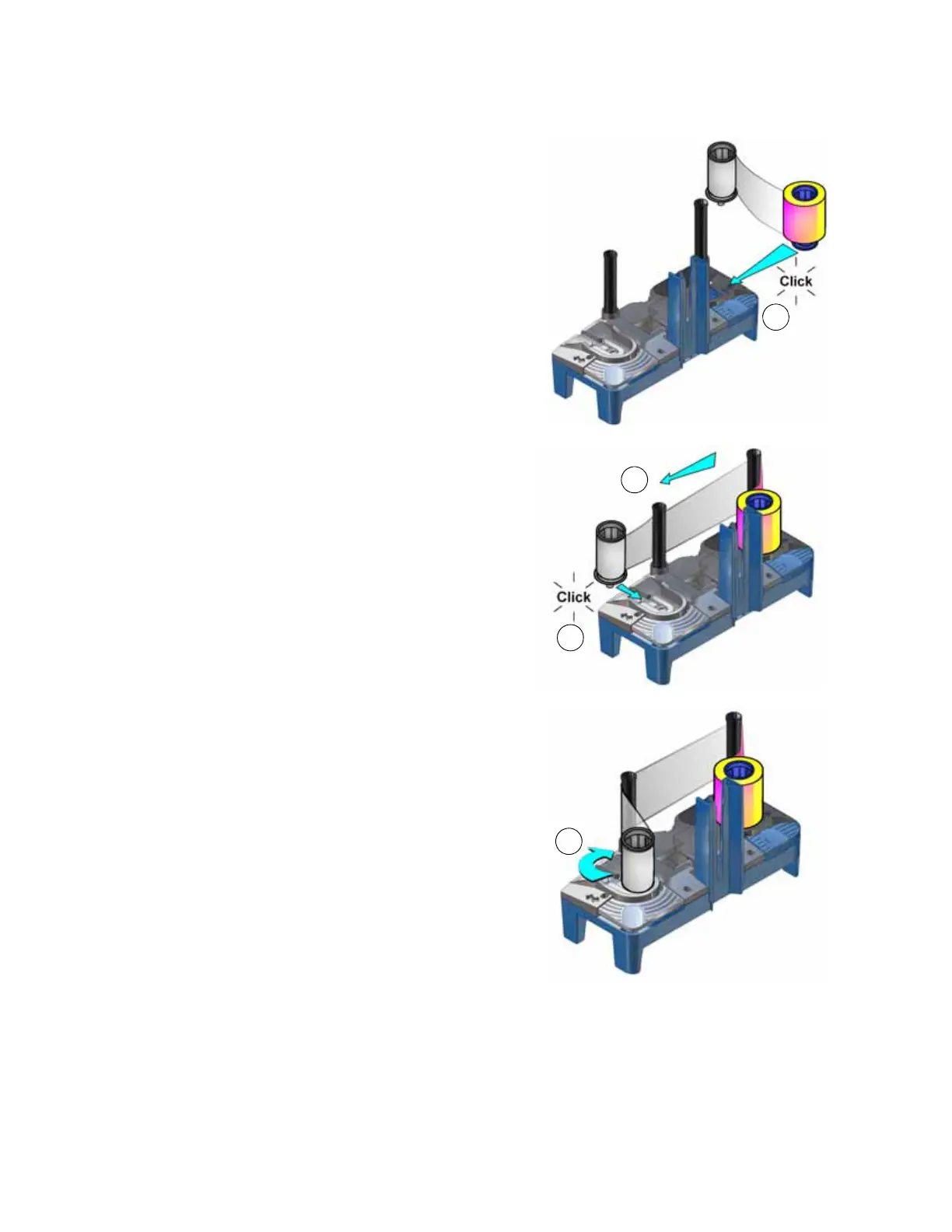
7. Install the ink ribbon.
a. Slide the blue supply spool onto the
cartridge until it clicks into place. The
supply roll can go on only one way and fits
only on the correct side of the cartridge.
b. Route the ink ribbon around the rollers
on the cartridge. A diagram on the
cartridge shows the correct routing
pattern.
c. Slide the empty silver take-up spool onto
the cartridge until it clicks into place.
d. Turn the take-up spool clockwise just
enough to take up any slack in the ribbon.
8. Continue with “Replace the Cleaning Sleeve”.



 To Next Page