© EPRAD Incorporated
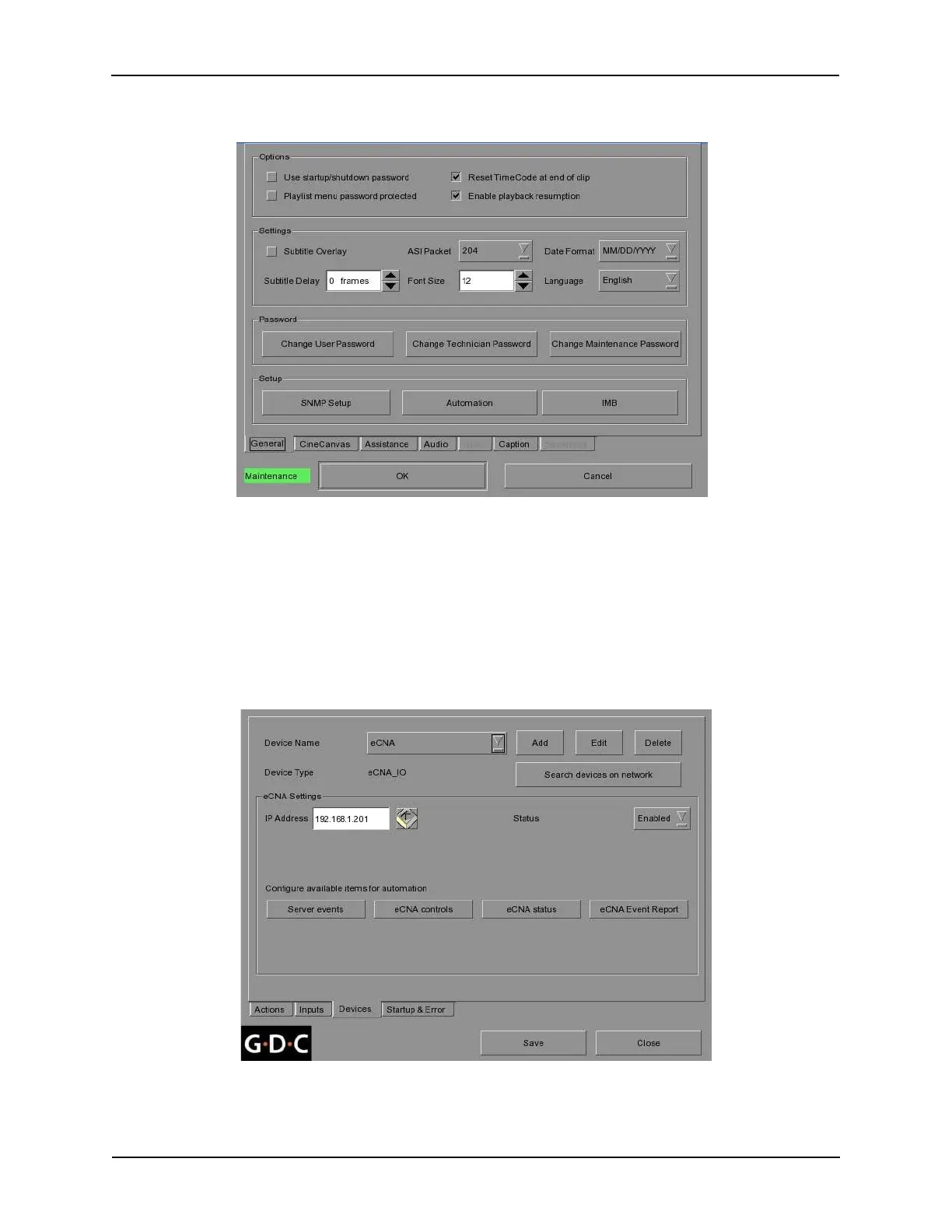
From the Configuration menu, press the [General] tab and press the [Automation] button, located on
the lower portion of the screen.
Press the [Devices] tab on the Automation menu.
Press the [Add] button next to the Device Name. Type the name “eCNA” with on the on-screen
keyboard.
Select “eCNA_I/O” as the device type.
Enter the eCNA’s IP Address with the on-screen keyboard.
You will need to configure the Server events, eCNA controls, eCNA status and eCNA Event Reports.
This sets up the messages you want available for creating Actions and Inputs.
Figure 3 Configuration Menu
Figure 4 Automation Menu
167
eCNA-10 Operation and Installation Manual Version 1.270-00



 To Next Page