© EPRAD Incorporated
Server Events
Server events are messages sent to the eCNA. Note: These events are sent to CAI channel 1 (port
13000) using the EVENT (EVT) Command.
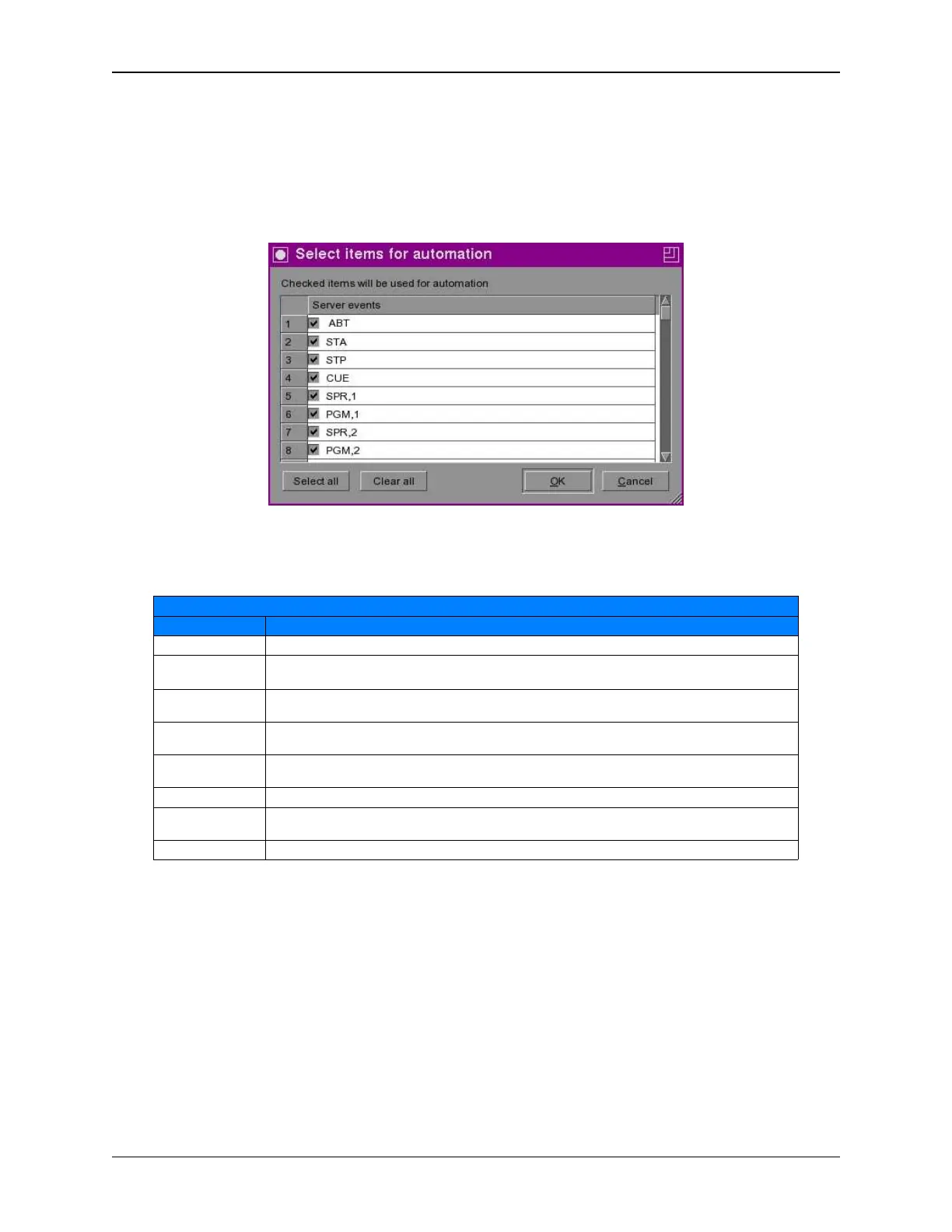
Press the [Server events] button and check the event items you want available to use for automation
or press the [Select all] button to check all of the items in the list.
The following Server events are supported:
Server Events
Event Description
ABT This event aborts a running program back to the “idle” state.
STA This event starts the current eCNA program. The eCNA’s Control State transitions from Idle
(IDL) to In Progress (RUN).
STP This event stops an eCNA program if it’s In Progress. The eCNA’s Stopped State transitions
from Not Stopped (OK) to Stopped (STP).
CUE This event is a generic cue input that will unconditionally cue the eCNA program (if it’s in the
‘Wait Cue’ instruction).
PGM,1 – PGM,9 These events set the current program number. This event would normally want to occur
before the start (STA) event.
SPR,1 - SPR,9 These events set the current program number and starts the program.
NXQ,1 – NXQ,20 This event will cue an eCNA program only if the NXQ number matches the cue number the
program is waiting for.
MAC,1 - MAC,50 These events start an eCNA macro.
Note: Server Events 1 - 44 are used for eCNA program control only. Events 45 - 84 are used for
eCNA macro control.
Figure 5 Server Events
168
eCNA-10 Operation and Installation Manual Version 1.270-00



 To Next Page