© EPRAD Incorporated
Actions Menu
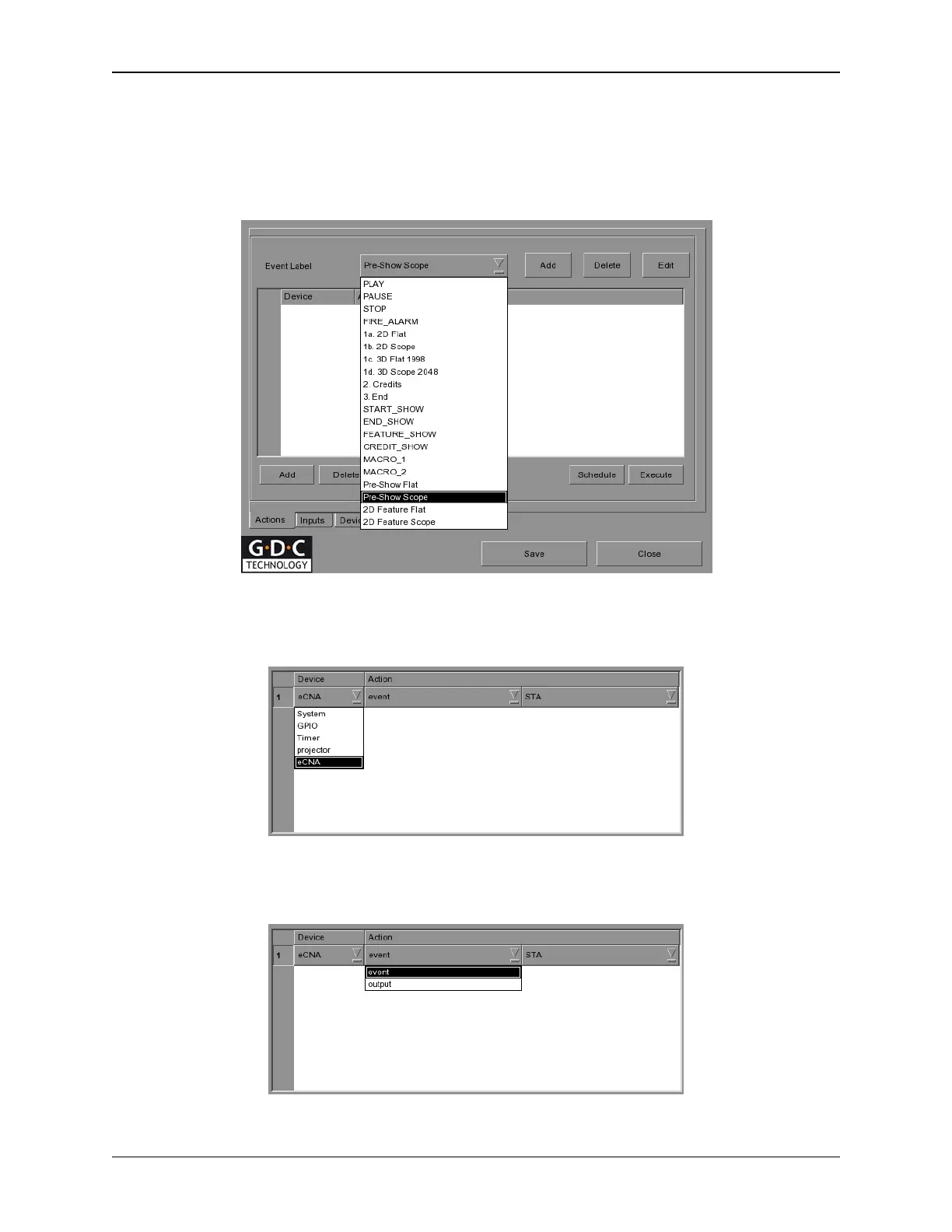
Press the [Actions] tab from the Automation menu. Here you will create events that can be sent to
the eCNA, triggered by playlist cues. Press the [Add] button, located at the top portion of the screen.
An on-screen keyboard opens. Type in the desired Label name (e.g., Pre-Show Scope) and press
[Enter].
Press the [Add] button, located at the lower portion of the screen. Select eCNA from the Device
column.
Select either event or output from the Action column. This allows you to either choose from the list of
Server events or eCNA controls.
Figure 8 Actions Menu
172
eCNA-10 Operation and Installation Manual Version 1.270-00



 To Next Page