© EPRAD Incorporated
The following events can be assigned to triggers:
Event Initiated by
Program Abort Abort key or Abort command
Fault Set Fault command, Fault input
Fault Clear Cancel key, Cancel command
Fire Stop Fire Stop input
Program Idle Transition from In Progress (running a program) to the Idle state
Program In Progress Start key, Start command
Power Up in Idle eCNA-10 power up (in Idle state)
Resume Start key, Start command
Stop Stop key, Stop command
User-Defined Key 1 - 8 Front panel keys, Browser Status screen Web Keys
Host Up eCNA receiving multicast packets from the nanoHost
Host Down eCNA is not receiving multicast packets
POS Ticket Sold Seats sold for current record > 0
POS Cancel Show Cancel Flag for current record = true
POS Ok eCNA is receiving the show schedule
POS Not Ok eCNA is not receiving the show schedule
In Rise/Fall 1 - 16 Input control flags
Timer 1 - 15 General Purpose Timer Expiration
Line Voltage Low Line voltage dropped below Low Voltage Threshold
Line Voltage OK 1 Line voltage restored inside Voltage Low Window
Line Voltage OK 2 Line voltage restored outside Voltage Low Window
Remote Device
Alarm Set/Clear
Projector Alarm (At this time the eCNA only requests the alarm
status from the Christie Type 2 projector
Clock 1 - 20 Show Schedule and Time of Day Events as defined on the “Clock
Events” screen
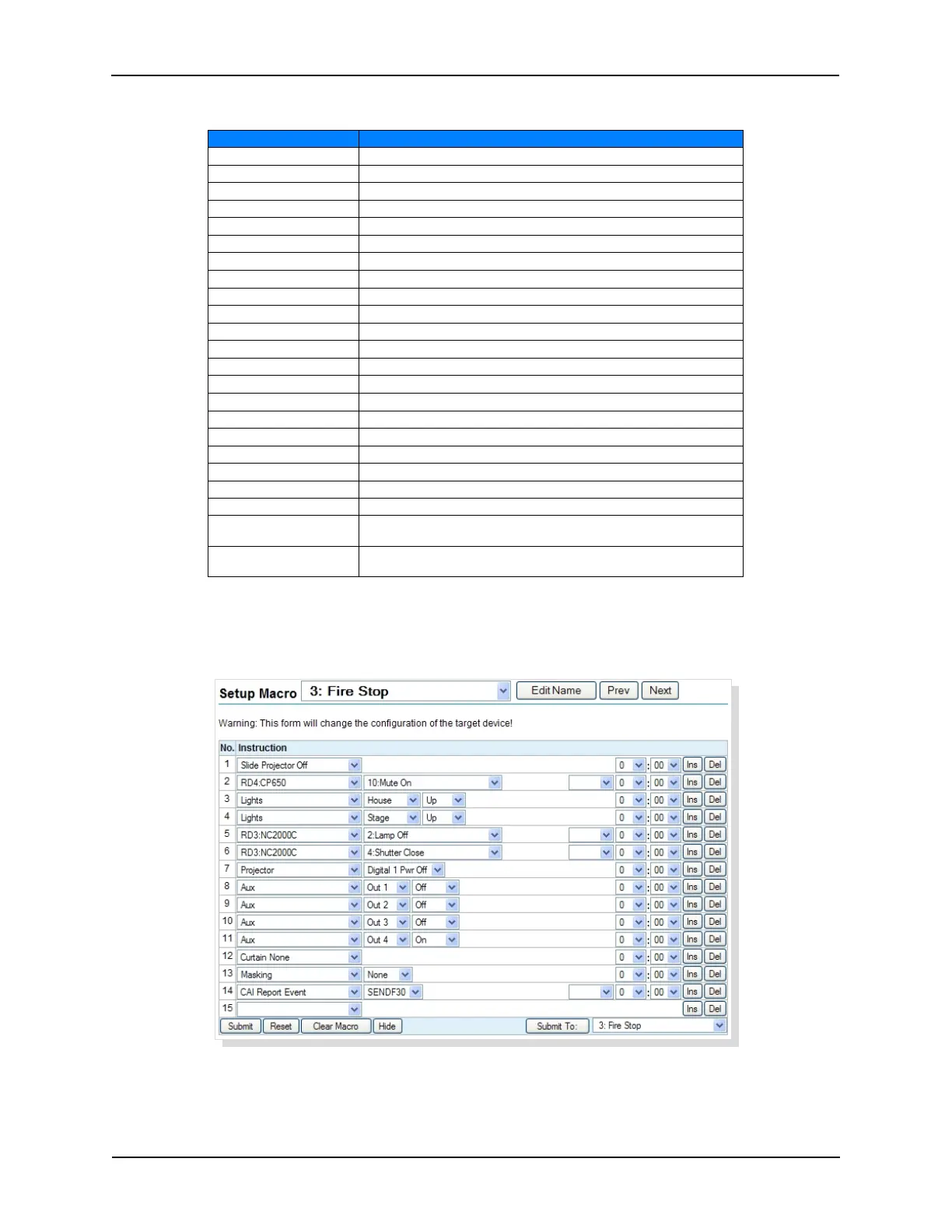
Macros can be assigned to any of these events. For example, the Fire Stop event could trigger a Fire
Stop macro. First, create the Fire Stop macro from the Macro Editor screen and assign a name. “Fire
Stop” would probably be a good name.
23
eCNA-10 Operation and Installation Manual Version 1.270-00



 To Next Page