© EPRAD Incorporated
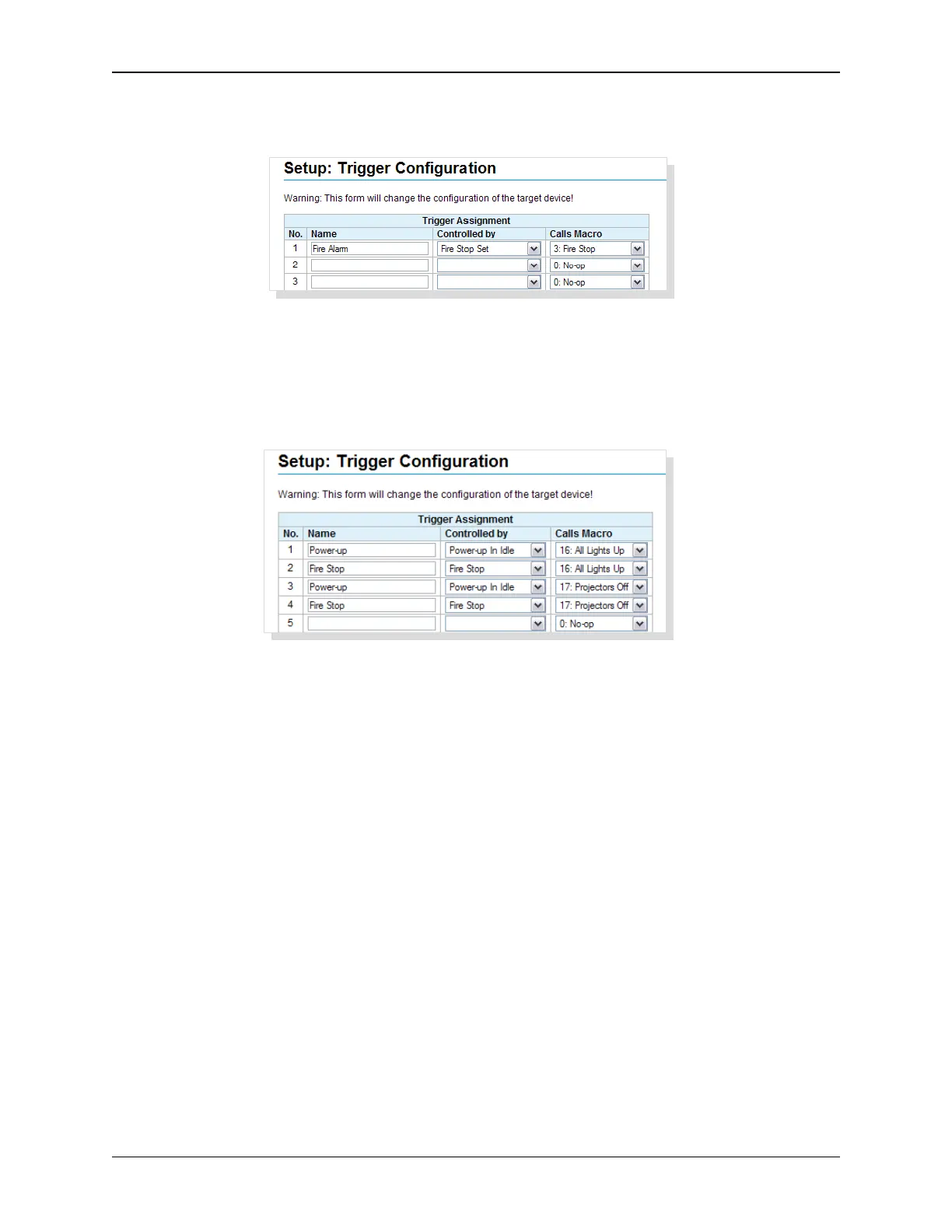
Next, assign the Fire Stop macro to be controlled by the Fire Stop event. Finally, name the trigger
anything you want. Save the changes.
On a fire stop input, the eCNA will run the Fire Stop macro.
It is possible to assign more than one macro to an event or more than one trigger to a macro. To
assign more than one macro to an event, just add another trigger (see trigger 1 and 3 or 2 and 4).
To assign more than one trigger to a macro, just add another trigger (see trigger 1 and 2 or 3 and
4).
Click on the Reset button to put the original data back. Click the Submit button to save new settings
to the eCNA-10.
Note: Click on the trigger number to enable or disable the trigger.
24
eCNA-10 Operation and Installation Manual Version 1.270-00



 To Next Page